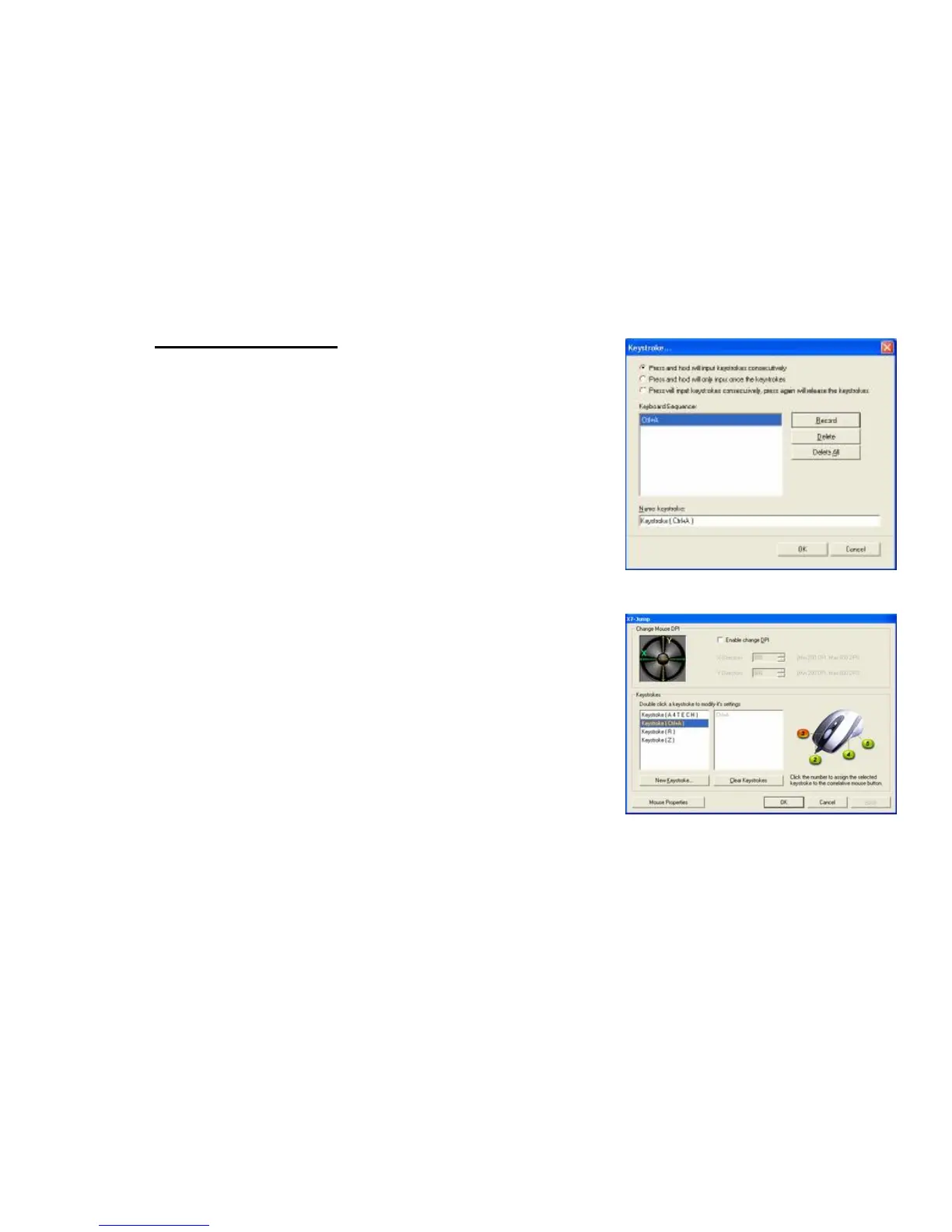
Example 2: Select 1
st
Radio Button
1. Click on “Ctrl+A” (Reference: Image C)
2. Press “Ctrl+A” on the Keyboard
3. Click “OK”
4. It will bring you back to previous page
5. Now click on “Keystroke (Ctrl+A)”, the one you just created
6. Select the Mouse Button (green icon) on the Mouse Image to your right to
store the “Keystroke (Ctrl+A)”.
7. Green icon will turn red once it’s been selected. (Image D)
8. Click “Apply” >> “OK”
We have stored it in Mouse Button # 3.
Let’s try it on regular word document
l Try it on Word Document. Press and hold your mouse button #3. Did
you see the character “Ctrl+A Ctrl+A Ctrl+A Ctrl+A Ctrl+A” inputted
consecutively?



 To Next Page