EasyManua.ls Logo

A4Tech GR-85 - User Manual

A4Tech GR-85
8 pages
Print Icon
To Next Page IconTo Next Page
Loading...
2.4G RF Keyboard
Users Guide
Model: GR-85
www.a4tech.com
Question and Answer IconNeed help?

Do you have a question about the A4Tech GR-85 and is the answer not in the manual?

Summary

Understanding the Keyboard

2.4 GHz Wireless Technology Features

Details the 2.4GHz RF wireless technology, its exclusive ID-codes, range, and errorless 2-way communication.

Technical Specifications

Lists technical specifications including RF data transmit rate, ID codes, and frequency range.

Wireless Range and Interference Management

Optimizing Wireless Performance

Instructions to ensure proper transmission and reception by placing the receiver away from electrical devices.

Troubleshooting Wireless Range Issues

Guidance on addressing issues like reduced range, including battery replacement and synchronization.

Hardware Installation

Connecting Receiver and Powering On

Guide to plugging the receiver into a USB port and correctly inserting batteries for automatic power-on.

Software Installation Guide

Installation Steps

Step-by-step instructions for uninstalling previous software, inserting the CD, and completing installation.

Software Instructions for Pairing

How to Pair Wireless Devices

Procedure for refreshing the ID Code to pair the keyboard with a receiver, including step-by-step actions.

Troubleshooting and Notices

Operational Notices

Key notices for ensuring perfect keyboard transmission and reception, including interference avoidance.

Troubleshooting Common Issues

Steps to resolve common keyboard problems, such as checking battery and receiver installation, or trying another port.

Overview

This document is a user's guide for the A4TECH 2.4G RF Keyboard, Model: GR-85.

Function Description:

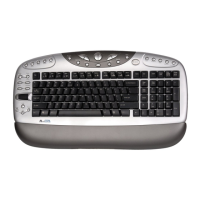
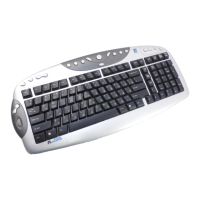
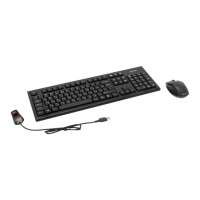
The A4TECH GR-85 is a 2.4G RF (Radio Frequency) wireless keyboard designed for use with computers and notebooks. It utilizes 2.4GHz wireless technology with an "Errorless 2-Way Communication Technology" to ensure reliable and smooth operation. The keyboard is intended to provide a wireless input solution, offering freedom from cables and a wide operating range.
Important Technical Specifications:

  • Wireless Technology: 2.4GHz RF wireless technology.
  • ID Codes: Features exclusive 1,048,576 ID-codes, which helps prevent interference from other wireless devices.
  • RF Data Transmit Rate: 500k bps (kilobits per second).
  • Frequency: Operates within the 2.407GHz to 2.473GHz range.
  • Operating Range: Up to 15 meters (approximately 49 feet) in optimal conditions.
  • Power Source: Requires batteries (details on type not specified, but implied to be user-replaceable).
  • Receiver Connection: USB port.

Usage Features:

  • Wireless Convenience: Eliminates the need for a wired connection, providing flexibility in keyboard placement.
  • Errorless 2-Way Communication: This technology includes error correction capabilities, which enhances data transmission speed and wireless precision. It also contributes to battery power savings.
  • Plug-and-Play Installation (Hardware): The receiver plugs into a standard USB port on a computer or notebook. Battery insertion automatically powers on the device.
  • Software Installation: Includes a dedicated software ("8-in-Right") that can be installed from an enclosed CD. This software provides additional functionality and management for the keyboard.
  • ID Code Pairing: While the keyboard is factory-preset with an ID code, users can refresh or re-pair the ID code if the receiver is lost or if they wish to use it with another receiver from the same product series. This process involves right-clicking the software icon, selecting "Pair ID Program," pressing "Start Pair ID," and then removing and reinserting the keyboard batteries within 15 seconds. A 6-digit matching code will be displayed to confirm successful pairing.
  • Optimal Performance Guidelines:
    • Place the USB receiver at least 8 inches (20 centimeters) away from other electrical devices (e.g., computer monitor, Zip drives, speakers) to minimize interference.
    • Maintain the keyboard within the effective 15-meter range for optimal communication.
    • Avoid using the keyboard on metal surfaces (iron, aluminum, copper) as these can shield RF transmission, slowing response time or causing temporary failure.

Maintenance Features:

  • Battery Replacement: Users are instructed to replace batteries with a fresh set if the cordless device experiences a range of less than 4 meters.
  • Troubleshooting: The guide provides basic troubleshooting steps for when the keyboard is not working:
    • Check battery installation.
    • Check receiver installation.
    • Try a different USB port.
  • FCC Compliance: The device complies with Part 15 of the FCC Rules, ensuring it meets standards for radio frequency emissions and is designed to accept interference. Users are advised that changes or modifications not expressly approved by the responsible party could void their authority to operate the equipment.
  • FCC Radiation Exposure Statement: The equipment complies with FCC radiation exposure limits for uncontrolled environments and meets RF Exposure Guidelines, with very low levels of RF energy.

A4Tech GR-85 Specifications

General IconGeneral
BrandA4Tech
ModelGR-85
CategoryKeyboard
LanguageEnglish

Related product manuals