7
Fault analysis
Connection failure of headset.
1. Check whether headset power is sufficient, charge before use.
2. Turn off the player and start again. 。
If the problems still remains, please re-pair the codes above description.
Pairing description
Take out the receiver from the computer, vertically short press[power switch]to start up the
headset >> long press[power switch]for 4 seconds, the power indicator quick flashes to
enter the code-pairing mode >> reconnect the receiver to the computer. After successful pairing,
the LED on the headset lights up.
Short receiving range
1. 2.4G wireless headset and receiver may interfere or be interfered by the wireless devices at
the same frequency, including household wireless network device, microwave oven, Bluetooth,
radio telephone and so on. Therefore,
please keep away from the devices
mentioned above.
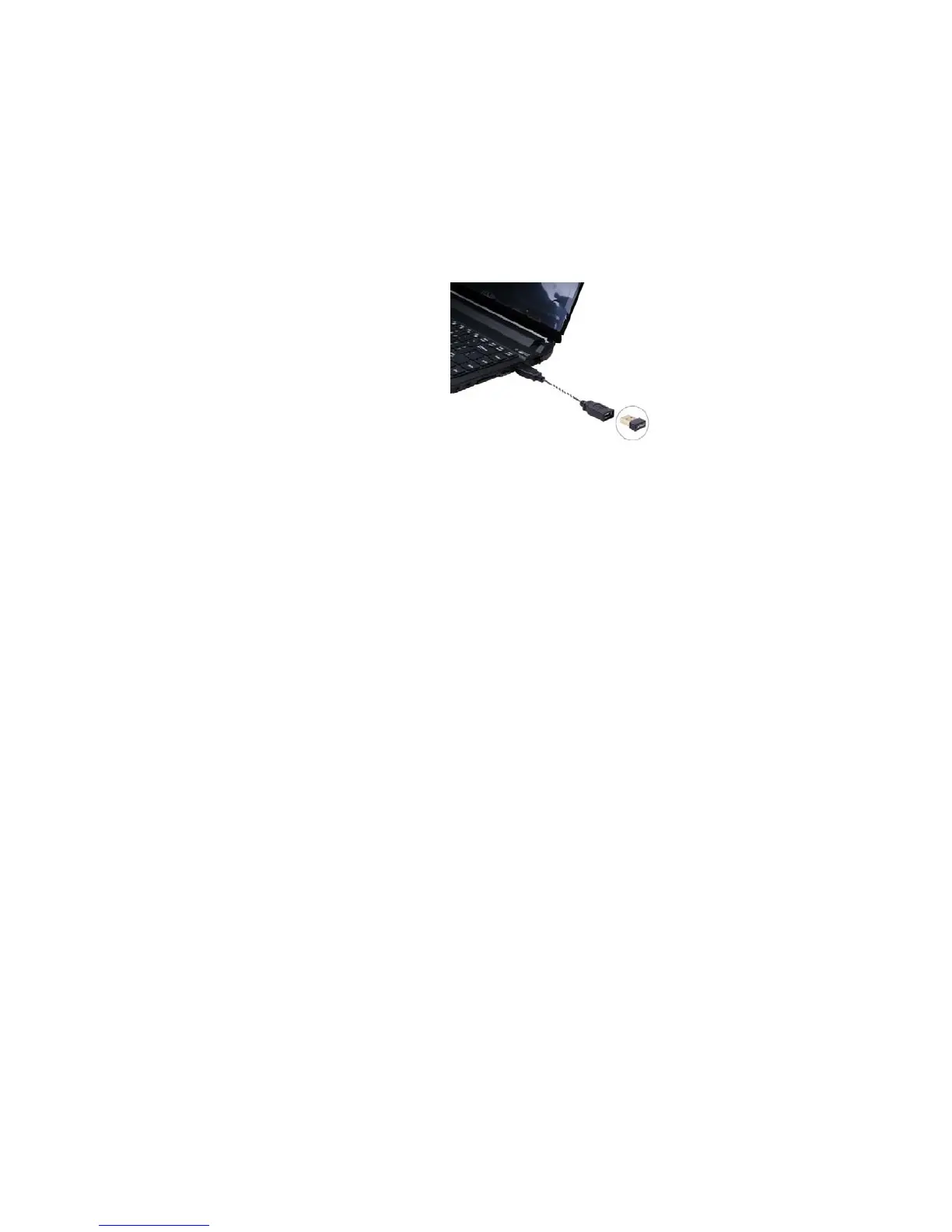
2. Using an USB extension cable can
reduce the interference as much as
possible.
Reminder
In order to get the best audio quality, please wear the headset in a correct way. The one with
“L” is the left side while the other with “R” is the right side. It’s forbidden to tear down the
hardware on your own. The dry and soft cotton products shall be used for cleaning.
Using an USB
extension cable can
reduce the


 To Next Page