Need help?
Do you have a question about the AA WIRELESS AAWireless-001 and is the answer not in the manual?
Lists the necessary Android OS version and vehicle compatibility.
Checks for necessary Android Auto updates and settings on your mobile device.
Guide to downloading and using the companion app for initial setup.
Instructions on how to clean the AAWireless adapter safely and effectively.
Precautions regarding exposure to sunlight, carpets, air flow, water, and hazards.
Details the product's conformance to specifications, materials, workmanship, and compliance.
Specifies that the warranty extends only to the first consumer purchaser.
Outlines AAWireless's commitment to remedy product failures and customer entitlements.
Covers compatibility limitations and the warranty period duration.
States that AAWireless may disclaim liability for altered or modified products.
Exclusions from warranty coverage, including accident, misuse, and modifications.
Limits AAWireless's liability for damages and disclaims consequential losses.
Details the 14-day period for customers to rescind their order without stating reasons.
Step-by-step guide on how to notify and return the product for withdrawal.
Information on the timing and method of return payments for rescinded orders.
States compliance with RE Directive 2014/53/EU and where to obtain the declaration.
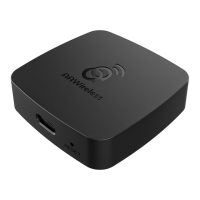
The AAWireless-001 is a wireless dongle designed to enable Android Auto™ functionality in compatible cars. This device allows users to connect their smartphone to their car's infotainment system wirelessly, eliminating the need for a physical cable connection for Android Auto. The primary function of the AAWireless dongle is to establish a seamless and automatic wireless link between an Android Auto-compatible smartphone and a car's Android Auto-enabled USB port.
The AAWireless-001 acts as an intermediary device, plugging into the car's existing Android Auto-enabled USB port. Once connected, it establishes a Bluetooth® connection with the user's smartphone after an initial setup. Following the Bluetooth pairing, the dongle then creates a WiFi® connection through which Android Auto can operate. This setup allows the Android Auto application, installed on the user's smartphone, to project its interface and functionalities onto the car's display without a wired connection. This means users can access navigation, music, messaging, and other Android Auto features directly on their car's screen, all while their phone remains wirelessly connected. The device is specifically designed for use in Android Auto™ compatible cars and requires a smartphone running Android operating system version 9 or higher with the Android Auto™ app installed.
The AAWireless dongle offers a hassle-free user experience, primarily focused on convenience and ease of use.
Maintaining the AAWireless dongle is straightforward, focusing on basic cleaning and proper handling to ensure longevity and optimal performance.
By adhering to these usage and maintenance guidelines, users can ensure their AAWireless-001 dongle provides a reliable and enjoyable wireless Android Auto experience.
 General
| Product Name | AAWireless |
|---|---|
| Model Number | AAWireless-001 |
| Category | Computer Hardware |
| Device Type | Wireless Android Auto Adapter |
| Power Input | 5V/1A |
| Operating Temperature | -20°C to 70°C |
| Storage Temperature | -40°C to 85°C |
| Certifications | CE, FCC, RoHS |
| Compatibility | Android Auto compatible devices |
| Connectivity | Bluetooth |
| Operating System | Android |
| Power Source | USB |

 To Next Page