2. Setting Up Your AAWireless
Technical requirements
1. Your phone should be running version 9 or higher of the
Android operating system to use AAWireless.
2. Your vehicle's multimedia device should be Android Auto
compatible to use AAWireless.
Before setup
1. Check for any updates available to Android Auto for your
mobile device via the Google Play app store.
2. Check if Wireless Android Auto is enabled in the Android
Auto settings on your mobile device.
Easy setup via AAWireless Companion App
1. Download the AAWireless Companion App via the Play
Store or aawireless.app.
2. Follow the steps in the app for easy setup.
3. Factory Reset
While powered on, press the reset button once using a thin object.
The LED indicator turns off briefly, after which it turns back to solid
green. The adapter is now ready to accept a new Bluetooth®
pairing request from a nearby phone.
4. Technical Specifications
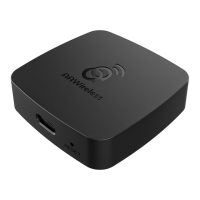
● Dimensions: 49x49x12 mm
● Processor: dual-core 1.2 Ghz
● WiFi®: 2.4 Ghz / 5 Ghz WiFi® AC/N
● Bluetooth®: 4.2
● Connector: USB-C


 To Next Page