Embedded Controller AEC-6850
Chapter 2 Hardware Installation
2 - 17
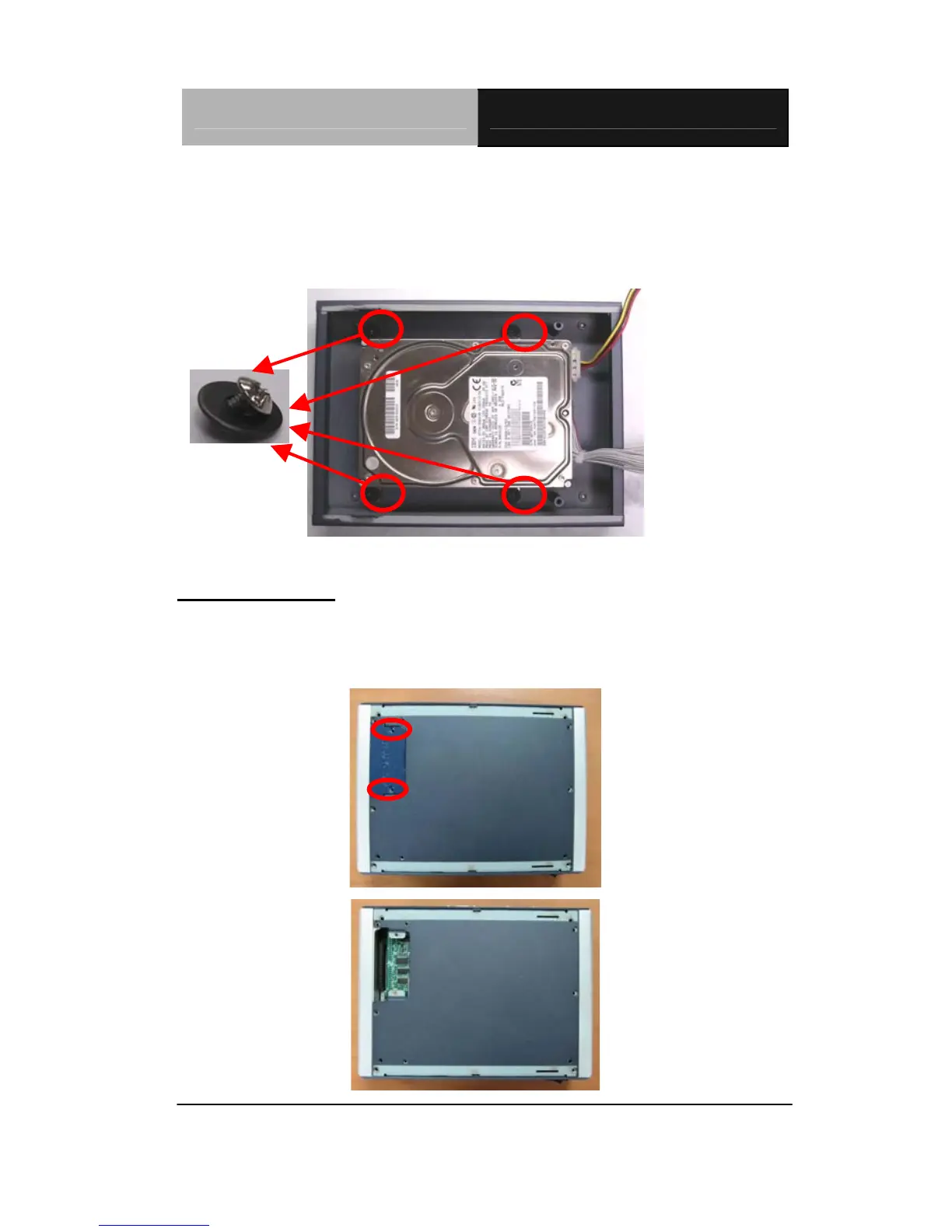
Step 5: Get the screws ready, by matching them up with a washer.
Meanwhile, place the HDD kit into the HDD kit housing and then
screw the HDD kit to the HDD kit housing.
Magnificent
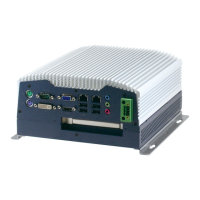
Cable Insertion
Step 1: Open the HDD cover by loosening the screws on the bottom of
the chassis.


 To Next Page