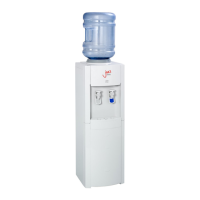
Need help?
Do you have a question about the AAFIRST Jazz 1100 and is the answer not in the manual?
Product must be installed by a qualified professional from the water industry.
Steps for contactless water dispensing, including sensor activation and stopping.
Key information on environmental factors, sensor performance, and drip tray overflow kit.
Important safety notes on installation, electrical cords, and user supervision.
Best practices for operating the cooler, including power management and ventilation.
Steps for initial setup, including POU plumbing, filter installation, and sanitisation.
Instructions for converting a bottled cooler to a Point of Use (POU) system.
Procedures for sanitising with hydrogen peroxide and specific model sanitisation.
Guide to connecting POU coolers to mains water and installing filters.
Steps for de-scaling Jazz, AA3300, and ArcticStar55 models.
Procedure for de-scaling the boiler of the ArcticSpring 100C.
Diagnosing and resolving problems with cooling, hot water, leaks, and ECO mode.
Guidelines for cooler service, maintaining hygiene, and ensuring electrical safety.
Requirements for POU water connections and information on WEEE recycling.
How to use the hot water booster and understand its indicator lights.
Explanation of the cold water indicator and the ECO light sensor for energy saving.
Initial installation steps and quick reference for hot water operation.
Details about the ArcticSpring 100C's hot water boiler, tank, and delivery.
Methods for preventing scale buildup and de-scaling the hot water system.
Information on the ECO sensor and initial installation steps for the unit.
Guide to understanding status lights and using the dispensing buttons.
Contact details, email address, and website for the distributor, AA First.
The provided document is a comprehensive manual for the AA First WCPC88CL contactless water cooler, along with installation and maintenance instructions for several other AA First water cooler models, including the Jazz 1000/1100, AA3300, ArcticChill88/98, ArcticStar55, and ArcticSpring100C. The manual covers operational procedures, safety guidelines, commissioning, sanitizing, descaling, troubleshooting, and recycling information.
The WCPC88CL is a contactless water cooler designed for ease of use and hygiene. Its primary function is to dispense water without physical contact, activated by placing a hand in front of a sensor. This feature enhances hygiene, making it suitable for various environments where minimizing touchpoints is important. The device indicates its status through LED lights: a green LED signifies that the power is on, while an orange LED illuminates during dispensing. To activate dispensing, a user simply places their hand within 4cm of the sensor. Removing the hand stops the dispensing process. The unit is programmed with a maximum dispense time of 6 seconds per dispense; for longer dispensing, users must remove and reactivate their hand in front of the sensor. In case of a malfunction, the user is instructed to turn off the power and contact their supplier.
Several important usage features and considerations are highlighted for the WCPC88CL. It is crucial to note that the cooler is not suitable for use in direct or indirect sunlight, as reflections from windows or mirrored surfaces can cause unstable performance or false activations. Similarly, the cooler should not be faced towards external open doors or windows, as this can also lead to unstable operation. Another unique feature is that Hi-Vis material may activate dispensing when in close proximity (less than 1 meter) to the sensor. The cooler is equipped with a 10-liter alarmed drip tray overflow kit. If the alarm sounds, the jerry can located inside the cooler needs to be emptied. The manual provides detailed steps for this, including turning off the power, removing the drip tray and lower front panel, emptying the jerry can, and then reassembling the components, ensuring the drainpipe is correctly connected and the panel is securely fastened before turning the power back on.
For other models like the ArcticStar 55, specific hot water features are described. The ArcticStar 55 offers a standard hot water temperature range of 82°C to 92°C, with a "BOOST" feature that can raise the temperature to 95°C/96°C for 1.5 liters of piping hot water. This boost is activated by pressing and holding the BOOST icon on the front panel for 2 seconds until a second beep is heard. During boosting, a red light flashes, turning solid red once the boost is complete. The boosting time varies depending on the current water temperature. The ArcticStar 55 also has an ECO Light Sensor feature that automatically turns off the boiler when office lights are off, saving approximately 25% in electricity. This function can be disabled via a switch on the back of the cooler if the unit is in a dark area.
Maintenance features are extensively covered across all models. General installation instructions emphasize that the product should be installed by a suitably qualified professional from the water industry. For POU (Point of Use) coolers, new hoses and compression fittings must be used when connecting to the mains. If the electrical cord is damaged, it must be replaced by a competent individual. All maintenance, servicing, and moving of the equipment should only be undertaken by a competent and trained individual.
Sanitizing is a critical maintenance aspect. Bottled coolers require sanitization every 3 months, while POU coolers need sanitization and filter exchange every 6 months. All coolers must be sanitized prior to commissioning, following BWCA and EDWCA guidelines. The manual provides specific instructions for sanitizing with buffered hydrogen peroxide solution, which involves turning off power and mains water, removing the top cover, pouring diluted sanitizing fluid into the reservoir, wiping internal surfaces, draining some fluid through taps, and then sanitizing in strict accordance with guidelines. For ArcticChill 88/98 and ArcticSpring 100 C Direct Chilling Element models, sanitizing involves removing the carbon block filter, replacing it with an empty filter housing, pouring sanitizing fluid into the housing, turning mains water back on, flushing the liquid through taps, and leaving it to stand before flushing with water to remove all traces.
Descaling procedures are also detailed. For the Jazz, AA3300, and ArcticStar55, descaling automatically sanitizes the boiler. This involves turning off power, draining water from the reservoir and boiler, removing the baffle from the cold tank, pouring de-scaler into the cold tank to feed into the boiler, waiting for foaming to stop (indicating scale removal), draining the descaler, refilling and draining with water multiple times to remove all traces, and finally refilling and turning power back on. For the ArcticSpring 100C boiler, descaling involves turning off power, opening the hot tank lid, draining water, pouring de-scaler into the tank, waiting for foaming to stop, draining the solution, refilling and draining with clean water multiple times, and then refilling and turning electricity back on, ensuring the chiller tank is also full.
Electrical safety guidelines include checking all electrical connections and wires during installation, ensuring the flex cable has no visible damage, and not installing the cooler on top of the cable. PAT testing by the distributor is recommended if the equipment has been moved, and annually by the user. POU water connections require a properly installed waterblock and non-return valve, and a pressure reducing valve is recommended for areas with high water pressure. All push-fit connections and fittings should be checked for water tightness prior to commissioning and regularly thereafter.
Troubleshooting tips are provided for common issues such as the cooler not working, low cooling, no or low hot water, no water in the tank, noise and vibration, leaking, and ECO mode problems. These tips guide users to check power, water supply, baffle insertion, proximity to heat sources, hot water switch, descaling needs, water valve, evenness of surface, filter blockage, water connections, float switch damage, and ECO switch/sensor.
Finally, the manual addresses WEEE (Waste Electrical and Electronic Equipment) recycling and labeling. All water coolers must be recycled at the end of their life according to WEEE regulations. They should be marked with CE marking for electrical safety, RoHS (Restriction of Hazardous Substances) compliance, and the Wheeled Bin Symbol, indicating that the cooler must be recycled under WEEE.
 General
| Frequency | 50Hz |
|---|---|
| Material | Plastic |
| Color | White |
| Cold Water Temperature | 10°C |
| Certification | CE |


 To Next Page