6
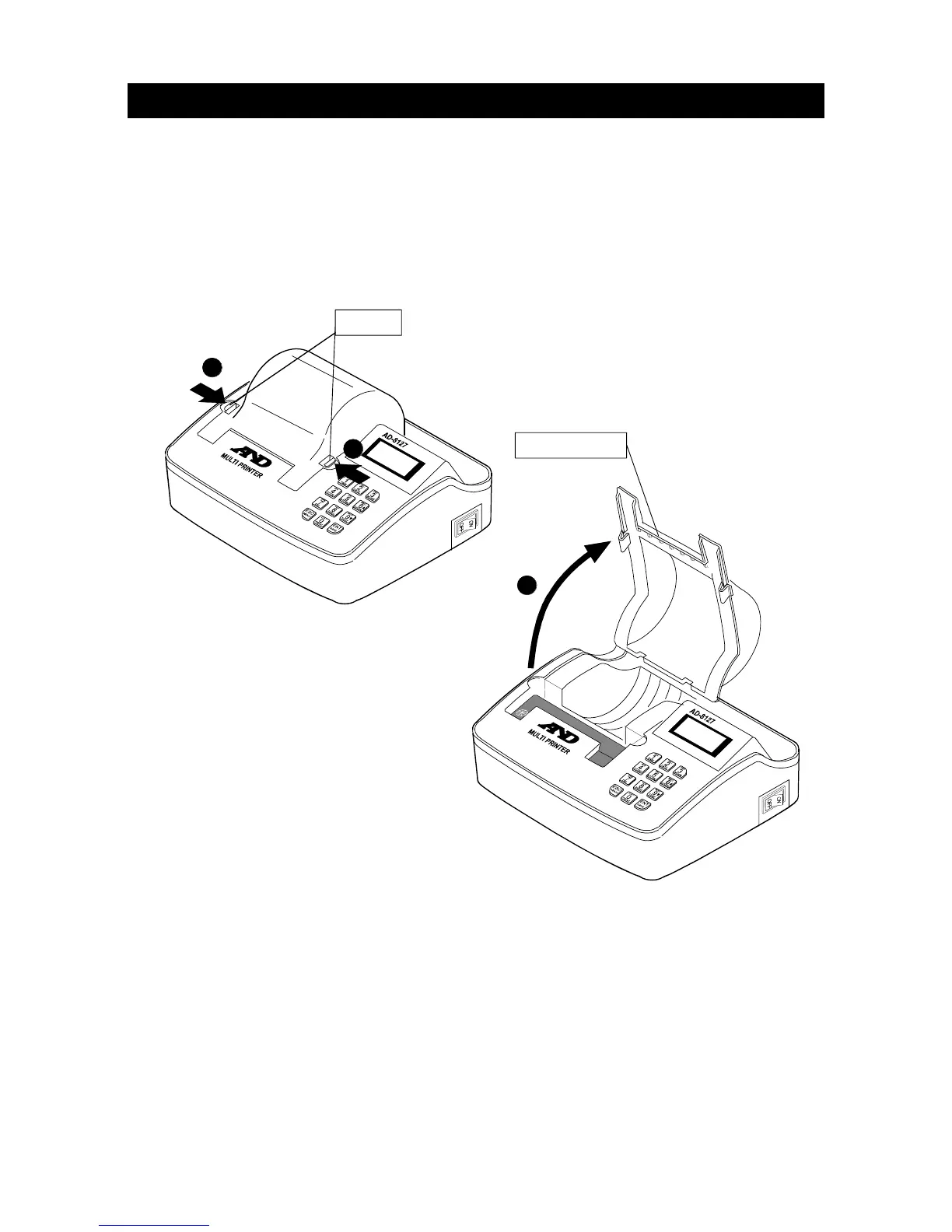
3-2. Opening and closing the printer cover
When installing and removing the ink ribbon and printer paper, open the printer cover to
allow these operations to be performed.
Instructions
1. Push the knobs at both sides of the printer cover toward the inside (directions
indicated by arrows).
2. Lift up the printer cover while keeping the knobs depressed.
Note Opening or closing the printer cover improperly may result in damage to the
printer cover.
Printer cover
2
Knobs
1
1


 To Next Page