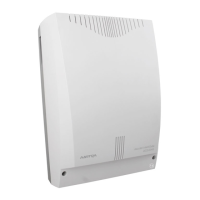
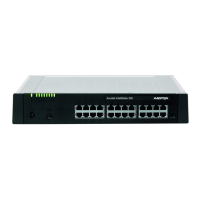
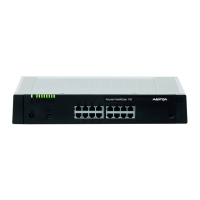
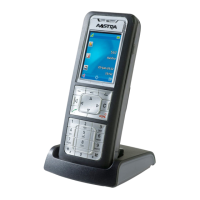
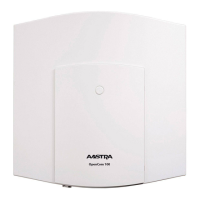
This document serves as a Quick User's Guide for the Aastra GSM Terminal, specifically when integrated with Ascotel® IntelliGate® 150/300/2025/2045/2065 systems. It outlines the procedures and functions available to users, categorized by their integration level within the telephone system.
Function Description
The GSM terminal allows users to dial into the telephone system using a dedicated GSM dial-in number. Once authenticated, users gain the ability to make internal and external calls, as well as execute specific */# procedures. Each user is assigned an internal GSM call number by the system administrator, enabling other internal subscribers to reach them.
Authentication can be either automatic or manual. Automatic authentication occurs when the GSM call number (CLIP) is transmitted, while manual authentication requires the user to input their internal GSM call number and a terminal PIN.
The system supports two levels of integration for GSM terminals:
- Level 1: Users can perform */# procedures only in prefix dialing, meaning before a call has been established.
- Level 2: Users can perform functions in suffix dialing, which means during an active call. These functions are typically initiated with "***" and are visually distinguished in the provided tables.
The document details a comprehensive list of supported procedures, categorized for clarity. These include:
- Activating/Deactivating Functions via Third-Party Phone (Remote Control): Allows remote management of certain features.
- Announcement: Facilitates making announcements to individual subscribers, groups, or answering group calls.
- Brokering: A function for managing calls, likely involving transferring or connecting calls.
- Call Back with Free Subscriber (CCNR): Enables users to request a callback when a previously busy subscriber becomes free. This can be activated or deleted.
- Call Forwarding (CFU): Provides options to forward calls unconditionally to another subscriber, clear existing forwarding, or activate/clear forwarding based on the last configured subscriber or a preconfigured subscriber. It also includes options for forwarding to a standard message, pager, or general bell.
- Call Forwarding on No Reply (CFNR): Similar to CFU but specifically for calls that are not answered. Users can activate/clear CFNR to a specific subscriber, the last configured subscriber, a preconfigured subscriber, a pager, or a general bell. It also includes options to protect against or allow CFNR to one's own set.
- Call Waiting: Allows users to manage incoming calls while already on another call. Functions include activating call waiting, rejecting an incoming call, answering with the current call on hold, answering without holding the current call, or answering with a conference. Users can also protect against or allow call waiting to their own set.
- Charges: Enables the transfer of the current call to a different cost center for billing purposes.
- Conference Call: Facilitates setting up conference calls, either predefined, variable, or in suffix dialing. It also allows for excluding internal subscribers in suffix dialing.
- Controlling Relays: Provides functions to activate or deactivate relays, likely for controlling external devices.
- Deactivate All Active Functions: A quick way to disable all active functions, with exceptions for user group login/logout, CLIR status, and appointment orders.
- Displaying Your Own Call Number (CLIP and CLIR): Offers control over the display of the user's call number to the destination subscriber. This includes suppressing display for all calls (permanent CLIR), always displaying (CLIP), or suppressing for a single call (CLIR call by call).
- Do Not Disturb (Call Protection): Allows users to activate or deactivate a "do not disturb" mode.
- Enquiry Call: Enables users to make an inquiry call while on an active call.
- Finding by Paging System: Provides functions to page subscribers in prefix or suffix dialing and to answer a pager.
- Follow Me: Allows users to activate or clear a "follow me" function, which likely redirects calls to another location.
- General Bell: Functions related to finding with coded ringing in prefix or suffix dialing, answering coded ringing, or answering a ringing signal.
- Hold: Places the current call on hold.
- Home Alone: Activates or clears a "home alone" function, which might be related to security or call handling when the user is away.
- Intrusion: Provides options for managing intrusion calls, including activating intrusion, rejecting, answering with hold, answering without hold, answering with conference, and protecting against or allowing intrusion to one's own set.
- Lock/Unlock the Phone: Allows users to lock or unlock their phone using a PIN, or to unlock for a single call.
- Making a Call on a Third-Party Phone: Enables making business or private calls using a third-party phone, requiring a subscriber number and PIN.
- Open Door: A function to open a door, likely integrated with a door intercom system.
- Park: Allows users to park calls (in suffix dialing) and connect with a parked subscriber.
- Picking Up a Call (Fast Take): Provides quick options to pick up calls from specific subscriber numbers.
- Private Call with Personal Code (PIN): Initiates a private call using a personal code.
- Request Callback Message / Message LED: Enables activating a callback message request in prefix or suffix dialing, or deleting it.
- Retrieve First Call: Retrieves the first call when multiple calls are active.
- Switch the Phone Network Manually – LCR (Fallback): Manually switches the phone network, with the last dialed external number automatically selected after fallback.
- Switch to Switch Groups: Allows users to switch to specific switch groups in a designated position.
- Text Message (Standard Text) with/without Parameter: Enables sending standard text messages to a subscriber, a group, or all users, potentially with parameters.
- User Group (UG): Functions for logging into or out of all user groups, or a particular user group.
- Voice Mail System: Provides comprehensive voicemail management, including recording, monitoring, deleting, activating, and deactivating greetings, as well as listening to voice messages. Different types of greetings (personal, global, overflow) are supported.
Usage Features
The guide emphasizes the importance of understanding the two integration levels. Users with Level 1 integration should be aware that /# procedures are only available before a call is established. For Level 2, functions initiated with "**" are available during an active call.
The authentication process is a key usage feature. Users are instructed to either rely on automatic CLIP transmission or to manually enter their internal GSM call number and PIN. Once authenticated, an internal dialing tone confirms readiness for making calls or executing procedures.
The document provides clear, step-by-step instructions for both automatic and manual authentication:
- Automatic Authentication:
- Select the GSM dial-in number.
- Upon hearing a ring-back tone, an internal dialing tone indicates successful authentication, allowing for calls and */# procedures.
- Manual Authentication:
- Select the GSM dial-in number.
- Upon hearing a ring-back tone, an authentication tone prompts for further input.
- Enter the internal GSM call number followed by the "*" key.
- Enter the terminal PIN followed by the "#" key.
- An internal dialing tone confirms successful authentication, granting access to calls and */# procedures.
The tables detailing supported procedures clearly list the */# codes and their corresponding integration levels, allowing users to quickly identify available functions based on their system configuration. The greyed-out entries in the table specifically highlight Level 2 functions, which are typically used in suffix dialing.
Maintenance Features
While the document primarily focuses on user-facing functions, some aspects can be considered maintenance-related from a user's perspective:
- Changing Your Personal Code (PIN): This is a crucial security feature, allowing users to update their PIN for authentication and phone locking. The procedure is 47 x * yy #, where 'x' is the old PIN and 'y' is the new PIN.
- Deactivate All Active Functions: This function (*00) can be seen as a troubleshooting or reset option, allowing users to clear most active settings, which might be useful if the phone is behaving unexpectedly due to multiple active configurations.
- Lock/Unlock the Phone: The ability to lock (*33 #) and unlock (#33 #) the phone, or perform a single-call unlock (#36 ), contributes to the security and controlled usage of the device, preventing unauthorized access.
- Voice Mail System Management: Functions like recording, monitoring, deleting, activating, and deactivating greetings (*913 x #, *#913 x #, #913 x #, *933 x, #933 x) are essential for maintaining a personalized and effective voicemail service.
The document implicitly suggests that the system administrator plays a key role in the initial setup and configuration of the GSM terminal, including assigning internal call numbers and determining the integration level. This administrative oversight ensures the proper functioning and security of the device within the Ascotel® IntelliGate® system.

 Need help?
 General

 To Next Page