AB IPBOX
User manual
27
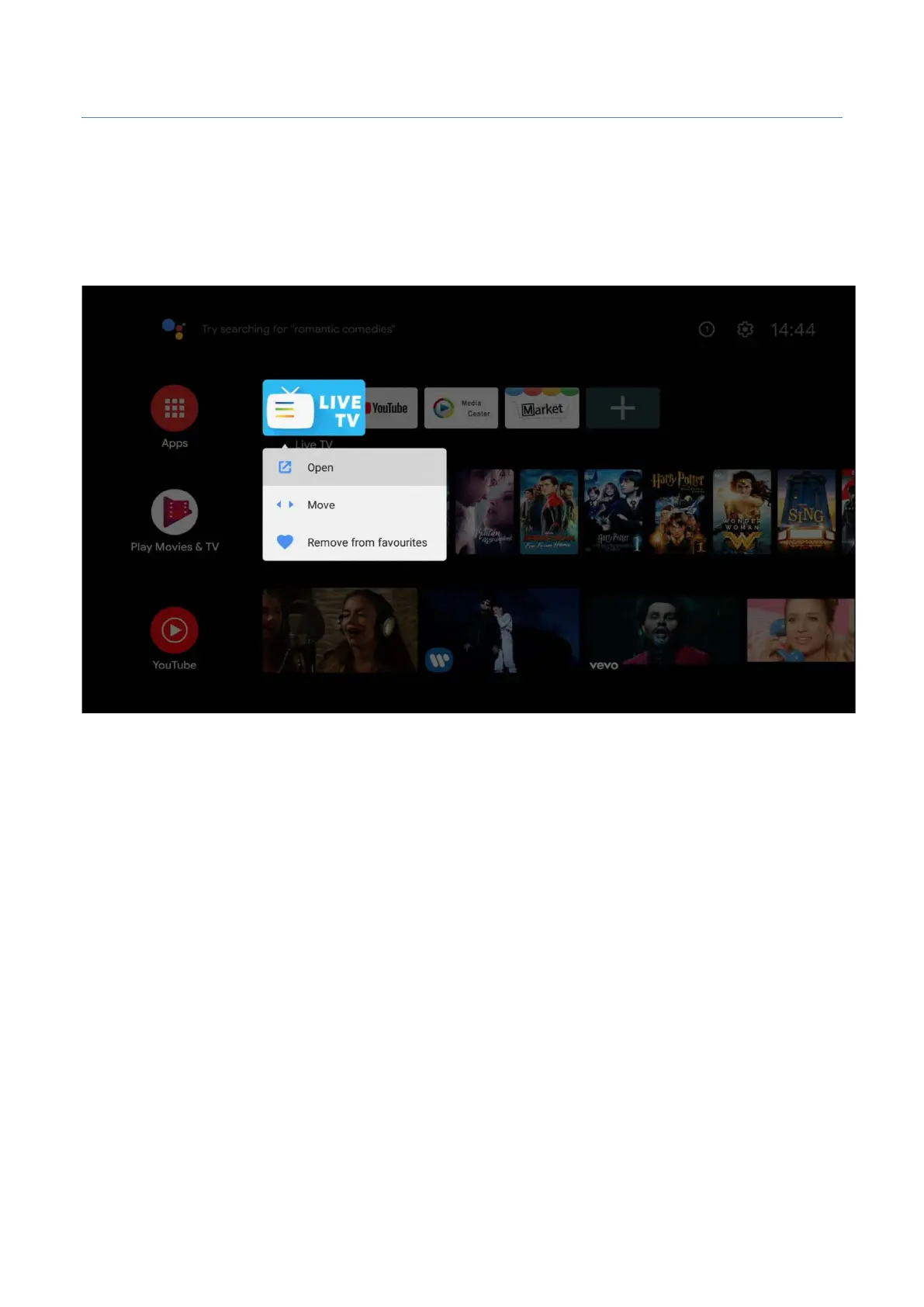
When using the Home Launcher, the main application and user application are listed in the middle of the
screen.
There are applications to go to the app that you frequently use with the remote control. If you want to change
the order of this app, place the cursor on the desired application, press “OK” key for 3 to 5 seconds.
Please select an application icon that you want to move, place the icon to desired location. Press the “OK”
button.
You are now roughly finished with the default settings. It is time to install the default app you need.
The Android for TV differs from the Google Play in general Android Google Play.
So, the fact that some regular mobile Android app does not work in AB IPBOX box is normal. To complement
that you can not find mobile Apps in AB IPBOX box. So we also provide ”Market” to find other Apps. This is a
backup App to replace the Google Mobile App Store.



 To Next Page