AB IPBOX
User manual
30
Satellite
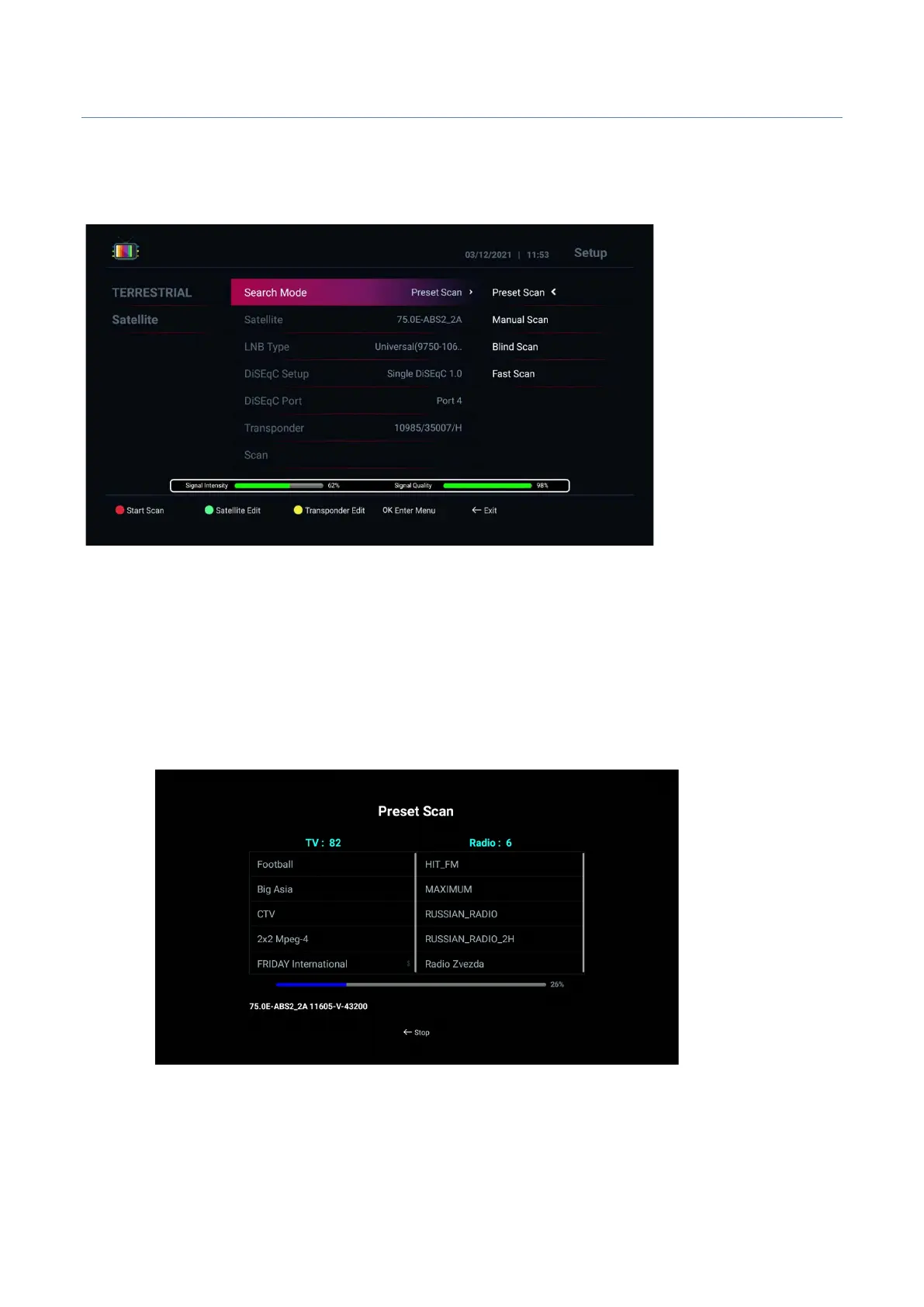
Search: Satellite
Search Mode:
• Preset Scan : Scan by pre-programmed TP information
• Blind Scan : Scan by tuner input signal
• Manual Scan : Scan by manual TP information
• Fast Scan : Scan by manual TP information
2. Select Satellite for scanning
3. LNB Type : Select LNB that you are using
4. Switch Setup : Select proper switch for antenna.
5. Press Red button to scan
6. After scanning channels, press “Exit” button, then channel will be stored and go to Live TV to enjoy
Live TV channels



 To Next Page