AB IPBOX
User manual
43
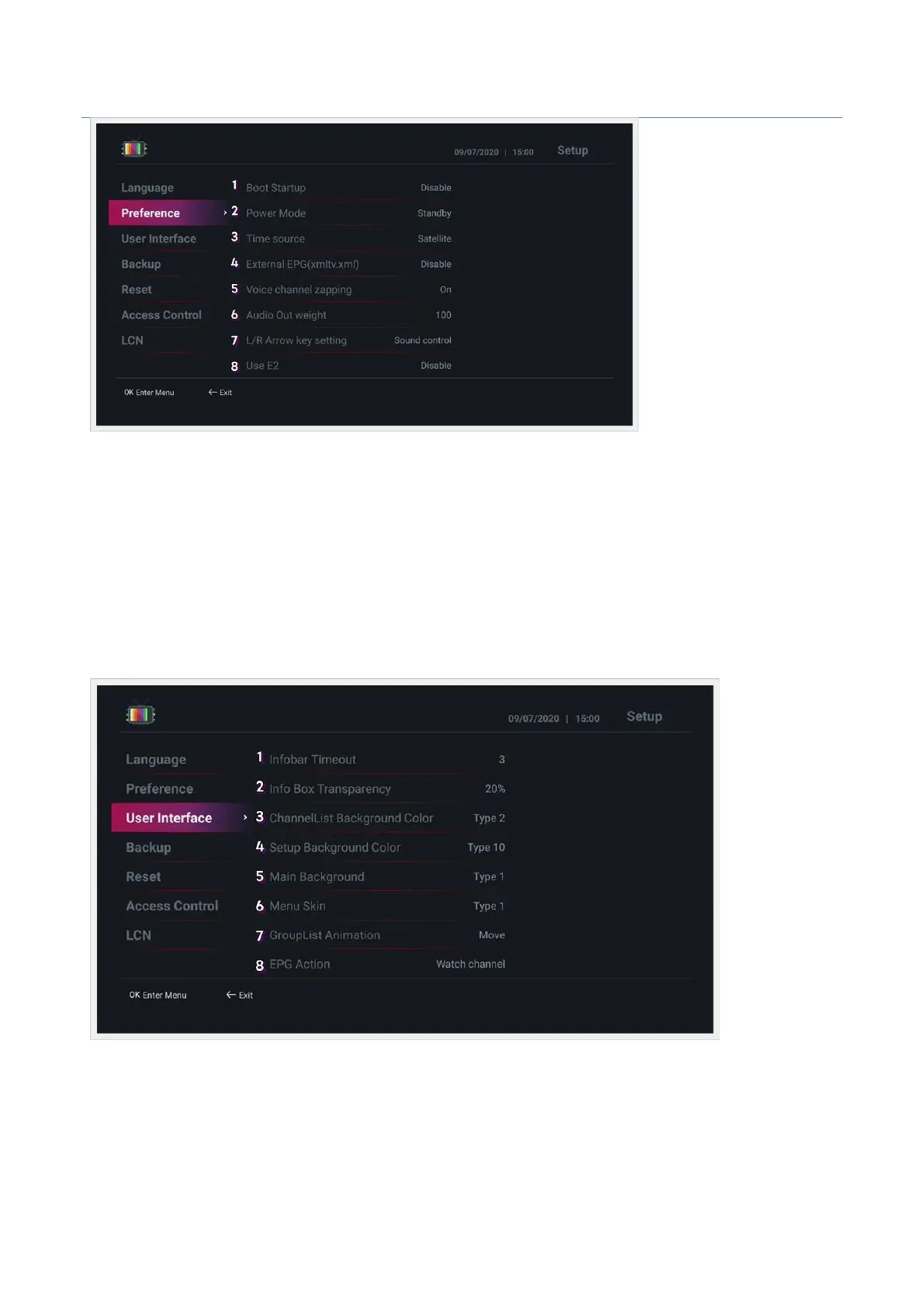
• User Interface : Set up the user interface.
1. Infobar Timeout : Set the time the infobar disappears when switching channels. (You can specify from 1 to
10 seconds)
2. Info box Transparency : Set the transparency of the info box. (0% ~ 50% can be specified)
3. ChanneList Background Color : Set the channel list background color.
4. Setup Background Color : Set the background color of the configuration page.
5. Main Background : Select the main menu background image.
6. Menu Skin : Select the main menu skin type.
7. EPG Action: Set the action method when the OK button is pressed in the EPG window. (Watch channe l :
Watch channel / Set Time : Add timer)



 To Next Page