7
Programming
Programming may be done for each day or for a group of days.
In this case instructions are common to several days.
Days: 1 = Monday, 2 = Tuesday, 3 = Wednesday... 7 = Sunday.
1. Select the prog mode using menu, then enter.
2. Select the channel (C1 or C2) using + or -, then press enter.
(Only applicable to 2-channel clock: TWA-2).
The number of remaining program steps appears for a short time.
3. new flashes, press enter to validate this new program steps.
4. Choose the day(s) using + or -. Validate with enter.
5. ok flashes. Use enter to validate the group of days.
- or makes it possible to reset the group of days if necessary.
6. Using + or -, select instruction state:
On or Off if your are in automatic astronomical mode.
On, Off, On or Off if your are in expert mode.
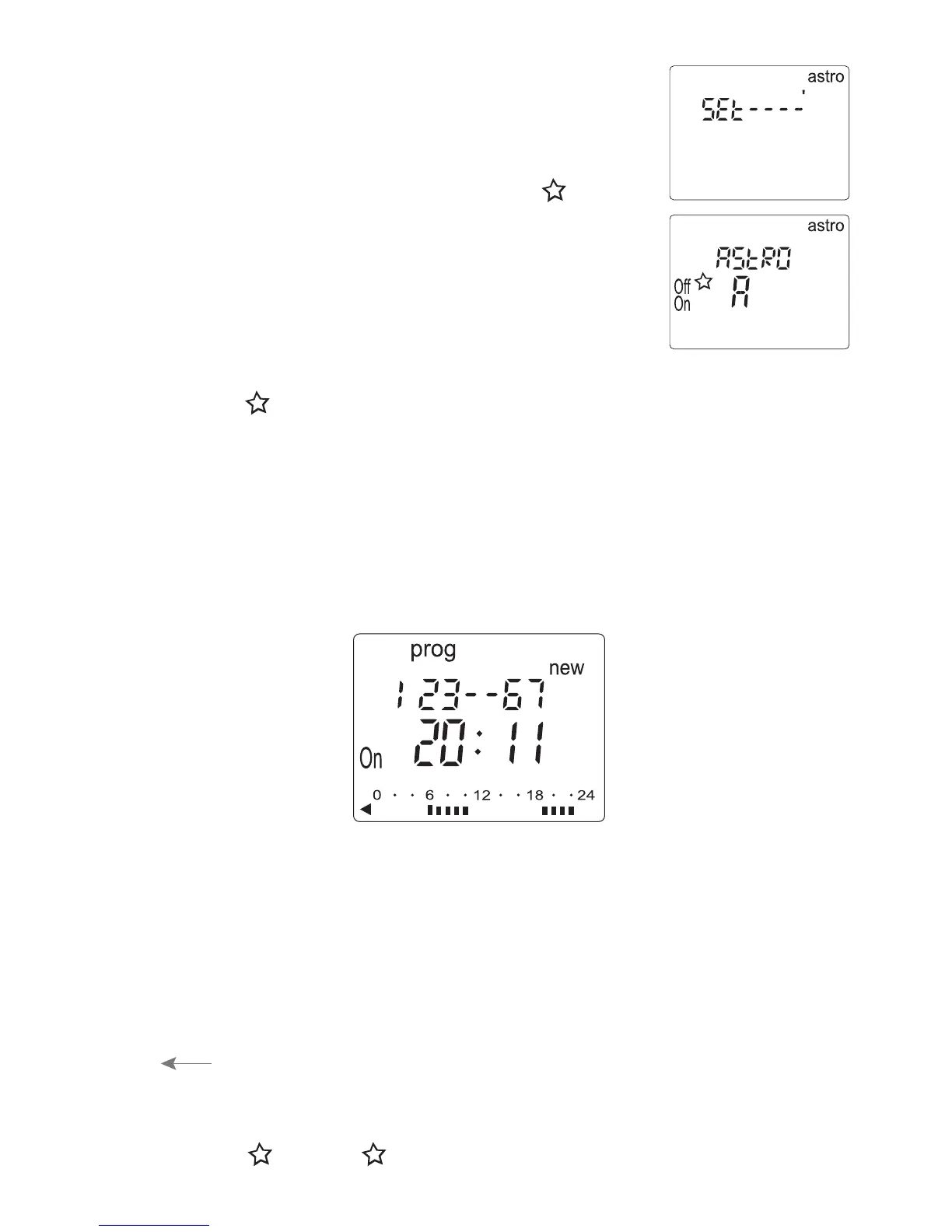
6. Set the time correction of sunset time “Set”
using + and -, then validate by enter.
7. Activate the astro mode by selecting On
using + and - then enter to have the product
switch on the control circuit automatically
according to the astronomical parameters.
8. For 2-way clock, select channel C1 or C2
using + or - and validate with enter.
The symbol on main display will indicate
if the channel is in astro mode.


 To Next Page