9
MOVING STORING AND MAINTAINING
THE AB COASTER
®
Moving
and Storing:
There are 2 wheels
attached to the front
leg support of the Ab
Coaster® in order
to aid in the moving
and storage of the
unit. Stand in the
front of the unit and
grasp the handle
bars. Push down
on the handle bars
tilting the rear up
until the front wheels
are engaged.
For storage, keep the
unit in a dry place If
placed in long-term
storage, you should
cover the unit with a cloth or other material to protect the unit from
excessive dust or dirt accumulation.
Maintenance:
Keep curved track clean and free of debris. Wipe periodically with
cloth to keep track smooth and clean.
DIGITAL
REPETITION COUNTER
The digital repetition counter helps to keep your workout
on track. You focus on exercising correctly and the
counter keeps track of your repetitions.
Requires 2 “AAA” batteries (included).
Press the mode key to start the count function.
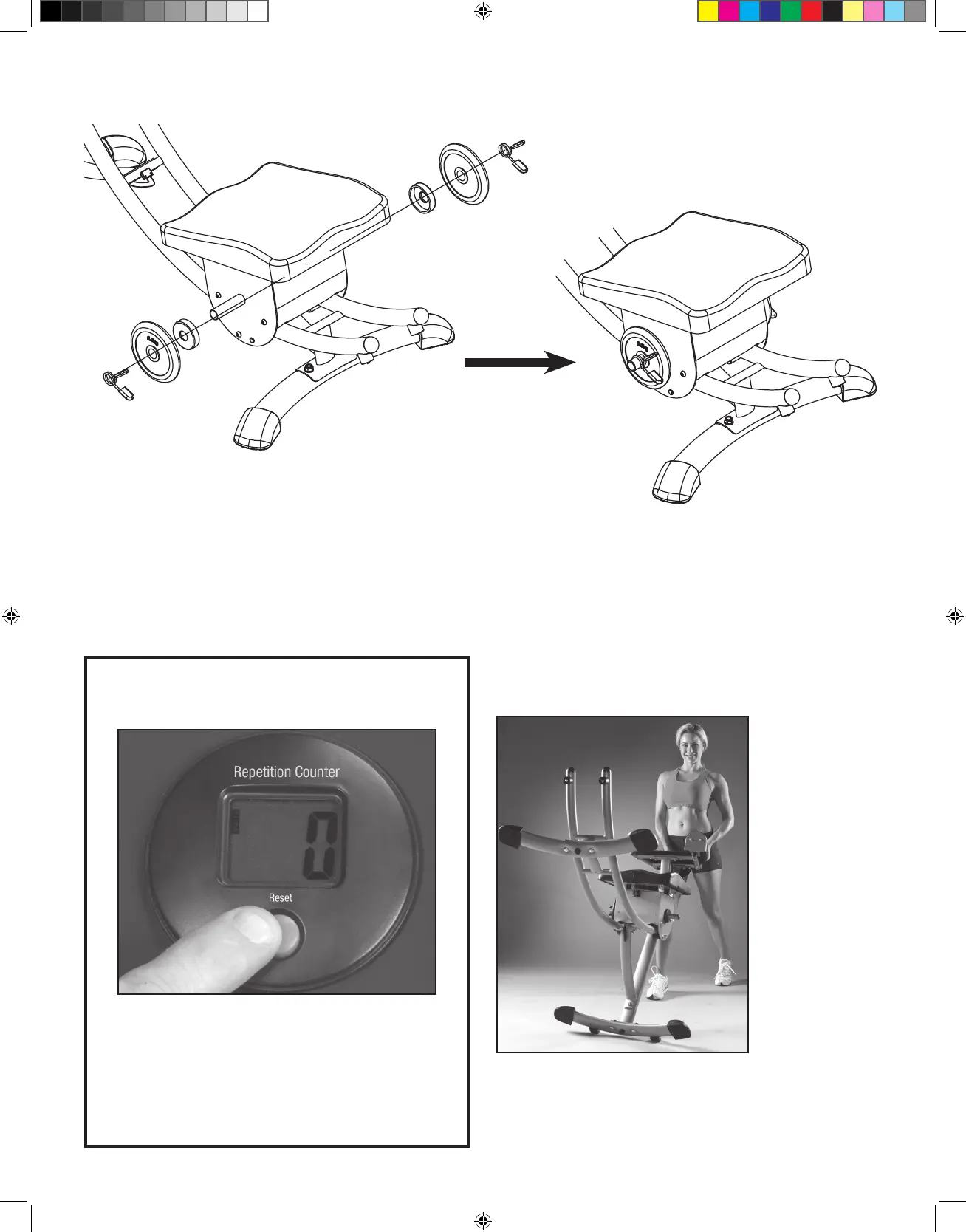
To reset the counter,
press and hold the button for 3 seconds.
RESISTANCE TRAINING (Weights Not Included)
Using Added Weight for Resistance: There are 2 weight posts on the sides of the Ab Coaster® Seat for adding weights (not included) for extra
resistance during exercise.
CAUTION: Do not add more than 20 lbs. of weight in total to the posts (4 plates of 5 lbs. each). Before adding any weight, ensure that you are
able to perform the exercise with proper form without any additional weights.
Please visit www.AbCoaster.com to view video of proper usage of the machine.
AbC_Black_Manual_V1_120511.indd 8 11/29/12 10:54 AM


 To Next Page