Description of Volume Setting Steps
1. Ensure power is turned off
2. Pressing left and right turn signal buttons simultaneously.
3. Turn on the power.
4. After 2 seconds, LED (D7) ashes to indicate the setting start, if hold on buttons for 10 seconds
without releasing (left and right turn signal buttons) will automatically leave setting mode.
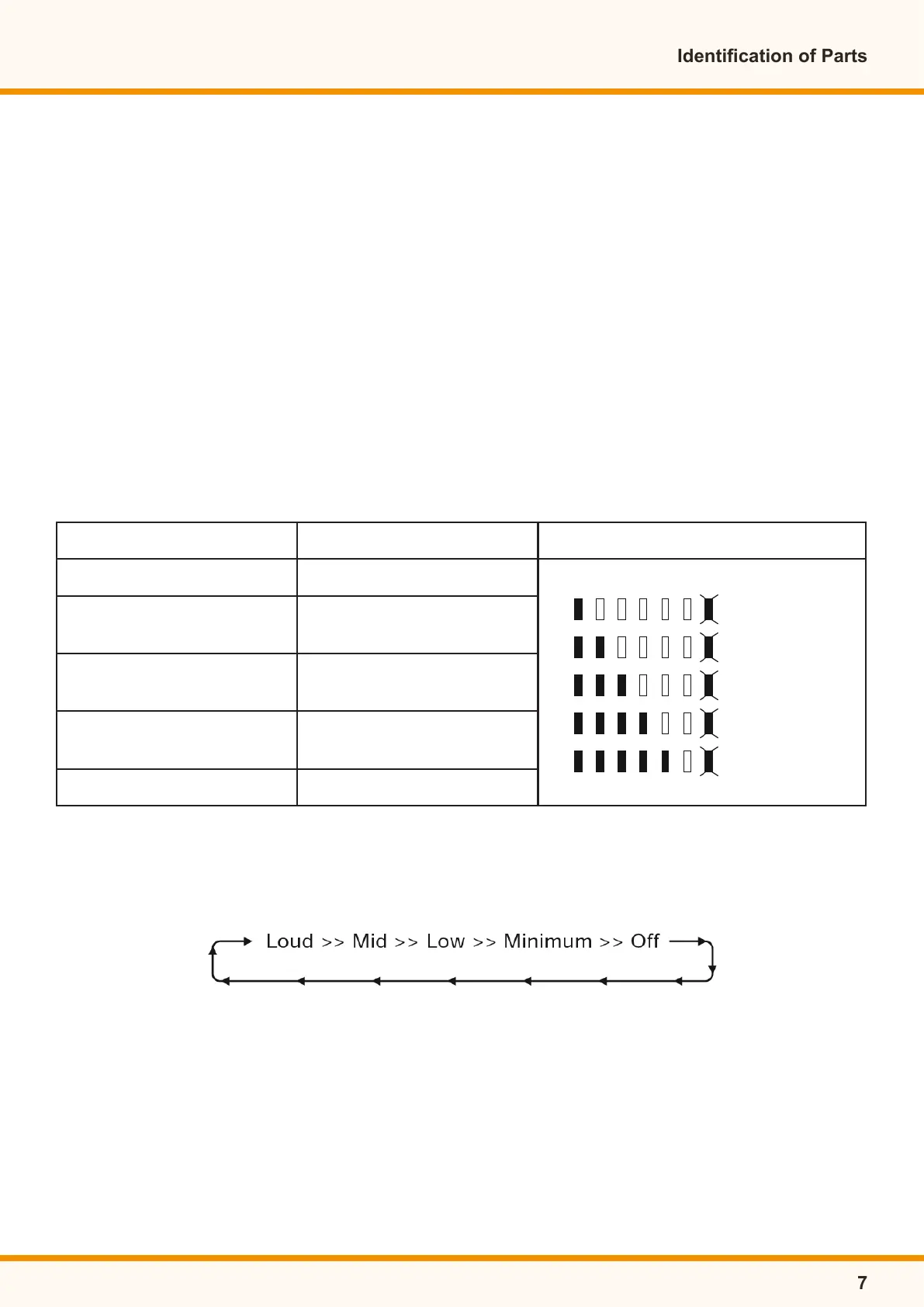
5. Pressing volume setting button (As Stop (Warning) light button) to access volume setting
mode, by pressing button (Ex: Stop (Warning) light button) to adjust volume.
6. Wait for 10 seconds without action, or pressing left and right turn signal buttons downwards
simultaneously for 2 seconds to return to normal operation mode.
P.S: Pressing volume button (ex:Stop (Warning) to access volume adjustment mode, the LED
displays to volume blocks and the volume (ex:Stop (Warning) Sound signal, press (Stop (Warning)
Light button again, the volume and LED will decrease gradually, by pressing button once will
increase or decrease one block:
Examples:
Reversing Warning Sound Volume Adjustment
1. Turn off the power (Key off)
2. Pressing left and right turn signal buttons downwards simultaneously.
3. Turn on the power(Key on) After 2 seconds, LED (D7) ashes (meaning accessed in volume
setting mode), Release the buttons within 10 seconds (left and right turn signal buttons).
Identication of Parts
7
Function Volume Button
Reverse Warning Sound Head Light Button
Turn Signal
Warning Sound
Left or Right Turn
Signal Button
Stop (Warning)
Warning Sound
Stop (Warning)
Light Button
Low Voltage
Warning Sound
Hi & Lo
Button
Horn Volume Horn Button
Volume Adjustment
Flash
Except horn volume can not be set as off
Off
Minimum
Low
Mid
Loud


 To Next Page