EasyManua.ls Logo

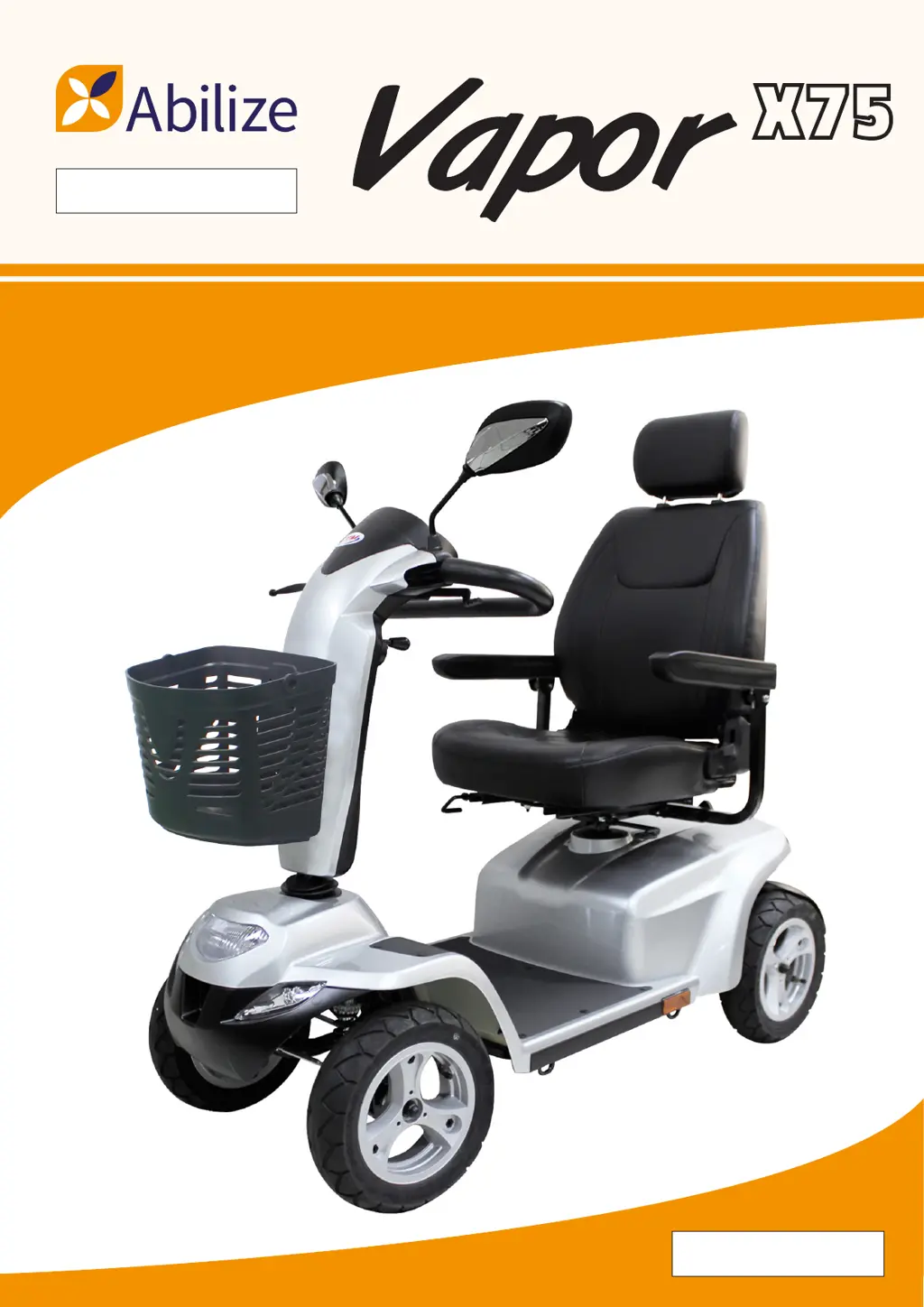
Abilize Vapor X75 - User Manual

Abilize Vapor X75
20 pages
Print Icon
To Next Page IconTo Next Page
Loading...
Code: MS03073
Instruction Booklet

Questions and Answers

  • J
    john00Aug 16, 2025
    What to do if my Abilize Scooter will not move when the key is turned on?
    • A
      Ashlee WagnerAug 16, 2025
      If your Abilize Scooter doesn't move when you turn the key, start by checking the Power Reserve Indicator on the control panel to ensure it's lit in green, yellow, and red zones. Also, check the Self-Diagnostic Warning Light to see if it's steady. If it's flashing, consult the chart for problem identification. Finally, make sure all electrical connections are tight. If these steps don't solve the issue, it is recommended to contact your authorized dealer.
  • D
    Diana MurphyAug 19, 2025
    Why does my Abilize Vapor X75 show a low battery fault?
    • R
      Raymond KaiserAug 19, 2025
      If you're experiencing a low battery or low battery fault on your Abilize Scooter, it's likely that the batteries are running low. To resolve this, recharge the batteries for at least 12 hours.
  • C
    Catherine WilliamsAug 22, 2025
    What causes a high battery fault on Abilize Vapor X75 Scooter?
    • M
      Megan GreerAug 22, 2025
      A high battery fault on your Abilize Scooter can occur if the battery voltage is too high, possibly from overcharging or traveling down a long slope. If descending a slope, reduce your speed to minimize regenerative charging. Also, inspect the battery and its connections and wiring.
  • B
    bartonroyAug 26, 2025
    What does 'Current Limit Time-Out' mean on my Abilize Vapor X75?
    • P
      Phyllis GomezAug 26, 2025
      A 'Current Limit Time-Out' error on your Abilize Scooter indicates that the motor has exceeded its maximum current rating for too long, potentially due to a faulty motor. Check the motor and its connections and wiring. Additionally, try turning the controller off, waiting a few minutes, and then turning it back on.
  • E
    Erik ParksAug 28, 2025
    What does Throttle OONAPU mean on Abilize Scooter?
    • J
      Jeffrey RichardsAug 28, 2025
      The 'Throttle OONAPU' error on your Abilize Scooter means the throttle was not in neutral when the controller was turned on. Make sure the throttle is in the neutral position when you turn on the controller. If the issue persists, the throttle may need recalibration.
  • L
    Lisa BrownAug 31, 2025
    What to do if my Abilize Vapor X75 Scooter displays a Park Brake Fluid error?
    • F
      fjohnsonAug 31, 2025
      If you are experiencing a Park Brake Fluid issue with your Abilize Scooter, it could be due to an active park brake release switch or a faulty park brake. Check the park brake and its associated connections and wiring. Also, ensure all related switches are in their correct positions.
  • D
    Dr. James Williams MDSep 3, 2025
    What does Speed Pot Fault mean for Abilize Vapor X75?
    • C
      Christina SmithSep 3, 2025
      A 'Speed Pot Fault' on your Abilize Scooter suggests that the throttle, speed limit pot, or their wiring may be faulty. Check the throttle, speed pot, and their associated connections and wiring.
  • S
    susanwilsonSep 6, 2025
    What should I do if my Abilize Vapor X75 Scooter shows a Motor Voltage Fault?
    • D
      Dr. Cynthia CampbellSep 6, 2025
      A 'Motor Voltage Fault' on your Abilize Scooter indicates that the motor or its wiring is likely faulty. Check the motor and its associated connections and wiring.
  • C
    Christopher EdwardsSep 9, 2025
    How to fix low tire pressure on Abilize Scooter?
    • G
      Glenn KingSep 9, 2025
      If your Abilize Scooter has low tire pressure, pump up the tires to 30-35 psi.
  • D
    Darren VasquezSep 12, 2025
    What does 'Other Error' mean on my Abilize Vapor X75?
    • D
      Dylan ParkSep 12, 2025
      An 'Other Error' message on your Abilize Scooter may indicate an internal fault within the controller. You can try checking all connections and wiring to see if that resolves the issue.

Summary

Important Precautions for Scooter Use

Identification of Scooter Parts and Controls

Top Control Panel Layout

Details the layout and functions of the scooter's top control panel.

Scooter Controls and Indicators

Battery Status and Warning Sounds

Battery Gauge and Capacity Display

Provides a detailed display of battery capacity levels and LED indicators.

Charging Batteries for the Scooter

Battery Charging Procedure

Step-by-step guide on how to charge the scooter's batteries.

Care and Maintenance of the Scooter

Operating your Scooter Safely

Basic Operation and Controls

How to start, use throttle, and steer the scooter using its controls.

Safe Driving Practices

Advice on practicing driving, cornering, and safe operating environments.

Navigating Slopes and Curbs

Guidance on how to safely navigate slopes, descents, and climb curbs.

Troubleshooting Scooter Issues

Warning Light Diagnostics

How to interpret the self-diagnostic warning light codes for problem identification.

Common Scooter Issues and Solutions

Addresses common problems like low tire pressure and the scooter not moving.

Troubleshooting Fault Codes Explained

Explains the meaning of flash codes and potential solutions for scooter faults.

Technical Specifications of the Vapor X75

Abilize Vapor X75 Specifications

General IconGeneral
BrandAbilize
ModelVapor X75
CategoryScooter
LanguageEnglish

Related product manuals