BIOS Setup
AW8D 3-5
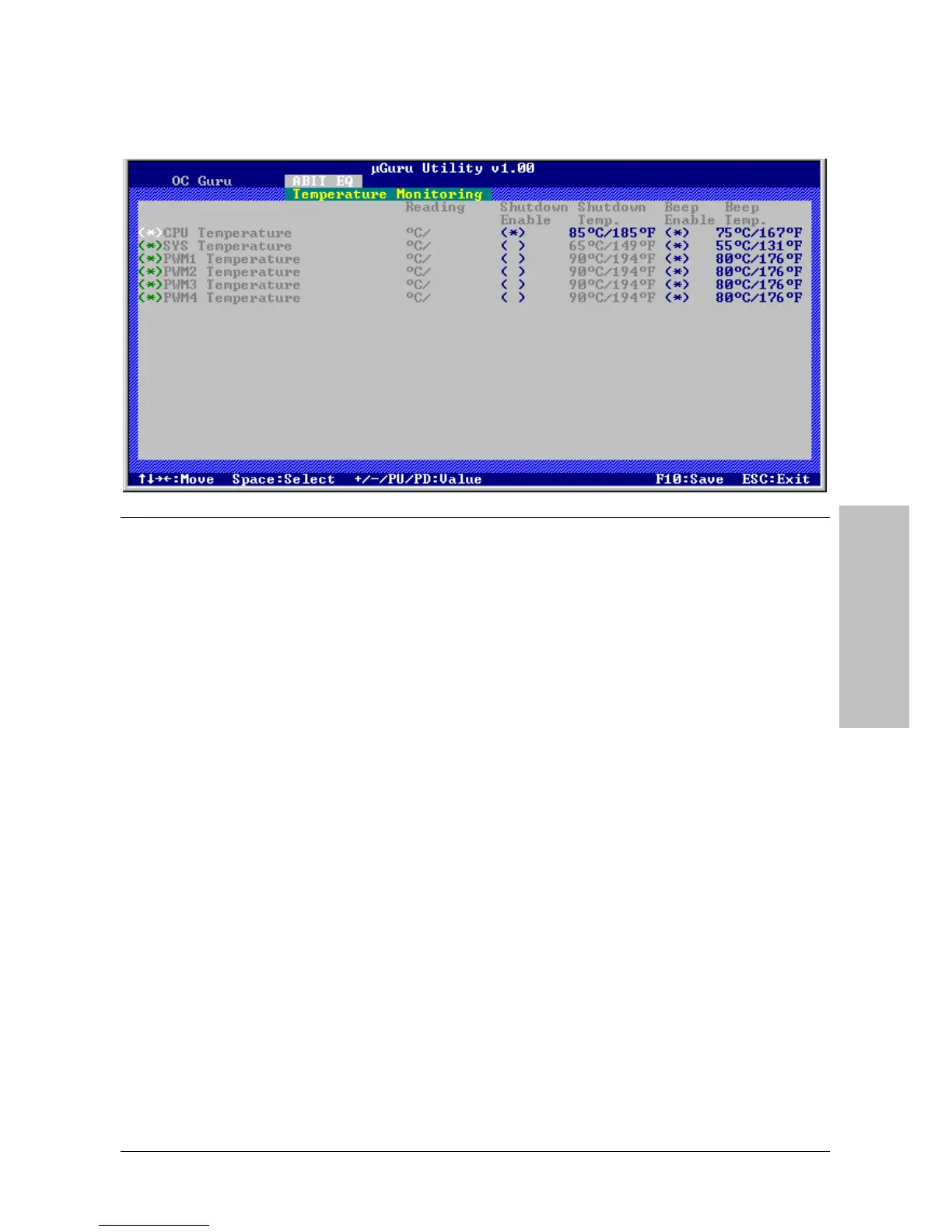
Temperature Monitoring
Click <Enter> key to enter its submenu:
CPU Temperature/SYS Temperature/PWM1~4 Temperature
These items display the temperature of CPU, System, and Power Module.
- Shutdown Enable
Use <Space> key to enable system shutdown function. If the CPU/System/PWM’s temperature
exceeds the shutdown temperature limit, the system would shutdown automatically.
- Shutdown Temp.
This items sets the temperature that would shutdown the system automatically in order to
prevent system overheats.
- Beep Enable
Use <Space> key to enable warning beeps function. Once the system has detected that the
CPU/System/PWM’s temperature exceeded the beep temperature limit, warning beeps will
sound.
- Beep Temp.
This item selects the warning temperature limit.
※ The shutdown temperature must be set above the warning temperature.



 To Next Page