Instructions for Use – Blue2 FT
Page 9 of 10
If Blue2 FT does not show up on your device as a device that can be paired with, it may already be
paired with another device or the Bluetooth pairing mode may have timed out. Hold the Bluetooth
Pairing Button down for approximately 10-seconds until the indicator light begins flashing blue.
Switch Control Software Not Responding
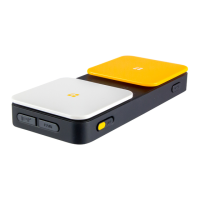
If your switch control software is not responding when you activate the blue (S1) and yellow (S2) switch
tops on Blue2 FT, verify that your switch control software is configured to respond to the keyboard
commands that Blue2 FT is set to.
PREVENTATIVE AND REGULAR MAINTENANCE
Clean the Blue2 if necessary. No scheduled maintenance is required.
REUSABLE
Blue2 FT should be sent back to the manufacturer for cleaning, testing and refurbishment before reuse
with another patient.
DEVICES USED TOGETHER WITH
Blue 2 FT can be used with any computer or tablet with Bluetooth capability and using the following
operating systems:
• Windows 11
• macOS Ventura
• iPadOS 16
• iOS 16,
• ChromeOS
PROPER DISPOSAL
Blue2 FT contains a lithium-ion battery and electronic components and should not be disposed of in
your normal home or business waste collection. Blue2 FT should be disposed of with a licensed
electronics recycler that accepts lithium-ion batteries.
WHEN TO CONTACT A HEALTHCARE PROFESSIONAL
If you have difficulty accessing the switches or need assistance with product placement.



 To Next Page