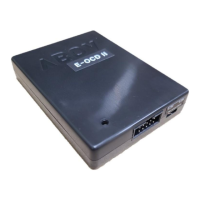
The ABOV Starter Kit Hardware A34M418YLN v1.2 is a development board designed for microcontrollers, specifically the ARM CORTEX-M4F. It serves as a comprehensive platform for developing and debugging applications using ABOV Semiconductor's microcontroller technology.
Function Description
The starter kit provides a robust environment for microcontroller development, encompassing power management, debugging interfaces, communication ports, and user interaction elements. It is designed to facilitate the rapid prototyping and testing of embedded systems.
Power Management:
The board offers flexible power selection options. Users can choose between 5.0V, 3.3V, or an external power source for the MCU. This is managed via the P2 MCU power selector switch. The JP1 header, though not used in this version, is designated for external power input, supporting a range of +3.3V to +5.0V.
Debugging and Programming:
The kit includes multiple interfaces for debugging and programming the microcontroller. A 10-pin JTAG/SWD connector (J103) allows for debugging using standard tools like Keil or IAR, leveraging CMSIS-DAP. The JTAG pins include V-Sense, GND, SWDIO/TMS, SWCLK/TCK, NC/TDO, NC/TDI, and nRESET. A separate SWD connector (J2) provides similar functionality with pins for V-Sense, GND, SWDIO, SWCLK, and nRESET. These interfaces are crucial for flashing firmware, stepping through code, and monitoring system behavior.
Communication:
For communication with a host PC or other devices, the board features a mini USB Type B connector. This connector serves multiple purposes:
- PC USB interface: For debugging and programming.
- CMSIS-DAP: For debugging capabilities.
- COM port: For serial communication.
Additionally, a USB 2.0 port is available for general communication. The J3 header facilitates USB to UART connection, allowing the MCU's RXD0 to be connected to the PC's TXD when shorted, or left open for MCU RXD0 open.
User Interaction and Feedback:
The board incorporates several elements for user interaction and system feedback:
- Input Buttons: One reset button (S1) and one event input button (S2) are provided. S1 is mapped to nRESET/PC10, and S2 is mapped to PC9, allowing for direct user input or system resets.
- LED Display: Six green LEDs (D101-D106) are included for visual feedback. These LEDs are connected to specific GPIO pins (PE0-PE5), allowing developers to programmatically control them to indicate system status, debug information, or other application-specific events.
Boot Mode Selection:
The JP2 header allows for selecting the boot mode of the microcontroller. Shorting JP2 enables "Boot mode," while leaving it open selects "Normal mode." This feature is essential for initial programming or specific application scenarios requiring different boot configurations.
Important Technical Specifications
- MCU: A34M418YLN (ARM CORTEX-M4F)
- Operating Clock: 8 MHz (Main Crystal) / 32.768 KHz (Sub Crystal)
- ROM: 512 KB Flash ROM (Code) / 32 KB Flash ROM (Data)
- RAM: 64 KB
- Communication Port: USB 2.0 (Mini USB Type B 5-pin)
- Debugging Port: SWD / JTAG (10-pin Connector)
- Input Buttons: 1 Reset, 1 Event Input (TACT Switch)
- LEDs: 6 green LEDs (D101-D106) connected to PE0-PE5.
- Power Selection: 5.0V, 3.3V, External Power.
Usage Features
The starter kit is designed for ease of use and flexibility in development:
- Plug-and-Play Debugging: The mini USB connector provides a straightforward interface for connecting to a PC for debugging and programming, compatible with popular IDEs like Keil and IAR.
- Clear Pin Assignment: The manual provides a detailed pin assignment table (J101 and J102) with color coding for different port types (VDD, GND, PB, PC, PA, PD, PE, PF, PG), simplifying the process of connecting external components and understanding the MCU's I/O capabilities.
- Flexible Power Options: The ability to select between different voltage levels (5.0V, 3.3V) or an external power source makes the board adaptable to various project requirements and power supply scenarios.
- Dedicated User Inputs: The inclusion of reset and event input buttons allows for immediate interaction with the running application, facilitating testing and control.
- Visual Feedback: The six onboard LEDs offer a convenient way to provide visual feedback for debugging, status indicators, or simple user interfaces without requiring external display components.
- Boot Mode Configuration: The JP2 boot mode selector provides a simple mechanism to switch between different boot configurations, which is useful for initial programming, firmware updates, or specific application startup sequences.
- Comprehensive Documentation: The user manual provides detailed descriptions of all components, pin assignments, and usage instructions, making it easier for developers to get started and troubleshoot issues.
Maintenance Features
While the manual does not explicitly detail maintenance procedures, the design of the starter kit implies several aspects that contribute to its maintainability and longevity:
- Robust Connectors: The use of standard connectors like mini USB Type B and 10-pin box headers ensures compatibility with widely available cables and debugging probes, reducing the risk of wear and tear on proprietary interfaces.
- Clear Labeling: All components, headers, and switches are clearly labeled on the PCB, which aids in identification, troubleshooting, and proper connection of external circuitry.
- Modular Design (Implied): While not explicitly stated, the separation of the A-Link part (debugging and communication) from the Device part (MCU and peripherals) suggests a modular approach that could simplify fault isolation if issues arise.
- Firmware Update Capability: The debugging interfaces (SWD/JTAG) are fundamental for updating the microcontroller's firmware, ensuring that the device can be kept current with the latest software versions or bug fixes.
- Open-ended Development: The extensive pin assignments and general-purpose I/O (GPIO) pins allow for a wide range of external components and modules to be connected, promoting an open-ended development environment where parts can be easily swapped or upgraded.
- ESD Protection (Implied): Although not specified, development boards typically incorporate some level of ESD protection to safeguard the sensitive microcontroller from electrostatic discharge during handling and use, contributing to the board's durability.

 Need help?
 General

 To Next Page