EN
10
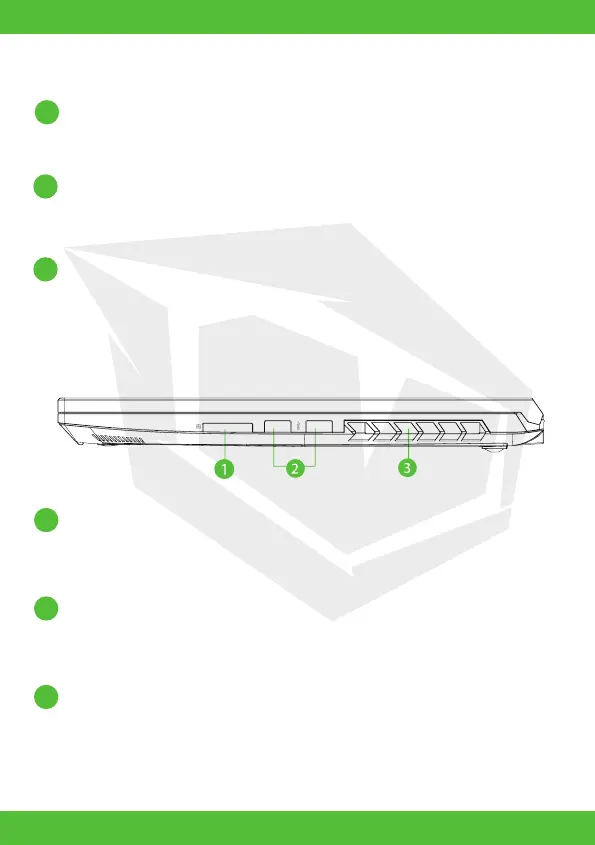
USB Ports
Connects an USB device (such as USB Zip drive, keyboard or mouse)
into this jack. With charging function.
Card Reader
USB interface, SD/SDHC/SDXC, UHS-I speed
Connecter: Full SD size
Vents
The thermal vents are designed to cool the internal components
and avoid overheating.
Keyboard
The keyboard provides keys with comfortable travel (The keyboard legend
will depend on the spec / region).
Touchpad LED indicator/ Touchpad switch
Click twice will open or close touchpad functionality (Please see 3.3 Using
the touchpad / clickpad instructions).
Touchpad/Click pad
Touch-sensitive pointing device which functions like the mouse.
Right Side View
8
9
10
2
1
3



 To Next Page