EN
18
3.3 Using the touchpad / clickpad
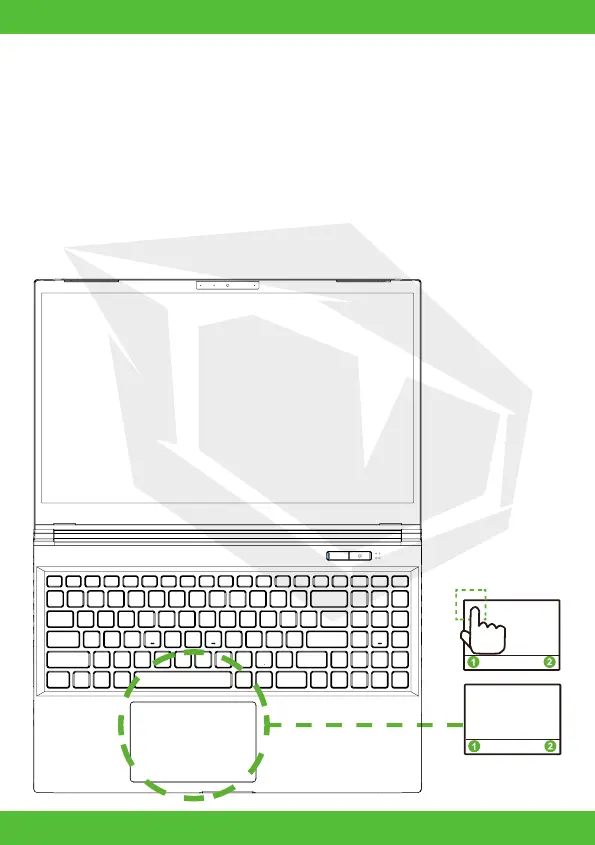
The touchpad / clickpad is a rectangular electronic panel located just below your
keyboard. Click twice left corner will open or close (light) touchpad functionality.
You can use the static-sensitive panel of the touchpad / clickpad and slide it to
move the cursor. You can use the buttons below the touchpad as left and right
mouse buttons. Press the left and right buttons located on the edge of the
touchpad / clickpad to make selections and run functions. These two buttons
are similar to the left and right buttons on a mouse. Tapping on the touchpad /
clickpad produces similar results.
Click twice will open or
close (light) touchpad
functionality



 To Next Page