EN
14
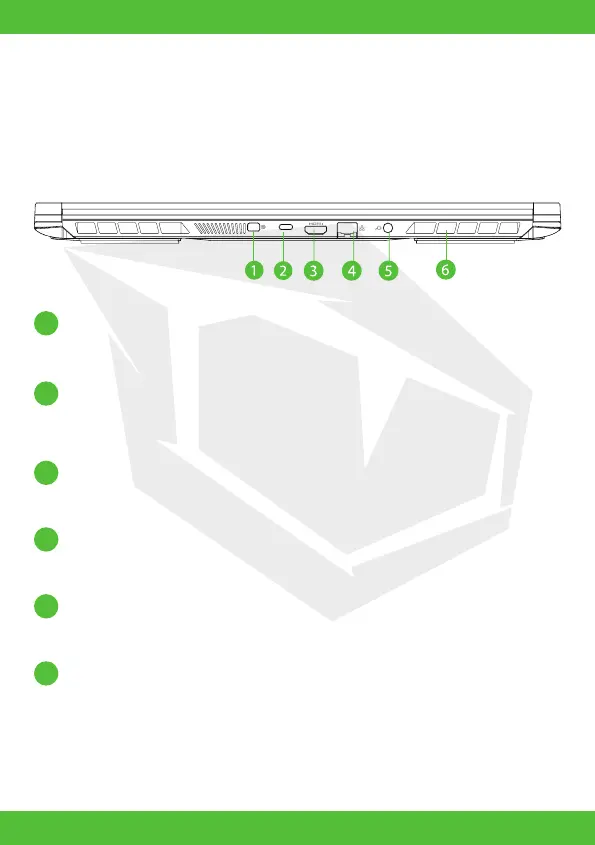
Back Side View
Mini Display Port
Supports high-denation digital video connection.
Network Jack
This jack lets you connect to a LAN.
USB Port Type C
Connects an USB device (such as USB Zip drive, keyboard or mouse)
into this jack.
Power Connector
Connects the AC adapter into this connector.
Vents
The thermal vents are designed to cool the internal components
and avoid overheating.
HDMI port
Connected to the screen, or home theater system.
1
2
3
4
5
6



 To Next Page