REPLACING THE CHAMBER BLOCK
to prevent
any
removed from
the
Replacing the Chamber Block
S
S
T
T
E
E
P
P
4
4
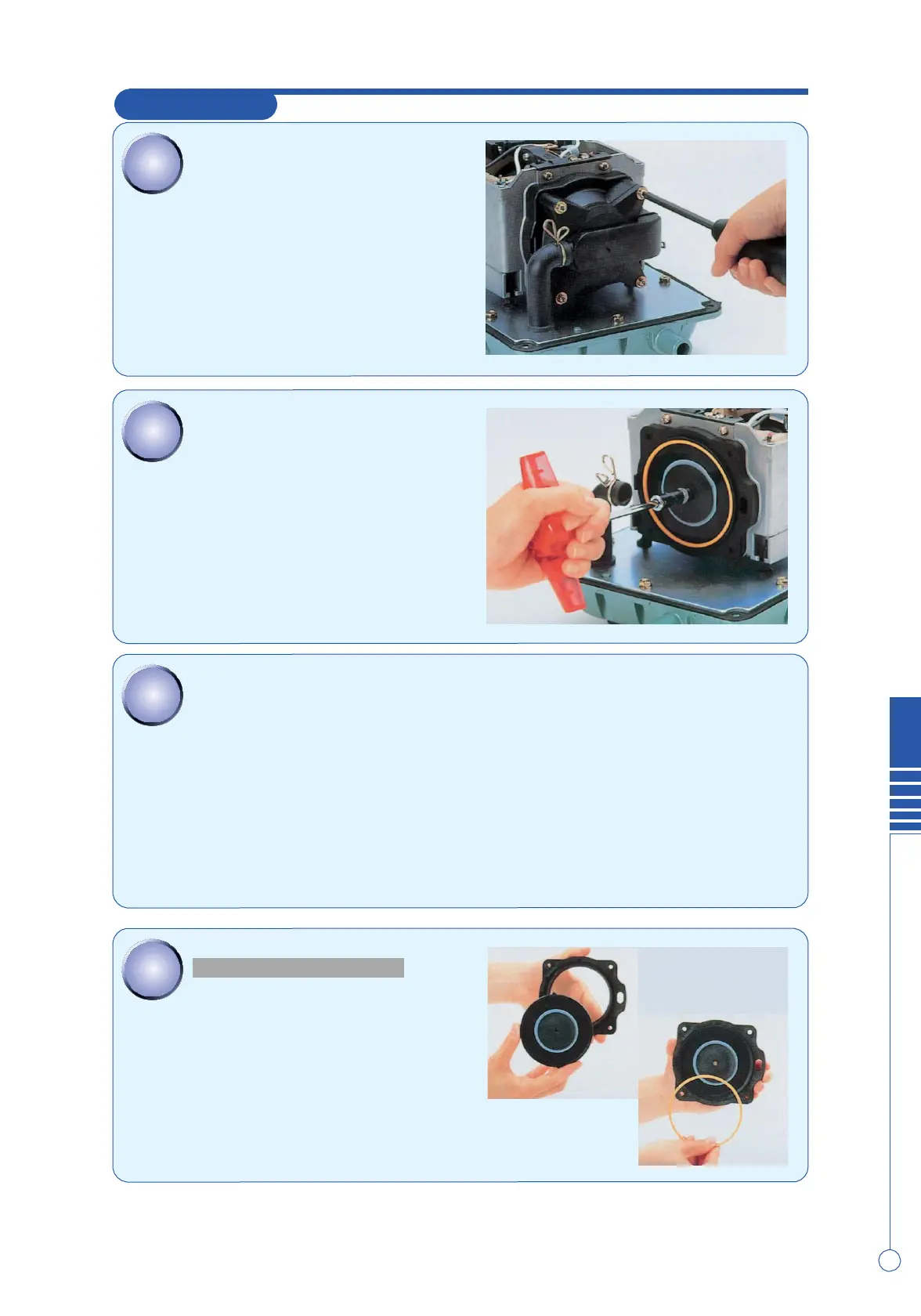
Remove the 4 screws holding the chamber block
and the casing
block.
(4 screws on each side)
S
S
T
T
E
E
P
P
5
5
Remove 1
U-lock
nuts from one side holding
the
diaphragm
mounting
block to the
rod.
●Use the nut driver to loosen (or tighten) the
U-lock
nut.
S
S
T
T
E
E
P
P
6
6
Remove one of the diaphragm mounting
blocks
from
the actuating rod and pull out the other diaphragm
mounting block with the rod. After that, separate the
diaphragm mounting
block
and the rod.
●When pulling out the rod, be sure not to catch the
rod
projection on the lever of the SP
switch.
●If the pump stops automatically, the safety pin must be
b
further
damage
to the pump. Be sure all broken pieces
a
unit.(See
Step
15
)
S
S
T
T
E
E
P
P
7
7
REPLACING THE DIAPHRAGM
In case of replacing the whole
diaphragm
mounting
block, move straight to
STEP
12
.
Remove the
diaphragm
ring from the
diaphragm,
and then, detach the
diaphragm
from
the
diaphragm base.
3


 To Next Page
 Loading...