6
WERKSEINSTELLUNGEN
FACTORY RESET
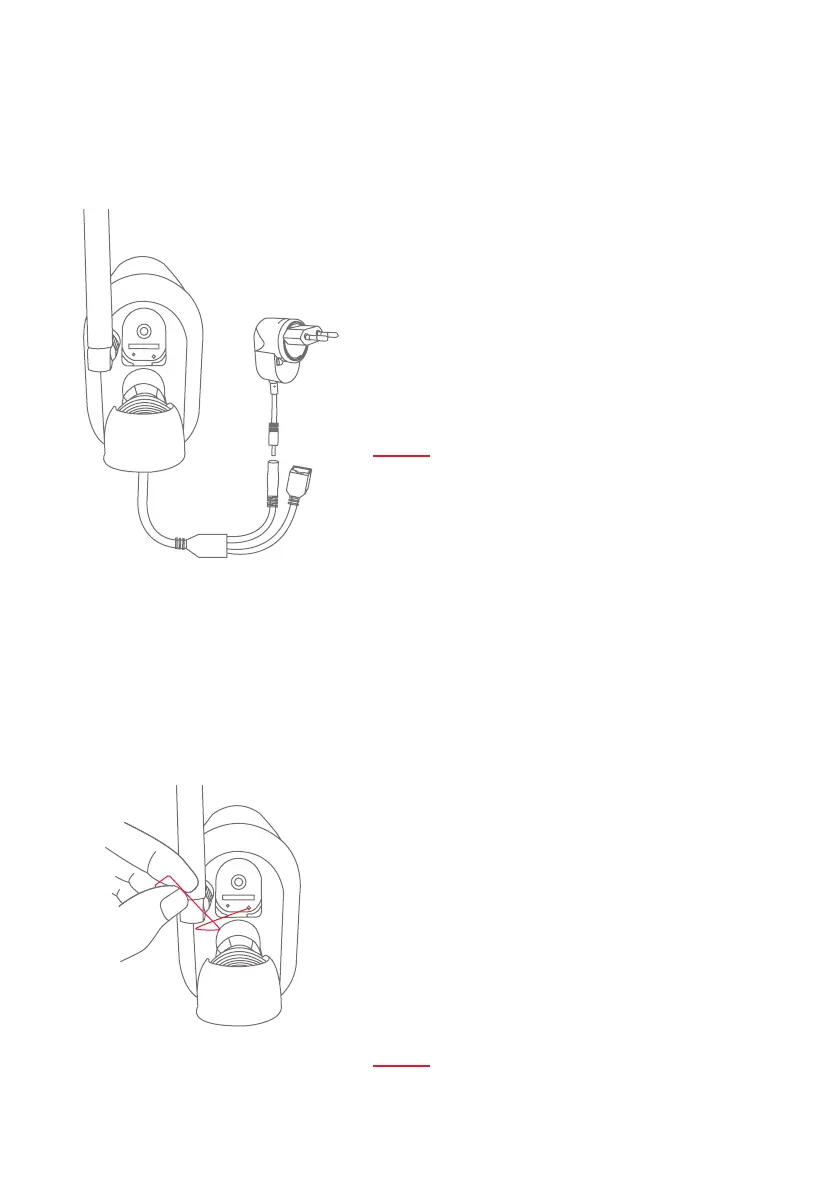
STROMVERSORGUNG
POWER SUPPLY
Falls es während der Inbetriebnahme Schwierigkeiten gibt
oder Sie die Zugangsdaten (Passwort und Sicherheitscode)
vergessen haben, setzen Sie die Kamera auf werkseitige
Einstellungen zurück:
Önen Sie die die Abdeckung auf der Kamerrückseite mithil-
fe eines Innensechskantschlüssels und drücken Sie für min-
destens 5 Sekunden die Reset-Taste mithilfe eines dünnen
Gegenstands (z. B. der Entnahmehilfe für die microSD-Karte
oder einer Büroklammer), bis die Power-LED blinkt.
If there are any diiculties during the setup or you have
forgotten the access data (password and security code),
reset the camera back to factory settings:
Open the cover on the back of the camera using an
allen key and press the reset button, on the bottom of the
camera, for at least 5 seconds, using a thin object (e.g. the
removal tool for the microSD card or a paper clip) until the
power LED ashes.
Einsatzbereit in 60 Sekunden:
Sobald die rote LED 2x kurz
und 1x lang blinkt.
Ready in 60 seconds:
When the red LED ashes quickly
two and then once for longer.



 To Next Page