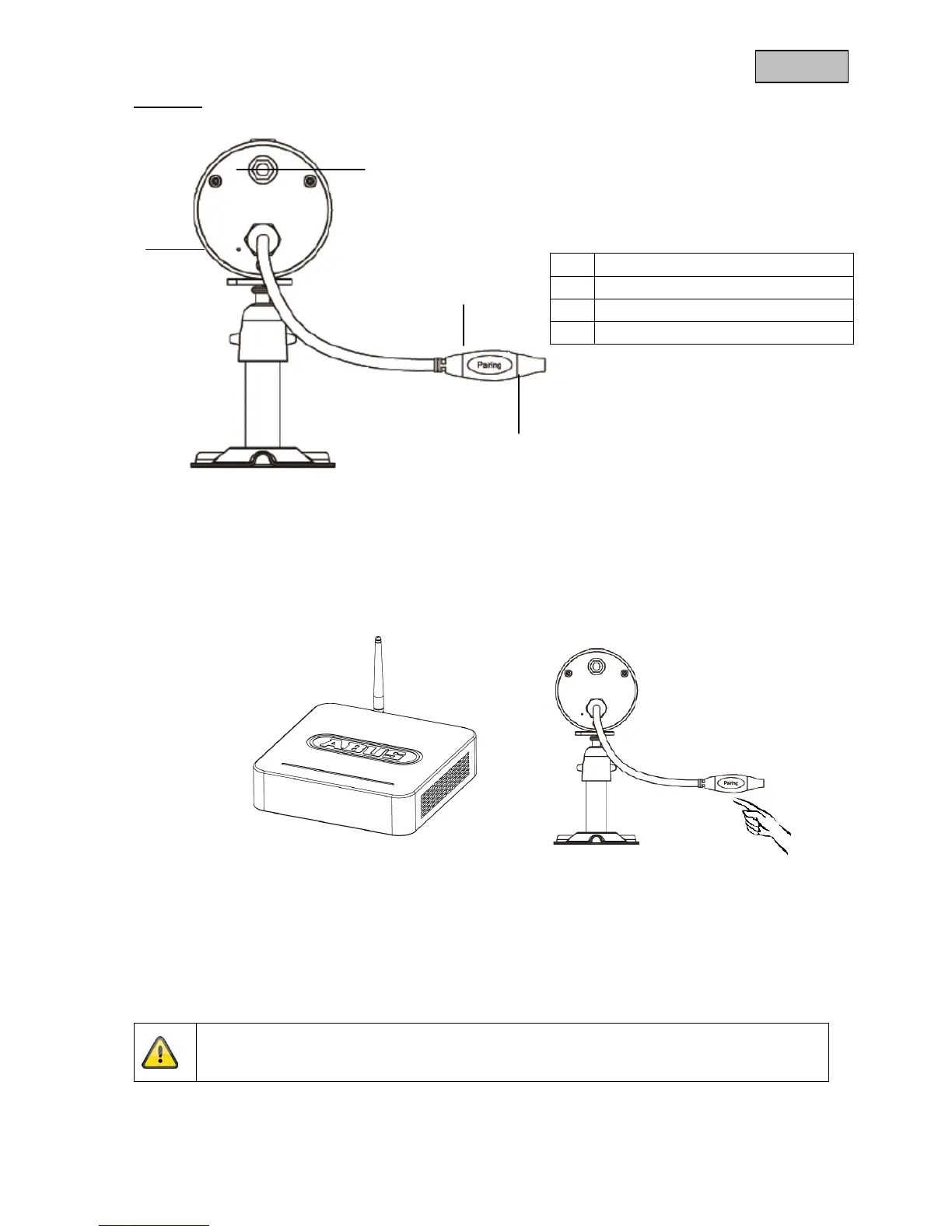
Rear view
5. Installation
5.1 Pairing the camera to the recorder
To connect a camera to the recorder, proceed as follows:
1. Connect the camera and the recorder to the power supply.
2. In the recorder menu, select “Camera”, then “Pair” and the required camera (1-4). The system counts
down from 60 seconds.
3. Press the PAIRING button briefly on the camera cable during these 60 seconds.
4. The LINK LED is lit up continuously once the connection is established.



 To Next Page