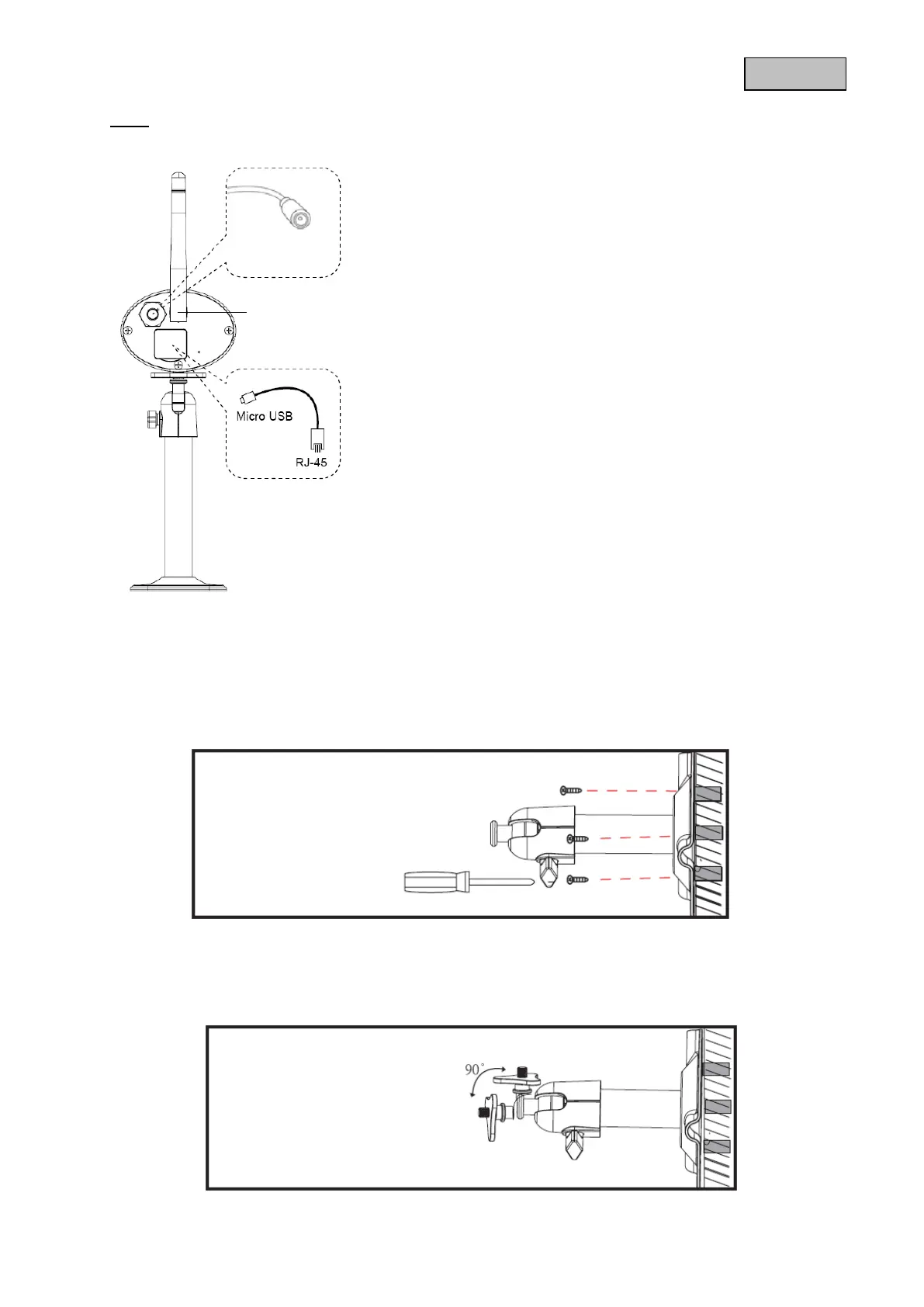
Rear:
5. Installation
Using the camera mount, select a suitable installation site. Mark the drilling holes on the surface
and drill the holes. First, insert the supplied screw anchors and attach the mount using the screws.
You can swivel the mount by up to 90° to select the desired position. First, loosen the screw at the
side and adjust the camera to the desired angle of view. Next, tighten the screw to fix the camera in
the desired position.
Power cable/reset
33



 To Next Page