23
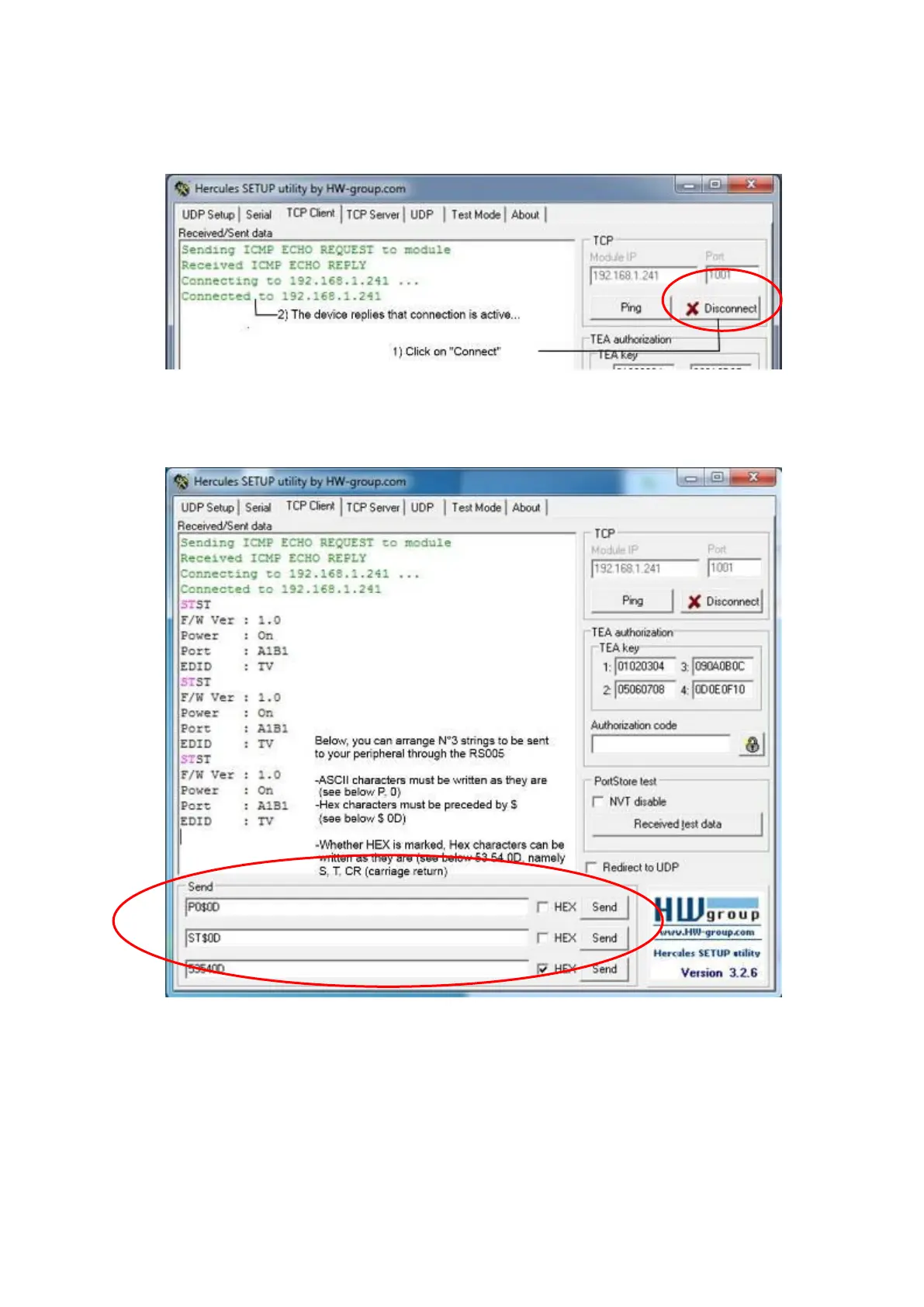
3. Establish a permanent connection to the device, clicking on “Connect”. The device
replies and the button “Connect” becomes “X Disconnect”
4. There are 3 windows you can edit your strings which will be sent to the peripheral
device via the interface converter. The single string is sent only by pressing the
button “Send”.
5. ASCII and Hex characters can be mixed. ASCII are written as they are, Hex are
preceded by $.
In the example shown, P0$0D means that the characters sent on RS232 line will be:
-ASCII “P” (Hex 50), ASCII “0” (Hex 31), ASCII “CR” (Hex 0D)
6. Whether the HEX box is marked (see third line) the Hex characters can be written
as they are. In the example shown, 53 54 0D means S T CR.



 To Next Page