4. Charging the battery
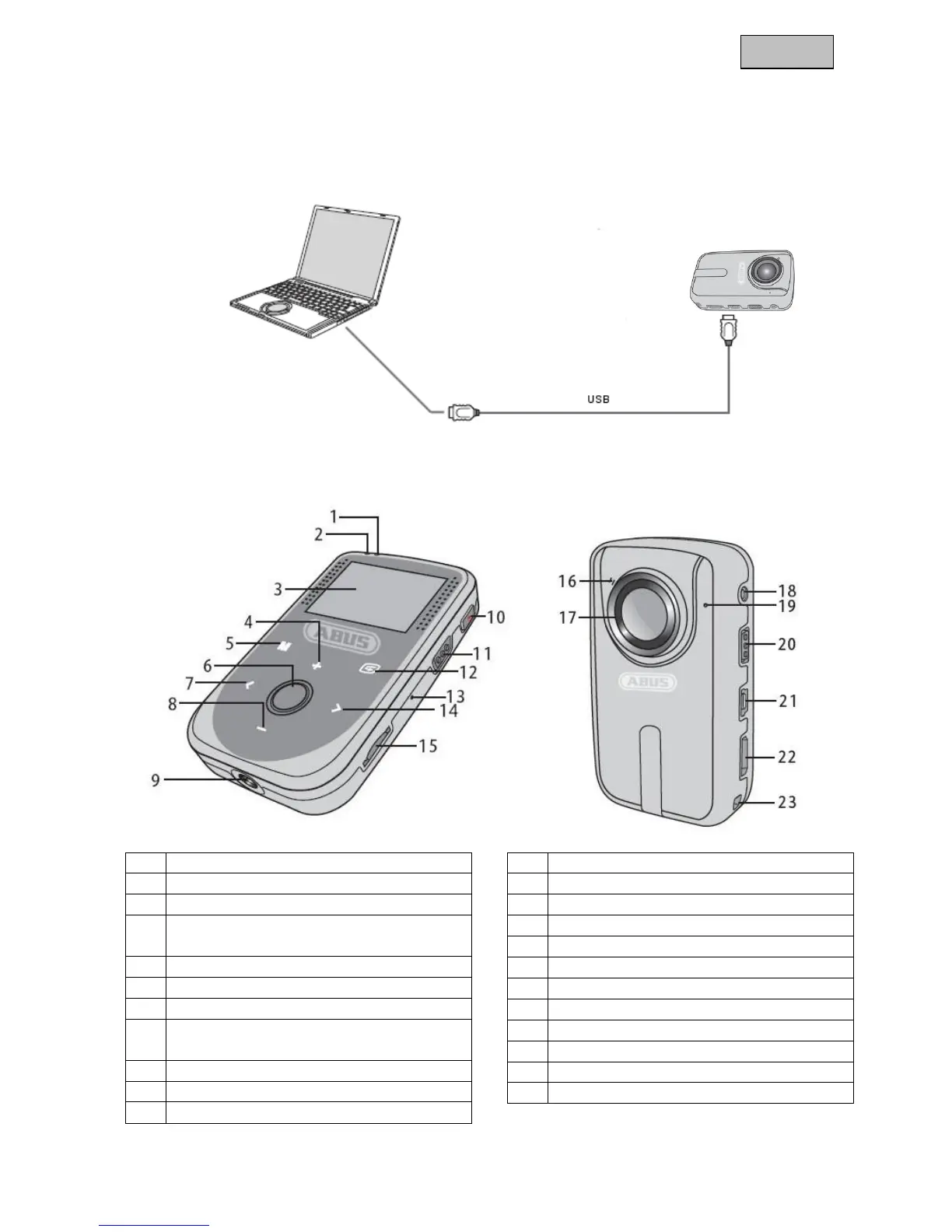
To charge the built-in battery, connect the camcorder to a PC or notebook with the USB
cable supplied. You can also use other standard 5 V DC USB charging devices. When
the battery is completely discharged, the charging time will take approx. 4 hours.
The camcorder can record for approx. 3 hours once it is fully charged.
5. Product overview
Video status indicator* (green)
Power status indicator* (red)
To navigate up / zoom in / to
increase sound
OK/photo trigger / key lock
To navigate up / zoom out / to
decrease sound
To start / stop video recording
To navigate back / archive


 To Next Page
 Loading...