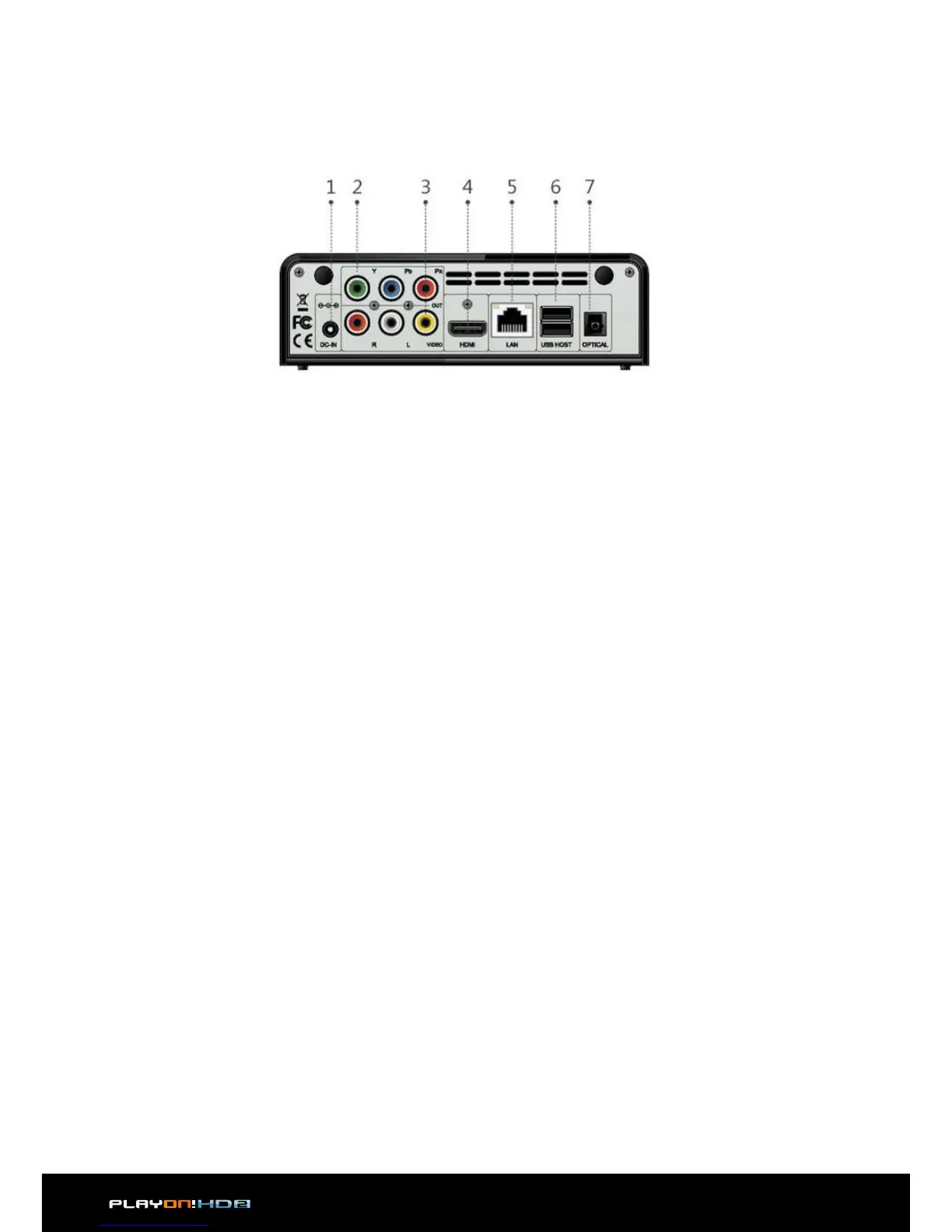
1. DC-IN jack
2. Y/Pb/Pr OUT jack
3. A/V OUT jack
4. HDMI jack
5. RJ45 LAN socket
6. 2x USB 2.0 HOST port
7. S/PDIF Optical jack
2.5 Back Panel
2.6 First Time Usage
2.6.1 Power On / O
Power On
After connecting the DC IN jack, press the power button on the front panel. The indi-
cator will gradually turn to white. And the player will enter the home screen soon.
Power O
Press the power button on the front panel, the player will soon enter standby mode.
At the same time the working indicator will gradually turn red. Then unplug the
power cord to cut o the power supply.


 To Next Page