Appendix
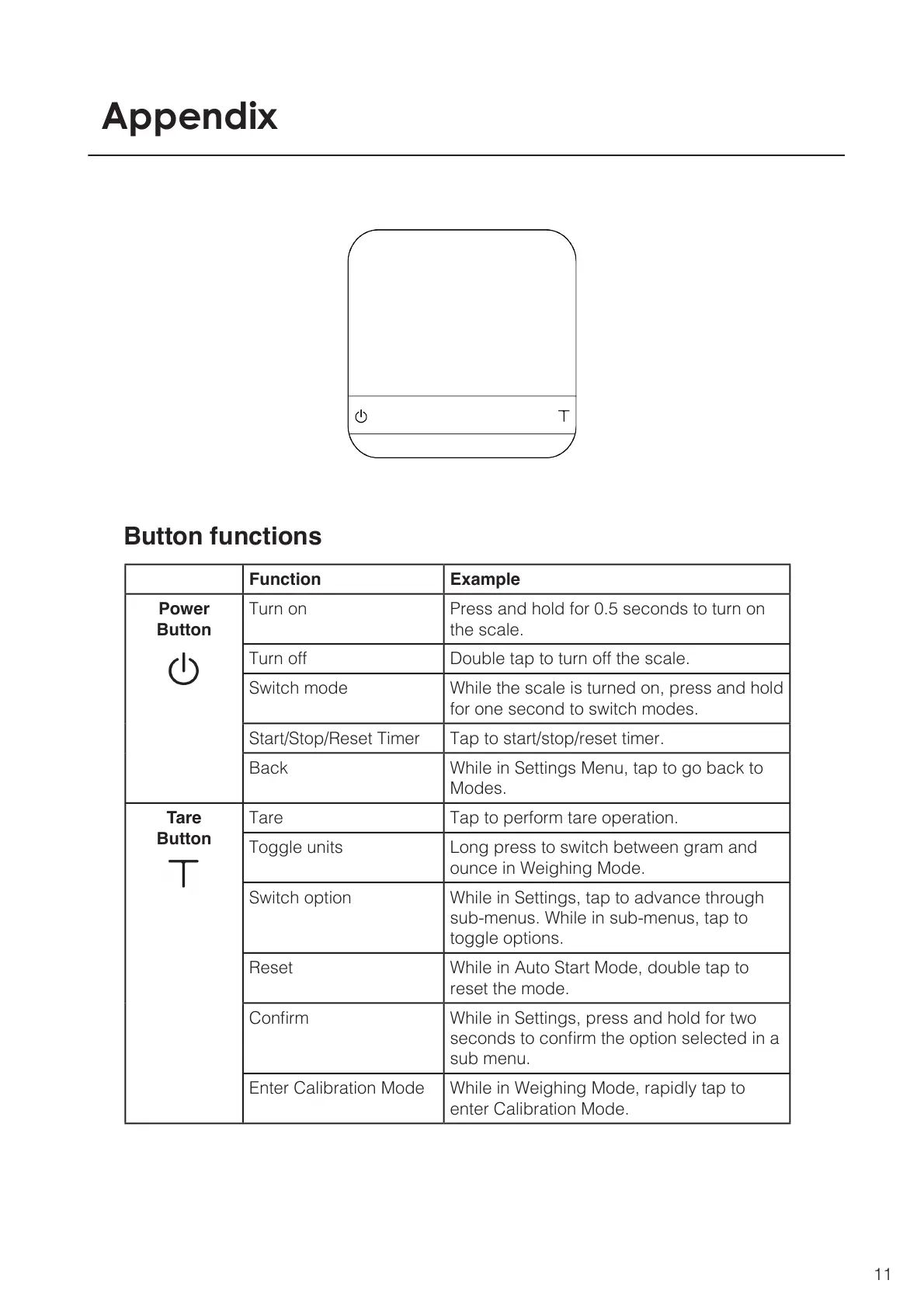
Button functions
Function Example
Power
Button
Turn on Press and hold for 0.5 seconds to turn on
the scale.
Turn off Double tap to turn off the scale.
Switch mode While the scale is turned on, press and hold
for one second to switch modes.
Start/Stop/Reset Timer Tap to start/stop/reset timer.
Back While in Settings Menu, tap to go back to
Modes.
Tare
Button
Tare Tap to perform tare operation.
Toggle units Long press to switch between gram and
ounce in Weighing Mode.
Switch option While in Settings, tap to advance through
sub-menus. While in sub-menus, tap to
toggle options.
Reset While in Auto Start Mode, double tap to
reset the mode.
Conrm While in Settings, press and hold for two
seconds to conrm the option selected in a
sub menu.
Enter Calibration Mode While in Weighing Mode, rapidly tap to
enter Calibration Mode.
11



 To Next Page