Package Contents
www.acasis.com
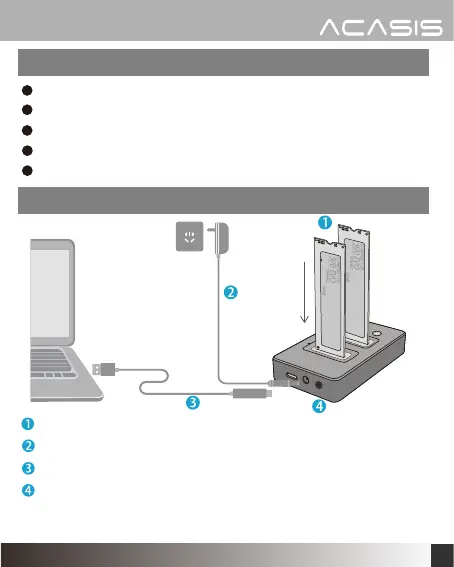
SSDs Read/Write Installation Instruction
2
Dual NVME M.2 SSD Docking Station
USB-C to USB-A cable
USB-C to USB-C cable
Power adapter 5V/4A
User Manual
Plug the SSDs into the SLOT.
Connect the power adapter.
Connect the USB cable with the computer.
Press the power button and start to use.
WARNING: Do not install any disks while the device is powered on
or connected to the computer's USB port.


 To Next Page