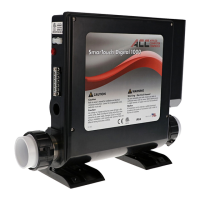
* FP1, FP2, FP3, FP4 & SIL
BEFORE YOU START THIS PROCEDURE PLEASE MAKE SURE YOU
SET THE CORRECT TIME-OF-DAY.
Note the a.m. LED light
-Press SET & DOWN arrow keys together at the same time.
-Code “FP1” is displayed.
-Press the SET key.
- Enter the desired start time to begin the First Filtration Period
FP1. Enter the hour then press “SET”. Enter the minutes then
press “SET”
-Press UP arrow and go to code “FP1d”.
-Press “SET”. Enter the number of hours or the duration of the
First Filtration Period in minutes. Maximum is 4 hours, then
press “SET”.
-Repeat above procedure for FP2, FP3, and FP4 if necessary.
-After you have programmed the Filtration Periods press UP arrow
(ignore the rest of the codes) and go to code “SEND”.
-Press SET to exit and save the new values.
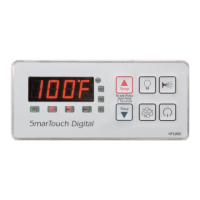
‘UP ARROW’ KEY IS MARKED ‘TEMP’
‘DOWN ARROW’ KEY IS MARKED ‘TIME’
NOTE:
IF POWER TO THE SPA IS TURNED OFF OR INTERRUPTED PRO-
GRAMMING FOR THE “FILTRATION PERIODS” IS NOT AFFECTED
TIME OF DAY MUST BE RE-ENTERED.
* Optional
SETTING FILTRATION PERIODS & SILENT MODE
PAR AM E T ER M EN U LI S T
Press momentarily the “SET” & “DOWN ARROW” keys at the
same time to access the following options.
Msg Min Def Max Detail
FP1 12:00 Start time of filtration period 1
FP2 12:00 Start time of filtration period 2
FP3 12:00 Start time of filtration period 3
FP4 12:00 Start time of filtration period 4
Note : If filtration periods overlap,
the most recent period (last) is in
effect.
SIL 12:00 Start time of the silence period.
This is a period which nothing will
run. It overrides all filtrations, the
economy cycle, and temperature
sampling. Except if temperature
drops below 40 degrees. A spa may
be installed near a bedroom and
need not come on at specific times.
FP1d 0 0 240 Duration in minutes FP1 timer will run.
FP2d 0 0 240 Duration in minutes FP2 timer will run.
FP3d 0 0 240 Duration in minutes FP3 timer will run.
FP4d 0 0 240 Duration in minutes FP4 timer will run.
SILd 0 0 12 Duration in hours the Silence Timer
runs. Only a user may override the
silence timer.
Note : Keep the value of any time to 0 to keep
it from running. Filtration timers must be programmed
first one first. If the FP1d (first) timer has a duration of
0, Auto Filtration will be in effect and all 4 programmed
timers will be disabled.
Page 13
Page 14


 To Next Page