4. System Setup
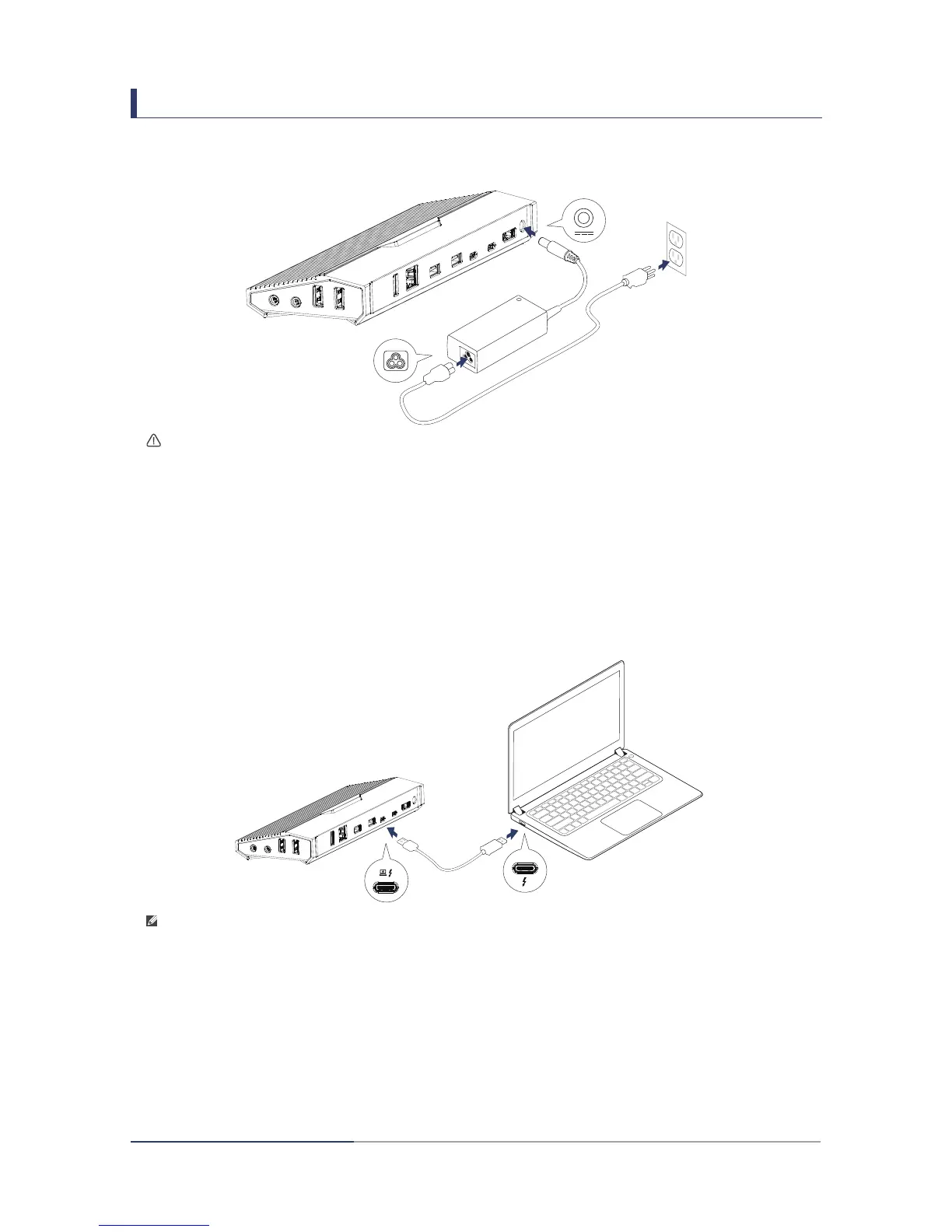
1. Connect docking station to power.
2. Connect docking station to your computer[a][b]
• Connect the Thunderbolt
TM
3 port on your laptop to the Thunderbolt
TM
3 port with
laptop charging icon on the docking station using the included Thunderbolt
TM
3
cable or a certified cable with the Thunderbolt
TM
3 logo.
Note:
a. Your computer will ask for authentication of new attached Thunderbolt
TM
device.
See section 7 for details.
b. Before using the dock station, check the firmware and software of Thunderbolt
TM
3
in your computer is the latest version. Checking Procedure is in Section 8.
Warning:
To reduce the risk of electric shock, fire, or damage to the equipment, use only the
power adapter included with the docking station.
3


 To Next Page