EasyManua.ls Logo

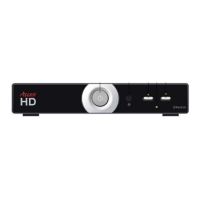
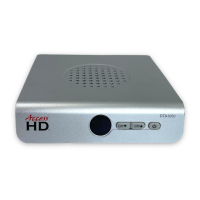
Access HD 1030 - User Manual

Default Icon
14 pages
Print Icon
To Next Page IconTo Next Page
Loading...
Rev: Sept 22, 2008
Access HD® is exclusively distributed by GXi International, LLC
Page 1 of 13
Owner’s Manual
Models: 1010, 1020, 1020A, 1030, 1050, 1080
READ WARNINGS AND OPERATING INSTRUCTIONS CAREFULLY,
SAVE THESE INSTRUCTIONS.
Contents:
1. Safety Instructions and Warnings………………...
2. Remote Control Unit (RCU)……………………….
3. Component Identification………………………….
4. Connecting your Converter Box…………………..
5. Operating your Converter Box…………………….
6. Troubleshooting - FAQ...………………….……….
7. Technical Specifications…………………………..
8. Limited Warranty & Service……………………….
HAVE QUESTIONS OR NEED HELP?
Please read the Troubleshooting Guide on page 12. If you still have difficulties or if
you require an upgraded antenna please call: 1-800-393-1246
or go to
www.AccessHD.TV
DO NOT RETURN THIS
CONVERTER TO THE STORE!
(The terms of the federal government coupon program
do not
permit store returns for cash or store credit)
Date of Purchase: __________________________
Location of Purchase: __________________________
Serial #: __________________________
Have the following information ready when you call us:
DIGITAL TO ANALOG TV SIGNAL CONVERTER
®
2
2
6
6
8
12
12
13
Mailing Address: Fax Number:
7868 US Highway 70, Suite C (919) 550-3277
Clayton, NC 27520
Question and Answer IconNeed help?

Do you have a question about the Access HD 1030 and is the answer not in the manual?

Summary

Important Safety Instructions

Remote Control Unit (RCU)

Installing the batteries

Instructions for installing batteries in both Dedicated and Universal RCUs.

Using the Remote Control

Guidance on how to operate the remote control effectively.

Dedicated RCU Remote Key functions

Detailed explanation of each button on the Dedicated RCU.

Universal RCU Remote Key functions

Detailed explanation of each button on the Universal RCU.

Component Identification

Front panel

Identification of buttons and indicators on the front panel of the converter box.

Rear panel

Identification of ports and connectors on the rear panel of the converter box.

Connecting Your Converter Box

Connecting your TV and antenna

Diagrams showing how to connect the converter box to a TV and antenna.

Connecting to other devices (VCR, DVR, AUX)

Diagrams illustrating connections to VCR, DVR, or AUX devices.

Operating Your Converter Box

Turning on your converter box

Steps to power on the converter box and initial setup.

Weak signal or no signal present

Troubleshooting steps for signal reception issues.

Initial (first time) set-up

Guide for the initial automatic channel scanning process.

Auto program channels

Details on how the converter box automatically searches for channels.

Channel list editing

Instructions on how to customize the list of viewable channels.

Setting up passwords

Parental control

Closed captions

Menu and Settings Options

Language

Option to change the on-screen menu language.

Auto power down timer

Setting the automatic power down feature for energy saving.

Smart antenna (Model 1010 Only)

Information regarding the use and connection of smart antennas.

Time Zone

Selection of the correct time zone for the device.

Aspect Ratio

How to adjust the picture aspect ratio using the remote.

Troubleshooting Guide - FAQ

Sound is choppy and poor video quality

Troubleshooting tips for audio/video quality issues and weak signal messages.

No picture or No signal

Steps to resolve 'No signal' errors after connecting the converter.

Picture is not clear or has snow

Diagnosing fuzzy pictures or snow by checking TV tuner and connections.

Remote control does not work

Troubleshooting steps for a non-functional remote control.

No Sound

Steps to resolve issues related to no audio output from the converter.

Technical Specifications

Limited Warranty & Service

Warranty Qualification

Conditions and requirements to be eligible for the product warranty.

Warranty Coverage

Details on what parts and conditions are covered by the warranty.

Warranty Exclusions

Specific conditions and damages not covered by the warranty.

Disclaimer of Consequential Damage

Legal disclaimers regarding consequential damages and implied warranties.

Access HD 1030 Specifications

General IconGeneral
HD OutputYes
Supported Resolutions480i, 480p, 720p, 1080i
Remote ControlYes
Output PortsHDMI
TunerATSC
InputRF Coaxial

Related product manuals