Rev. June 5, 2008 Access HD® is exclusively distributed by GXi International, LLC Page 2 of 2
Please verify the following:
• The batteries are correctly installed in the
Access HD remote control.
• The TV is ON and the digital converter box
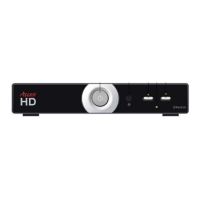
is powered ON (Green LED/Light on front)
• The converter box and your TV are both
set to Channel 3 (or both 4).
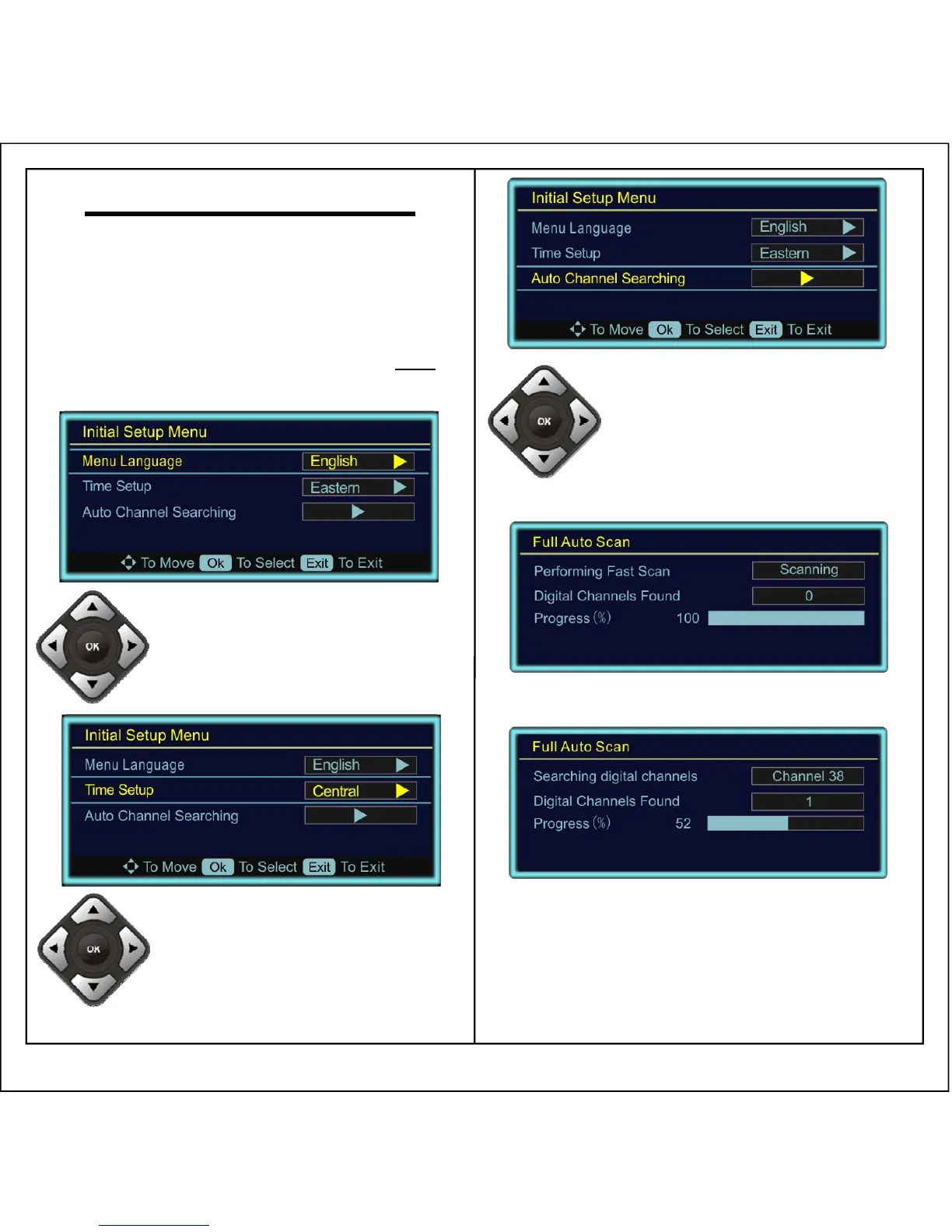
Initial Setup Menu
2. Set the Time Zone:
• Press ▼ to select Time Setup
• Press ► to set your Time
Zone (Pacific, Alaska, Hawaii,
Eastern, Central, Mountain)
1. Set the Menu Language:
• Press ► to set your Language
(English, Spanish, French)
3. Auto Program Channels:
• Press ▼ to select Auto
Channel Searching
• Press ► to begin
searching for channels
• It will Perform a Fast Scan (1-2 minutes)
• It will then Perform a Digital Scan (4-6 min)
• Please be patient, as this complete
process takes from 5 to 8 minutes
• DO NOT INTERRUPT THE PROCESS
• Once the Auto Channel Searching is
finished, it will automatically exit and
display the first channel found


 To Previous Page