Rev: 09/2009 AccessHD® 7” LCD Panel Television 2
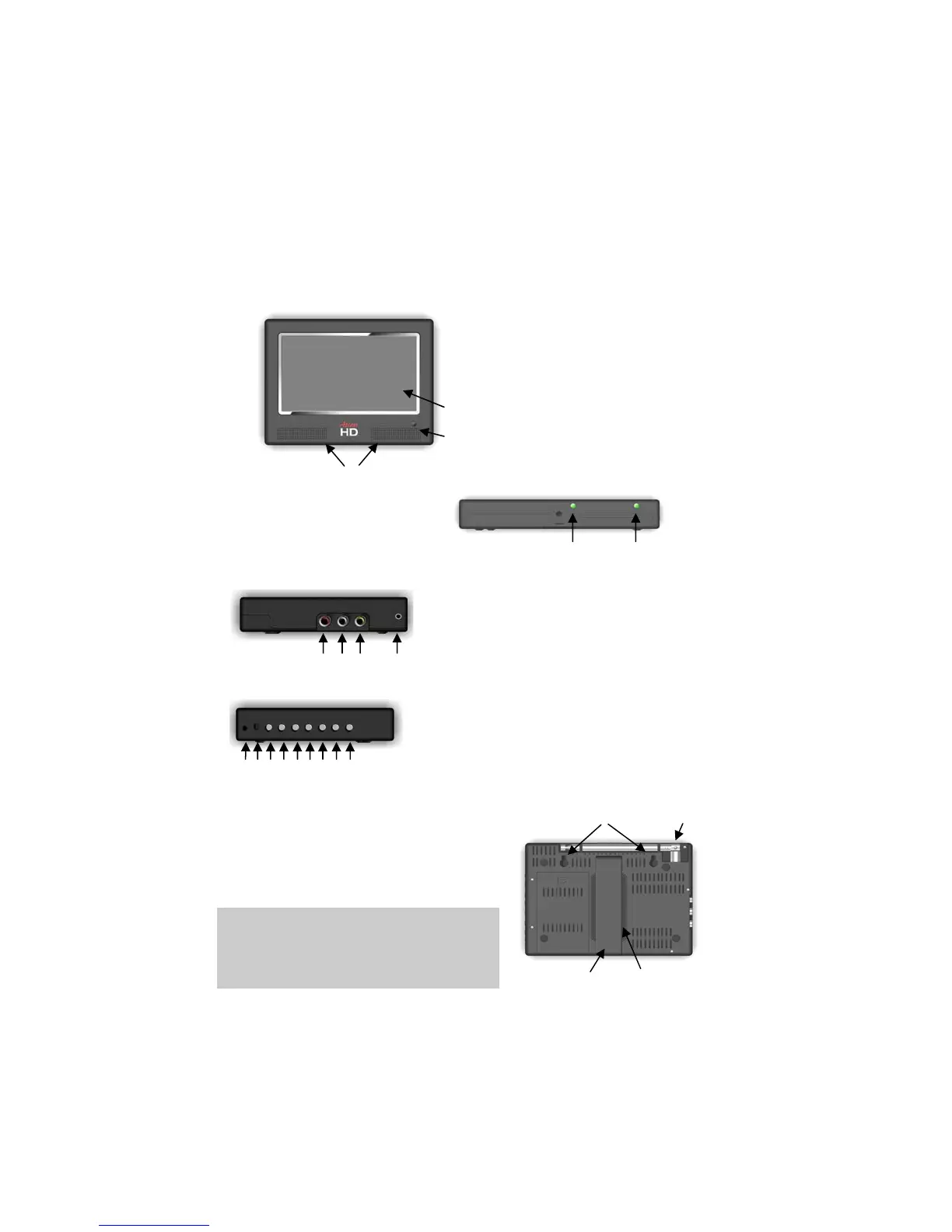
Component Identification
Front View
1. LCD Screen
2. Speakers
3. Remote Sensor
1
3
2
Bottom View
1. Power Indicator
2. Battery Charging Indicator
1 2
Left View
1. Video In
2. Left Audio In
3. Right Audio In
1 2 3 4 4. Headphone Jack
Right View
1. DC In 6. Auto/OK
2. Power Switch 7. Channel +
3. Mode 8. Channel –
1 2 3 4 5 6 7 8 9
4. Volume + 9. Menu
5. Volume –
Rear View
1. Antenna
2. Mounting Holes
3. Viewing Stand
4. Remote Control Storage
1 2
3 4
The remote control storage slot is
located on the back panel behind the
viewing stand. The remote control is
shipped in this slot.


 To Next Page