3AccessHD® 7” LCD Panel Television Rev: 09/2009
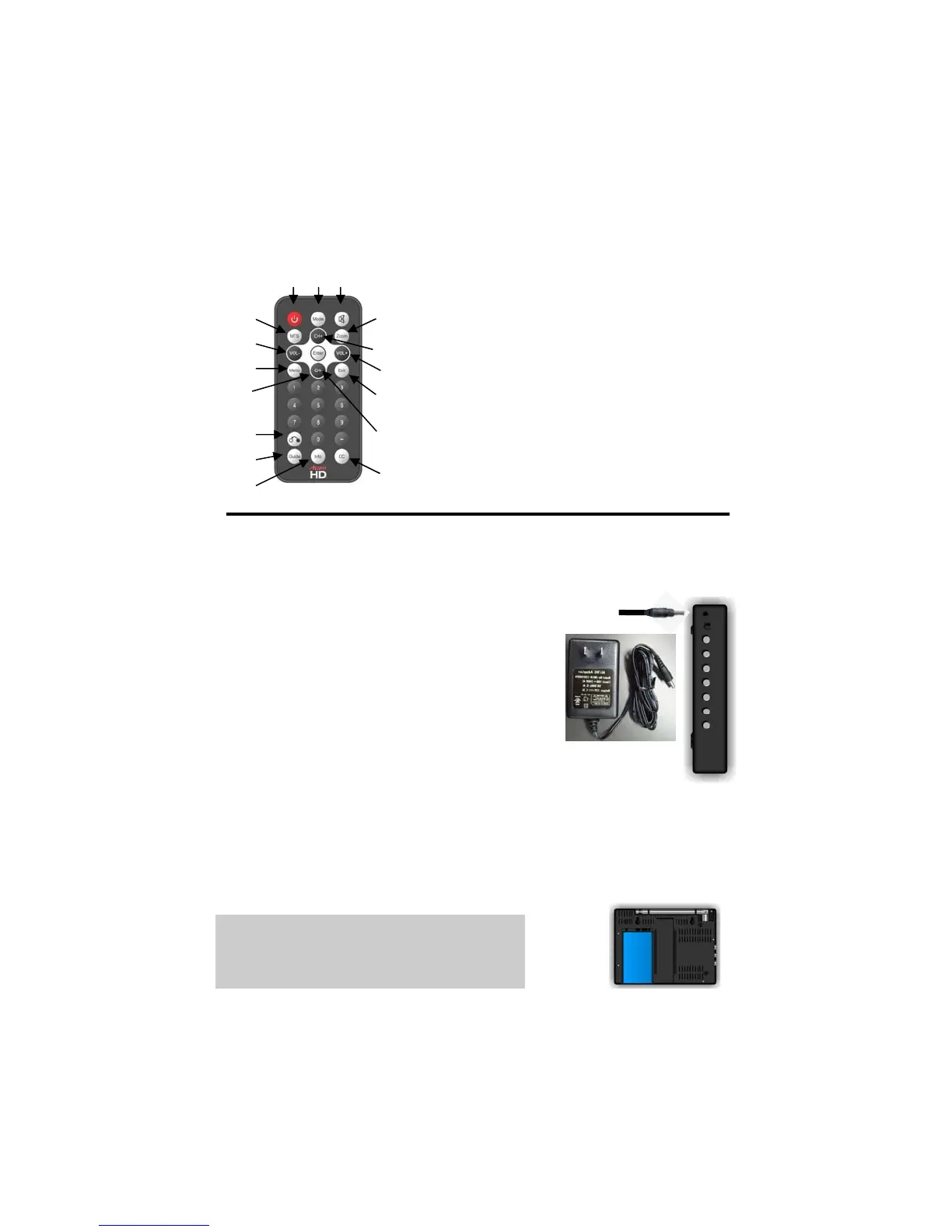
Remote Control Buttons
1. Power 9. Volume –
2. Mode 10. Enter
3. Mute 11. Menu
4. MTS 12. Exit
5. Zoom 13. Previous
6. Channel + 14. Guide
7. Channel – 15. Info
8. Volume + 16. CC
Operating Instructions
Do not connect the power supply until all connections have been made.
Powering the Unit
There are two ways to power this device.
AC Adapter
A standard PSU is included with the unit. An
adapter that can be plugged into the cigarette
lighter in a vehicle is available for purchase as an
accessory.
Built-in Lithium Rechargeable Battery
Note: Be sure to charge the battery fully before the initial use.
When the charge of the battery is weak, a low power indicator will
appear on the LCD screen. The unit will turn off automatically several
minutes later.
CAUTION: Danger of explosion if battery is incorrectly replaced. Replace
only with the same or equivalent battery.
To order a cigarette lighter adapter, an
additional battery or an extended life
battery, go to www.AccessHD.tv
4
9
11
7
13
14
15
1 2 3
5
6
8
12
10
16


 To Next Page