Rev: 09/2009 AccessHD® 7” LCD Panel Television 6
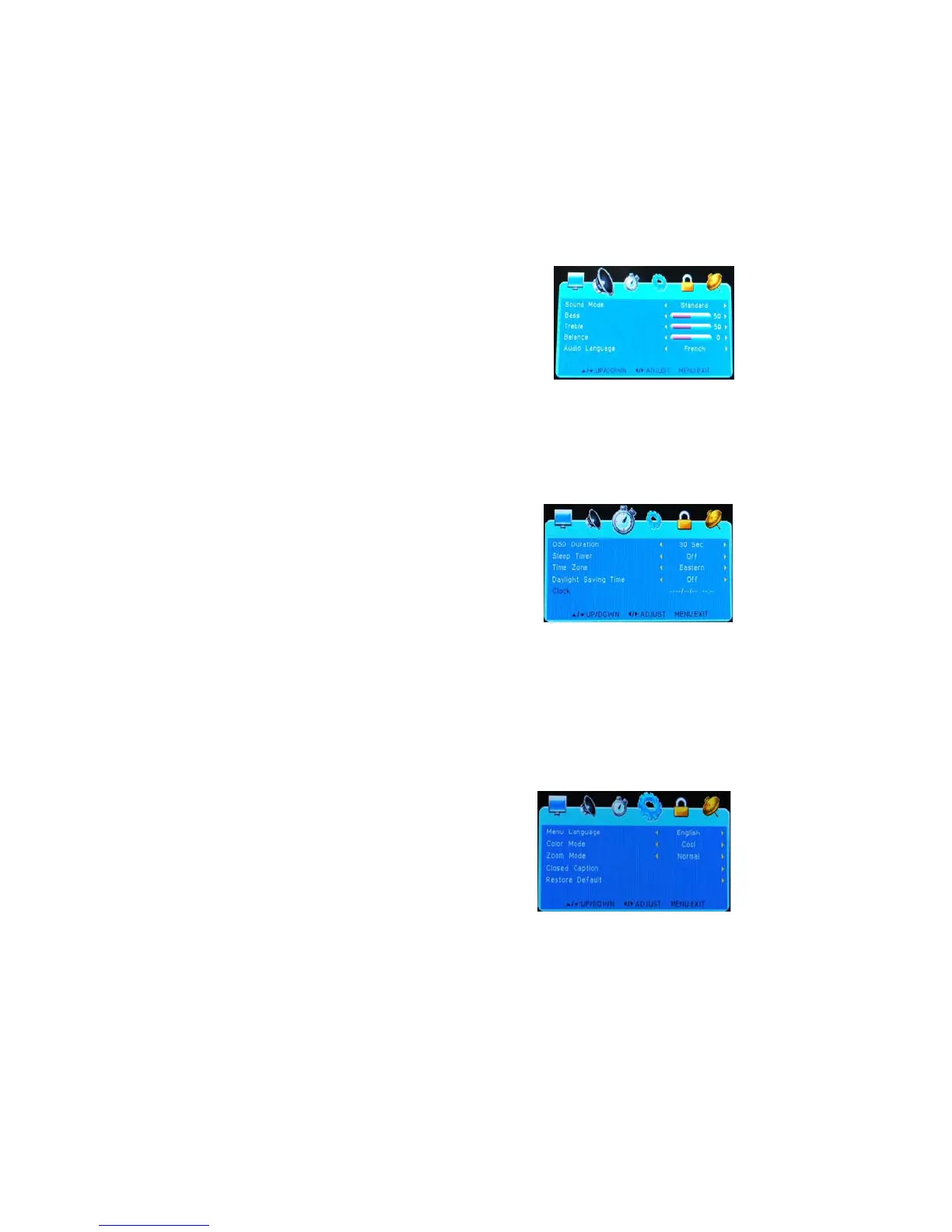
Audio Setting
Sound Mode
Press the
button to select Personal,
Standard, Movie or Music.
Treble, Bass, Balance
Press the
button to adjust the value.
Audio Language
Press the
button to select English, French or Spanish.
Press the Menu button to return to the previous menu. Press the Menu
button again to exit the TV SETUP menu.
Time Settings
OSD Duration
Press the
button to set the desired time
the menu will be displayed on the screen.
Sleep Timer
Press the
button to select On or Off.
Time Zone
Press the
button to select Eastern,
Central, Mountain, Pacific, Alaska or Hawaii.
Daylight Saving Time
Press the
button to select On or Off.
Clock
Clock displays the system time. Note: This item is only available under
signal mode.
Option Settings
Menu Language
Press the
button to select English,
French or Spanish.
Color Mode
Press the
button to select Normal,
Warm or Cool.
Zoom Mode
Press the
button to select Normal or Wide.


 To Next Page