10 11
Live streaming
11
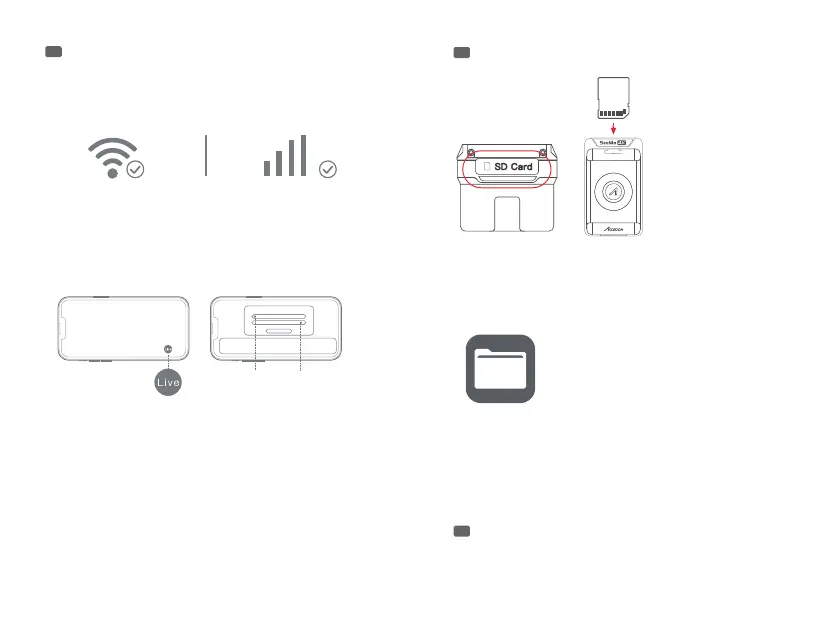
Please make sure the iPhone/iPad can access the
network via “WiFi" or “4G/5G" network.
Tap the “Live" button on the App, enter the RTMP live
URL and code then tap “OK" to start live streaming.
Note: The uency of the live streaming depends on the
stability of the Internet connection. When the video is
buering, please check whether your Internet connection
is heavily loaded or your mobile network has poor
reception quality.
SD Card Reading
iPhone/iPad Charging
12
13
Put the SD card
into the card slot as
shown in the picture.
Tap “Ignore" when iPhone/iPad pushes Accsoon SEE
app notication.
The SeeMo 4K can supply maximum 5V/2.4A power to a
connected iPad or iPhone for extended operation times.
Check the local les and click the SD card name to see the
contents in the card.
Note:
1. When iPhone/iPad can not read the content of the SD
card, please unplug and plug back in the USB-C cable.
2. SeeMo 4K cannot read SD card with Lightning
equipped iPhone and iPad.
URL Code



 To Next Page