EasyManua.ls Logo

Accu1 Direct ACCU1 9118 - User Manual

Accu1 Direct ACCU1 9118
18 pages
Print Icon
To Next Page IconTo Next Page
Loading...
1
OPERATIONS MANUAL
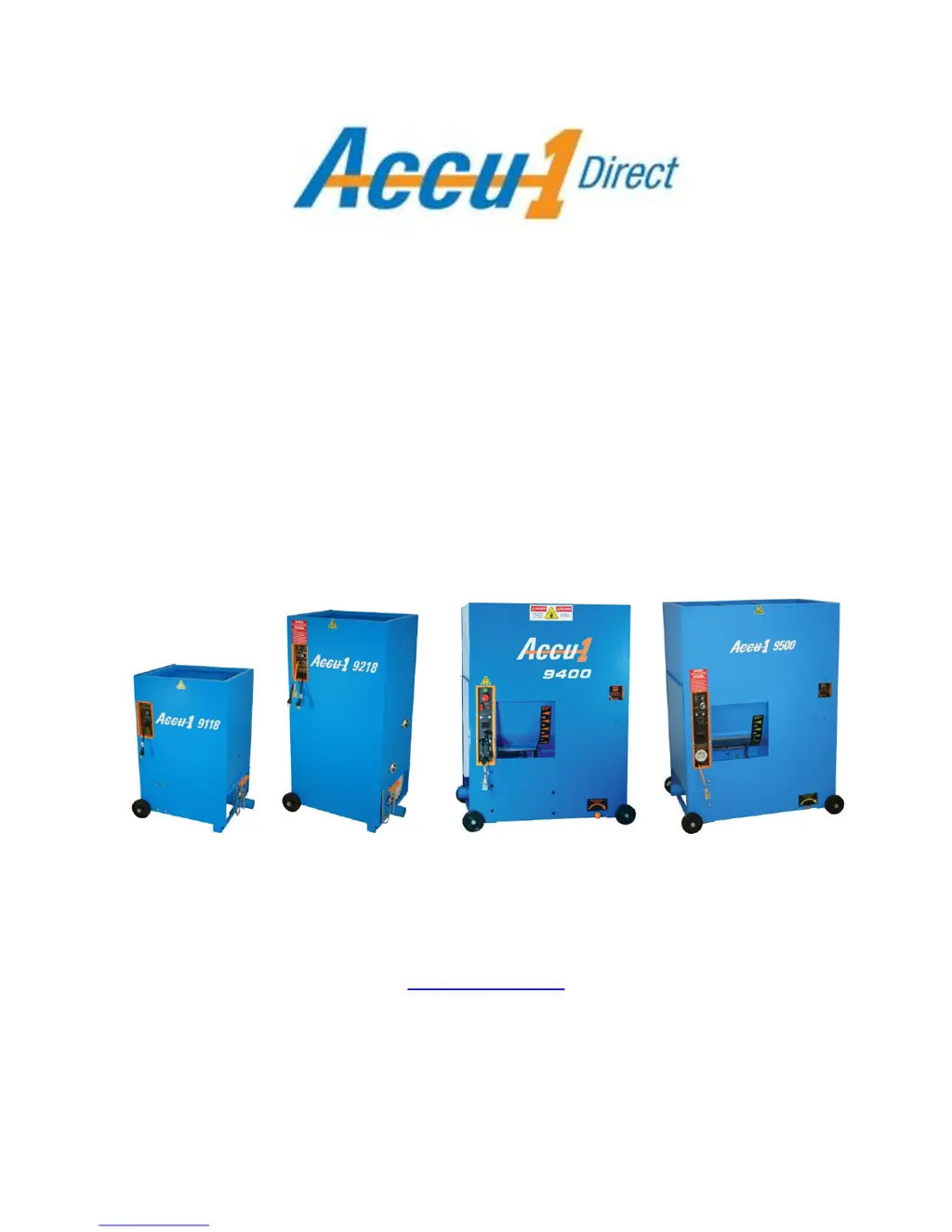
ACCU1 9118
ACCU1 9218
ACCU1 9400
ACCU1 9500
Accu1Direct, Inc
www.Accu1.com
Telephone: 800-438-2776
Email: sales@accu1.com
115/230

Questions and Answers

  • L
    Larry SchroederAug 2, 2025
    What to do if my Accu1 Direct Industrial Electrical will not run?
    • B
      Barbara JohnsonAug 2, 2025
      If your Accu1 Direct Industrial Electrical unit won't run, consider these potential causes: * The power cord may not be properly plugged in. Remove the plug, inspect the ends, and firmly plug it back in. * There might be a loose wire in the power cord. Inspect the leads for any faults and tighten them. * The main power switch could be off. Verify the switch position and turn it on. * The circuit breakers might not be staying on. Check to ensure adequate power supply.
  • J
    jocelyn41Aug 7, 2025
    Why is the blower running but the material feeder not working on my Accu1 Direct Industrial Electrical?
    • N
      Nicole MillerAug 7, 2025
      If the blower is running but the material feeder isn't on your Accu1 Direct Industrial Electrical, here are a few things to check: * The drive motor thermal protector may need to be reset after cooling. Look for the rubber button on the side of the motor box and reset it (you should hear a noticeable click). * There could be obstructions in the agitator hopper or in the airlock. Unplug the machine first, then remove any obstructions. * Electrical connectors might be loose at the terminal block on the panel edge. Check the wires from the blower and motor, and tighten the terminals. * The drive belt might be slipping. Remove any oil from the belt and ensure it's at the proper tension.
  • J
    John RoblesAug 11, 2025
    What to do if Accu1 Direct Industrial Electrical runs without moving material?
    • E
      Elizabeth SimmonsAug 11, 2025
      If your Accu1 Direct Industrial Electrical runs but doesn't move material, consider the following: * The material meter might be at a zero setting. Adjust it for proper flow. * The hose could be clogged, kinked, or pinched, stopping material flow. Check the hose by leaving only the blower on and clear the flow passage. * Material blockage may be recurring. Leave the blower on continuously. * There might be a material blockage between the blower and airlock chamber. Take the connector hose apart and purge it with the blower on. * Material may continue to clog the hose. Adjust the motor speed or material meter.
  • J
    Jason HobbsAug 16, 2025
    Why is the air flow low in my Accu1 Direct ACCU1 9118?
    • K
      Kathryn CurtisAug 17, 2025
      If you're experiencing low air flow with your Accu1 Direct Industrial Electrical, here's what to investigate: * The filters might be dirty. Clean them by tapping or replace them. * The hose length could be longer than necessary. Shorten the hose to the shortest usable length. * The airflow control might be set improperly. Check the control setting and reset it. * Seals in the airlock (vane feeders) could be leaking or making noise. Remove the old seals and replace them with new ones.
  • M
    mendeztracyAug 21, 2025
    What to do if my Accu1 Direct ACCU1 9118 Industrial Electrical remote will not operate?
    • B
      brittanyjohnsonAug 21, 2025
      If the remote for your Accu1 Direct Industrial Electrical isn't working, try these steps: * Ensure the main power switch is on. Check all settings and turn it on. * Verify the remote cord is plugged in. Check the connections and plug it in securely. * The cord might be faulty. Bypass the remote cord, plug in, and test at the machine. Replace the faulty part if needed. * The transformer could be burned out. Check the remote cord to read 24 volts; replace the transformer if necessary.
  • R
    Robert GarciaAug 27, 2025
    Why does the blower run slow and the drive motor not start on my Accu1 Direct ACCU1 9118?
    • T
      Theresa WilliamsAug 27, 2025
      If the blower runs slowly and the drive motor won't start on your Accu1 Direct Industrial Electrical, consider these possibilities: * There may be a chemical or temperature freeze in the airlock chamber. Lubricate the airlock with a light spray of WD-40, but never use oil. * The machine might be receiving low voltage. Use a 10-3 power cord and/or check the power supply to provide higher voltage. * The generator could be faulty. Use a 10-3 power cord and/or check the power supply; replace the part.

Summary

Getting Started and Safety

How to Get Started

Step-by-step guide for initial machine setup and operation.

Safety Always Comes First!

Essential safety warnings and precautions for operating the equipment.

Accu1 9118 Machine Settings

Open Blow Settings

Recommended settings for attic blowing applications.

Sidewalls Settings

Settings for blowing insulation into sidewalls.

Finish Spray and Spray Wall Settings

Configuration for finish spray and spray wall applications.

Fireproofing Patch Settings

Settings for fireproofing patch applications.

Accu1 9218 Machine Settings

Open Blow Settings

Recommended settings for attic blowing applications.

Sidewalls Settings

Settings for blowing insulation into sidewalls.

Finish Spray Settings

Configuration for finish spray applications.

Spray Wall Settings

Configuration for spray wall applications.

Fireproofing Patch Settings

Settings for fireproofing patch applications.

Accu1 9400 & 9500 Machine Settings

Open Blow Settings

Recommended settings for open blow applications.

Wall Spray Settings

Settings for wall spray applications.

Dense Packing Settings

Settings for dense packing insulation.

Machine Operation

Power Requirements and Electrical System

Details on power sources, voltage, and electrical components.

Material Conditioning Process

Explanation of how insulation material is prepared and processed.

Insulation Application Guidelines

Guidance on filling voids and achieving proper R-values.

Agitator Drive Speed Adjustment

How to adjust agitator speed for optimal conditioning and flow.

Material Control Meter Adjustment

Adjusting the meter for material flow and conditioning.

Air Flow Control

Managing airflow for proper coverage and preventing clogs.

Issues Affecting Production

Factors that can impact blowing production efficiency.

Fiber Conditioning Cards

Description and use of optional material conditioning cards.

Hose Usage and Best Practices

Guidelines for proper hose selection and usage.

Shop Maintenance Schedule

Recommended part checks performed in the shop.

Field Maintenance Tools

Tools needed for occasional field adjustments.

Airlock Seal Replacement Instructions

Seal Replacement Procedure

Step-by-step guide for replacing worn airlock seals.

Glossary of Machine Terms

Airlock Definition

Definition of the airlock component.

Conditioning Card Definition

Definition of a material conditioning card.

R-Value Definition

Definition of R-value for insulation.

Troubleshooting

Machine Will Not Run

Diagnosing and resolving issues when the machine does not start.

Low Air Flow Issues

Troubleshooting causes and remedies for reduced air flow.

Remote Operation Problems

Resolving issues with the remote control function.

Feeder or Motor Start Issues

Diagnosing problems with material feeding or motor startup.

Warranty Information

Manufacturers Limited Warranty

Details of the one-year limited warranty provided.

Warranty Limitations and Voiding

Conditions that may void the warranty.

Accu1 Direct ACCU1 9118 Specifications

General IconGeneral
BrandAccu1 Direct
ModelACCU1 9118
CategoryIndustrial Electrical
LanguageEnglish

Related product manuals