7
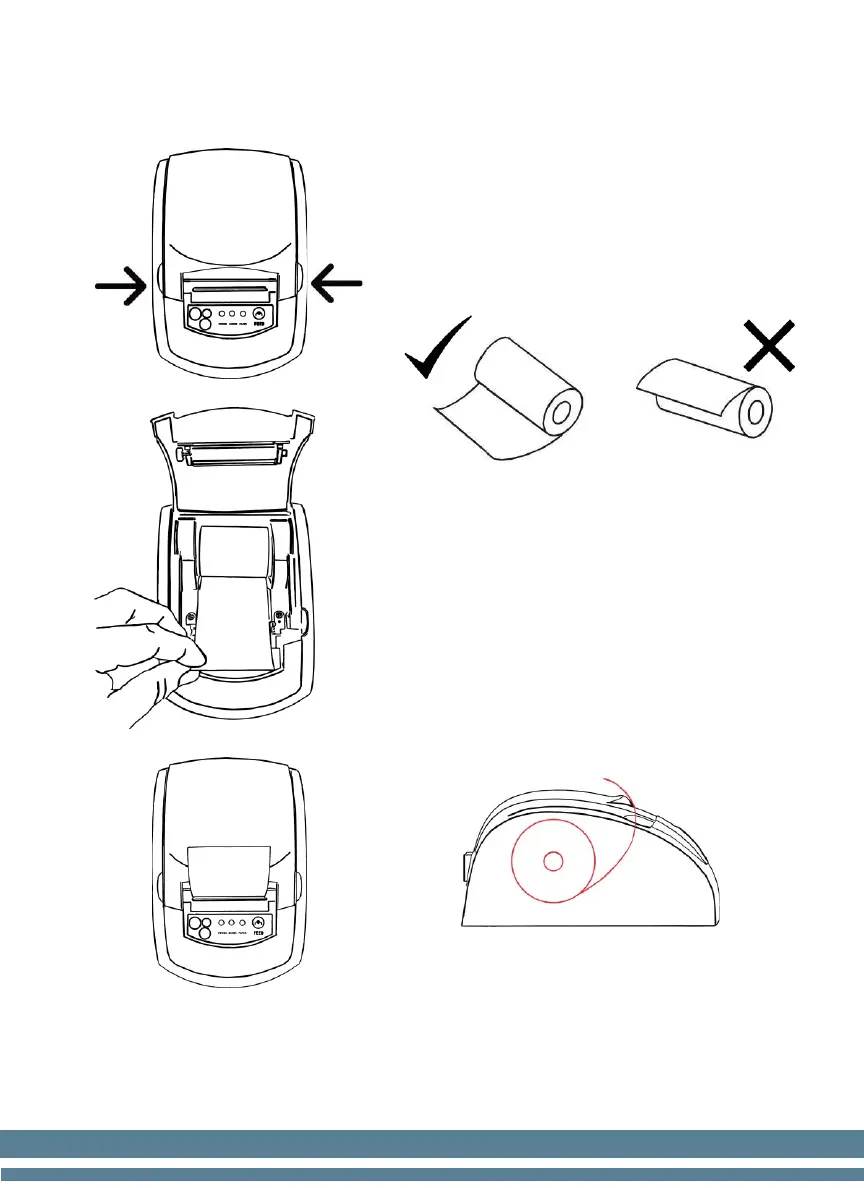
2. Paper Roll Installation
1. Open the top cover using the two
tabs on the side. Figure A.
2. Load the paper roll as shown in the
following picture (left is correct;
right is wrong).
3. Pull a piece of the paper out
through the feeder and then close
the top cover. Figure B.
4. Use the cutter of the printer to tear
off the extra paper. Figure C.
*Correct paper roll Installation example


 To Next Page