9
3. Printer Installation (continued)
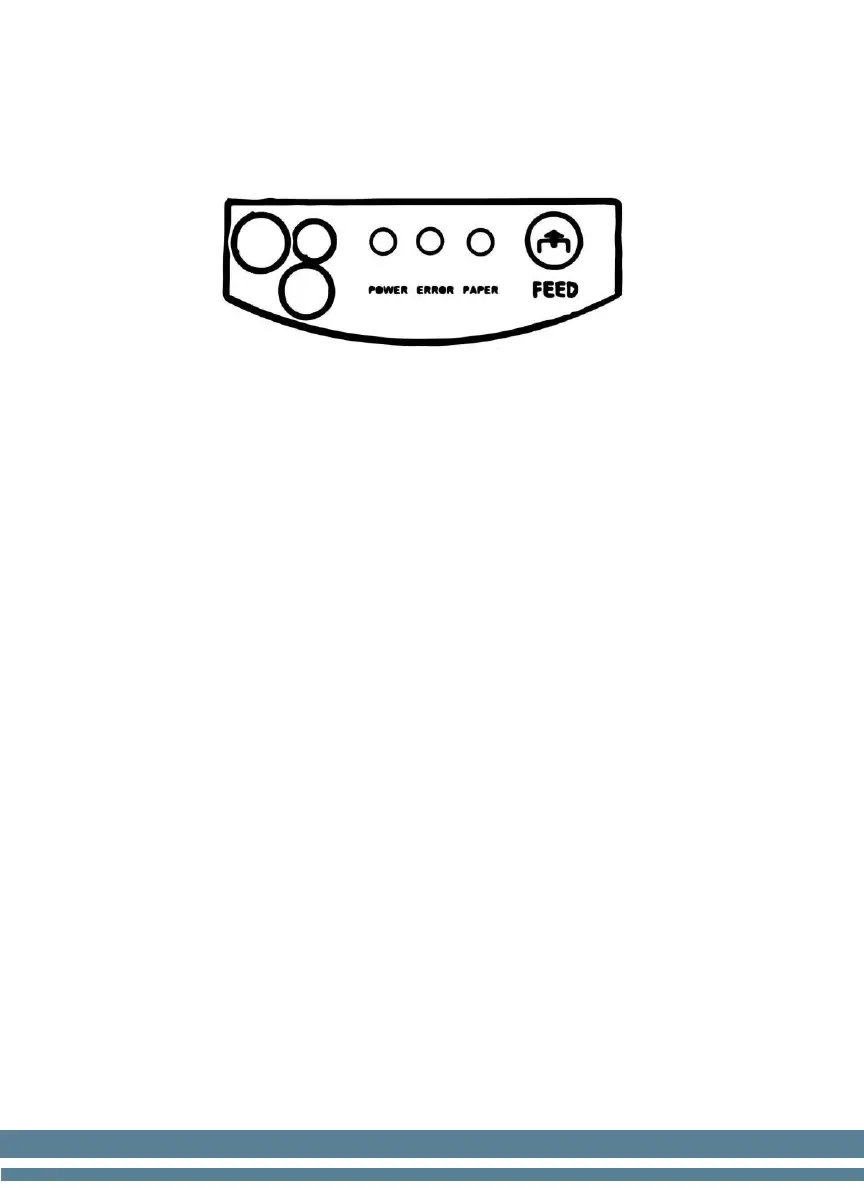
Control Panel
1. Connect the power adapter to the Power Jack, then attach the Power cord
to the Power adapter
2. Connect the Printer to the device using the Serial cable
3. Turn the Power Switch ON. The "POWER" light indicator will turn on in
the control panel.
4. Tap the "FEED" button in the control panel to ensure the paper roll is
well installed. The paper will release while you tap the "FEED" bottom
5. The "PAPER" light indicator will be off while the printer has paper.
When the printer detects the paper roll has run out, the light will turn on
to indicate it is necessary to place a new paper roll.
6. The "ERROR" light indicator appears under the following condition:
paperless, paper jam, print head overheat, print head error, or other
situations.


 To Next Page