37
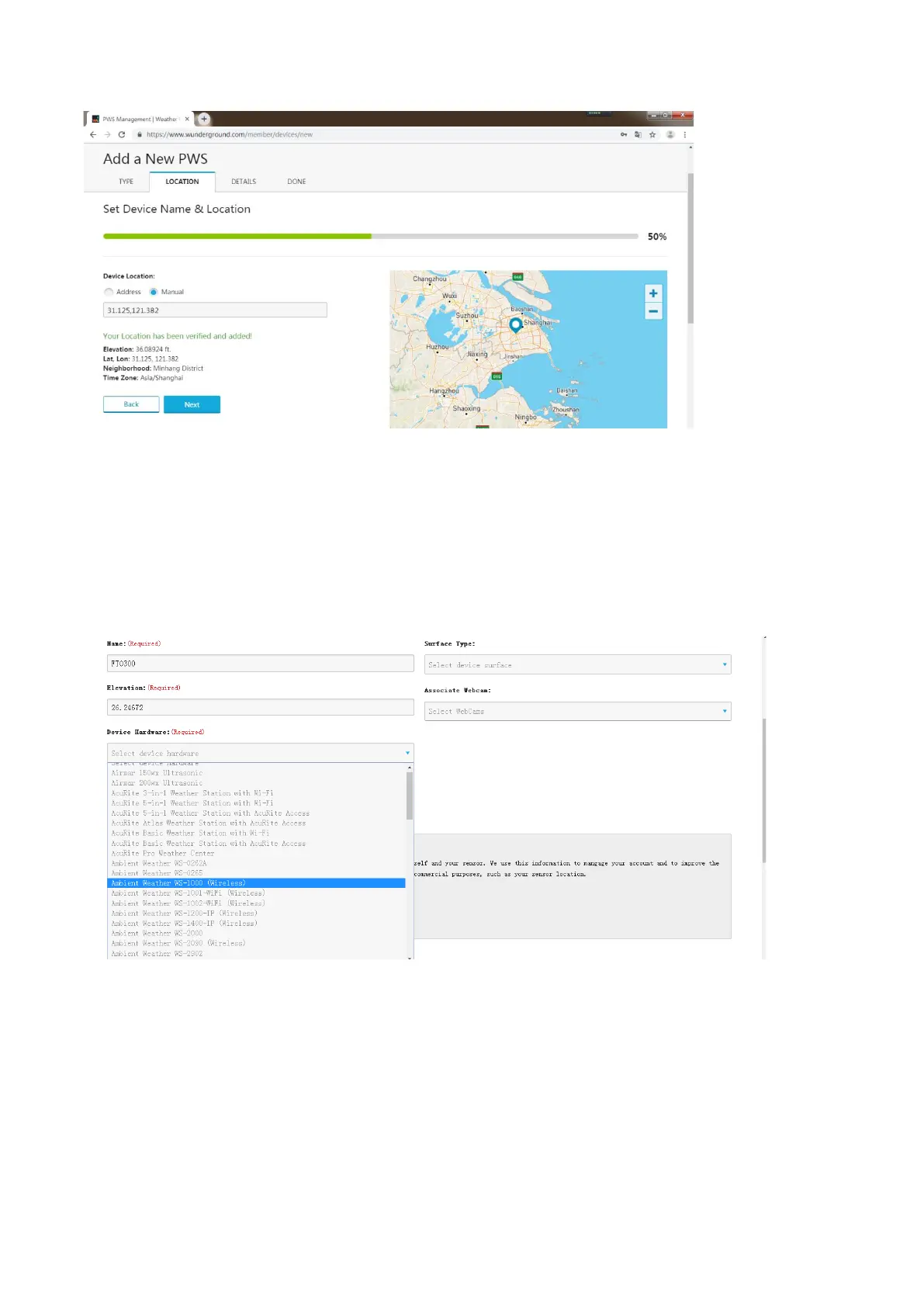
Figure 36
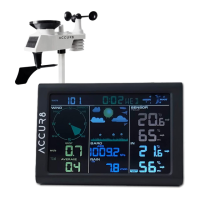
10) As shown below, you will then be prompted to add more information about your device. Complete the
appropriate information then click ‘I Accept’ and ‘Next’:
Boxes with red (Required) must be filled in.
Note: You can select any Wi-Fi weather station model in the Device Hardware box; we recommend ‘AcuRite
5-in-1 Weather Station with Wi-Fi’.


 To Next Page