EasyManua.ls Logo

ACCUR8 DWS7100 - User Manual

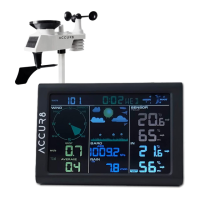
ACCUR8 DWS7100
57 pages
Print Icon
To Next Page IconTo Next Page
Loading...
User Manual
ACCUR8 DWS7100
Weather Station

Questions and Answers

  • J
    Joshua BuchananAug 21, 2025
    What to do if ACCUR8 Weather Station data is not reporting to www.wunderground.com or www.weathercloud.net?
    • P
      Pamela ThomasAug 21, 2025
      If your ACCUR8 Weather Station isn't reporting data to Wunderground.com or Weathercloud.net, verify that your password or key is correct, matching the one you registered on Wunderground.com (it cannot begin with a non-alphanumeric character). Also, confirm your station ID is correct. Ensure the date, time, and time zone are correctly set on the console to report real-time data. Finally, check your router firewall settings, as the console sends data via Port 80.
  • S
    Sharon ScottAug 26, 2025
    Why does ACCUR8 DWS7100 Weather Station temperature sensor reads too high in the daytime?
    • W
      William CampbellAug 26, 2025
      If the temperature sensor on your ACCUR8 Weather Station reads too high during the daytime, ensure the thermo-hygrometer is mounted in a shaded area, ideally on a north-facing wall.
  • C
    Christopher PhelpsAug 27, 2025
    What to do if ACCUR8 DWS7100 indoor and outdoor temperature do not agree?
    • A
      anthonyliuAug 28, 2025
      If the indoor and outdoor temperature readings on your ACCUR8 Weather Station do not agree, allow up to one hour for the sensors to stabilize due to signal filtering. The sensors should agree within 2 °C, given a sensor accuracy of ± 1 °C.
  • S
    Stephen Chapman PhDAug 29, 2025
    What to do if ACCUR8 DWS7100 indoor and outdoor humidity do not agree?
    • R
      Roberta RyanAug 30, 2025
      If the indoor and outdoor humidity readings on your ACCUR8 Weather Station do not agree, allow up to one hour for the sensors to stabilize due to signal filtering. The humidity sensors should agree within 10 %, given a sensor accuracy of ± 5 %. You can also use the calibration feature to match the indoor and outdoor humidity to a known source.
  • B
    Brian MurphyAug 31, 2025
    How to fix ACCUR8 Weather Station display console contrast that is weak?
    • B
      brennanchristopherSep 1, 2025
      If the display console contrast on your ACCUR8 Weather Station appears weak, replace the console batteries with a fresh set.
  • B
    Brittany McculloughSep 5, 2025
    How to fix ACCUR8 DWS7100 Weather Station Wi-Fi not displaying on console?
    • S
      Stacey HolmesSep 5, 2025
      If the Wi-Fi icon is not displayed on the console, consider the following: 1. Check your router for problems. 2. If wireless connectivity is successful, the Wi-Fi icon will be displayed in the time field. 3. Make sure your modem Wi-Fi settings are correct (network name and password). 4. Ensure the console is plugged into AC power, as it will not connect to Wi-Fi when powered by batteries only. 5. The console only supports and connects to 2.4 GHz routers. If you own a 5 GHz router, and it is a dual band router, you will need to disable the 5 GHz band and enable the 2.4 GHz band. 6. The console does not support guest networks.
  • G
    Gloria GriffinSep 7, 2025
    Why is my ACCUR8 DWS7100 Weather Station data not reporting to www.wunderground.com or www.weathercloud.net?
    • J
      Jennifer HernandezSep 7, 2025
      If your data is not reporting to www.wunderground.com or www.weathercloud.net, check the following: 1. Confirm your password or key is correct. It is the password you registered on Wunderground.com. Note that your Wunderground.com password cannot begin with a non-alphanumeric character. 2. Confirm your station ID is correct. 3. Make sure the date and time are correct on the console. If incorrect, you may be reporting old data, not real-time data. 4. Make sure your time zone is set properly. If incorrect, you may be reporting old data, not real-time data. 5. Check your router firewall settings. The console sends data via Port 80.
  • M
    Melissa JohnstonSep 9, 2025
    How to prevent ACCUR8 DWS7100 temperature sensor from reading too high in the daytime?
    • T
      Terry BellSep 9, 2025
      To prevent the temperature sensor from reading too high, make sure the temperature and humidity sensor is mounted in a shaded area. The preferred location is a north-facing wall because it is in the shade most of the day.
  • C
    Cameron WilliamsSep 10, 2025
    Why does my ACCUR8 Weather Station Wi-Fi not display on the console?
    • T
      Tiffany AriasSep 12, 2025
      If your ACCUR8 Weather Station console isn't displaying Wi-Fi, first ensure the Wi-Fi icon is visible, indicating successful wireless connectivity. Verify that your modem's Wi-Fi settings (network name and password) are correct. The console must be plugged into AC power for Wi-Fi to function; it won't connect on battery power alone. Note that the console only supports 2.4 GHz routers; disable the 5 GHz band on dual-band routers. Guest networks are not supported.
  • C
    christopher75Sep 12, 2025
    Why do the indoor and outdoor temperatures on my ACCUR8 DWS7100 not agree?
    • M
      Matthew FernandezSep 12, 2025
      Allow up to one hour for the sensors to stabilise due to signal filtering. The indoor and outdoor temperature sensors should agree within 2 °C (the sensor accuracy is ± 1 °C). You can also use the calibration feature to match the indoor and outdoor temperature to a known source.

Summary

Introduction

General Safety Instructions

Safety Hazards and Precautions

Covers risks of electric shock, suffocation, explosion, and damage to property.

Getting Started

Parts List

Lists all components included with the DWS7100 weather station.

Sensor Assembly Set Up

Display Console Operation

Display Console Layout

Illustrates and explains the layout of the display console screen.

Display Console Set Up

Sensor Operation Verification

Weather Station Installation

Site Survey and Wireless Best Practices

Covers site survey considerations and tips for reliable wireless communication.

Integrated Outdoor Transmitter Installation

Remote Transmitter Installation

Low Battery Indicators

Explains the low battery indicators for sensors.

Set (Program) Mode

Sensor Search Mode

Alarm Mode and Settings

Wi-Fi Connection Status

Online Service Registration

WeatherCloud.net Registration

Step-by-step instructions for registering on WeatherCloud.net.

Wunderground.com Registration

Wi-Fi Setup and Connection

Connecting via Different Devices

Guide to connecting the console via PC, Mac, iPhone/iPad, or Android.

Upgrade Firmware

Other Console Features

Weather Forecasting and Icons

Explains weather forecasting logic and displays various weather icons.

Specifications

Wireless and Measurement Specs

Details on wireless transmission and measured parameters.

Power and Wi-Fi Specifications

Maintenance

Troubleshooting Guide

Sensor Communication Issues

Solutions for problems like sensors not reporting or displaying dashes.

Display and Wi-Fi Issues

Data Reporting Issues

Service and Compliance

Disposal Information

Guidelines for proper disposal of packaging and electronic waste.

ACCUR8 DWS7100 Specifications

General IconGeneral
Model NumberDWS7100
TypeWireless Weather Station
Humidity Range20% to 95% RH
Indoor Temperature Range0°C to +50°C
Outdoor Temperature Range-20°C to +60°C
Transmission RangeUp to 100 meters (open field)
Power Source (Base Station)3 x AA batteries (not included)
Measurement ParametersTemperature, humidity, wind speed, wind direction, rainfall, barometric pressure
Wind Speed Range0 to 180 km/h
Wind Direction Range0° to 360°
CommunicationWireless

Related product manuals