12
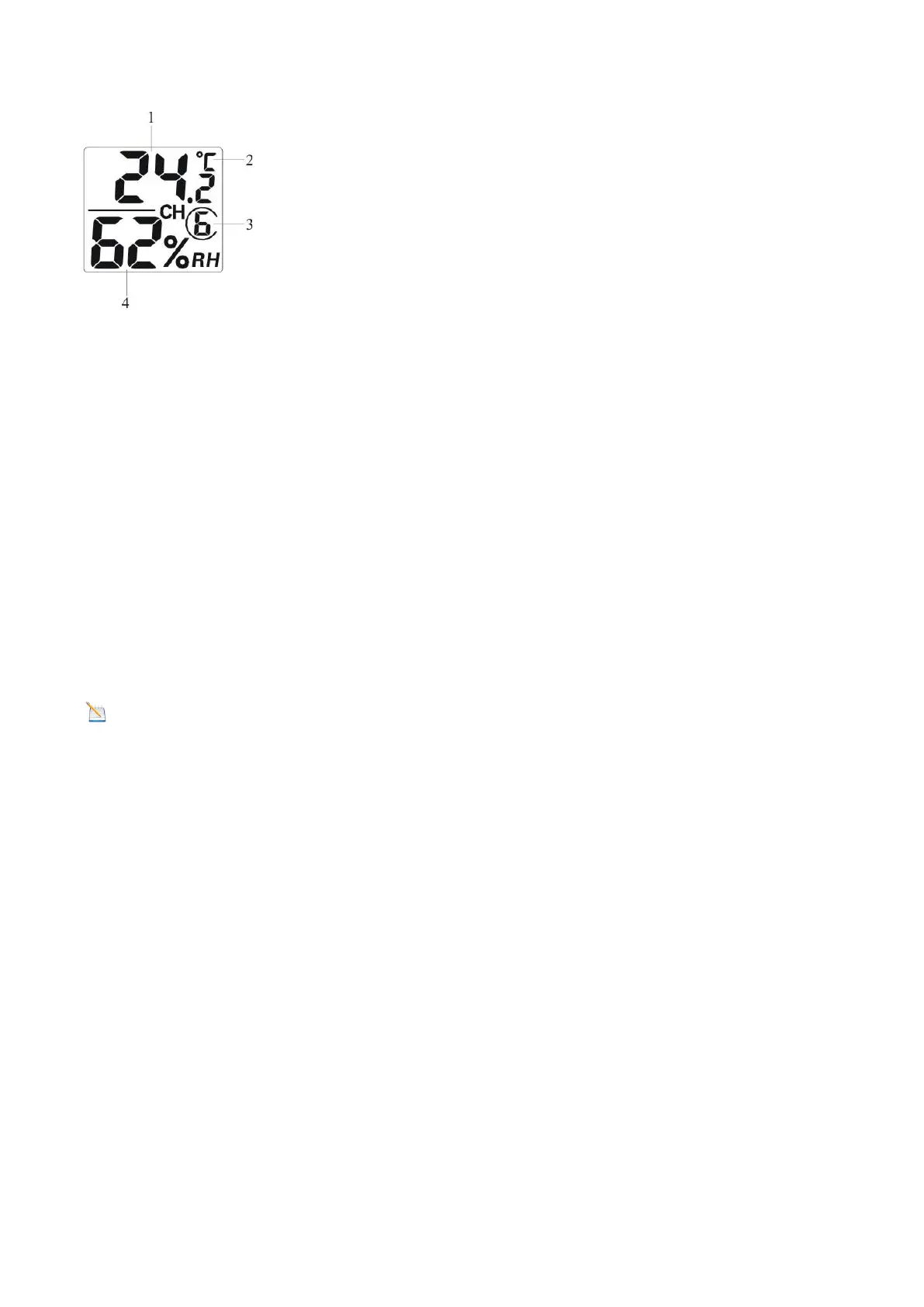
Figure 9
(1) temperature
(2) temperature units (°F vs. °C)
(3) channel number
(4) relative humidity
7. Close the battery door. Make sure the gasket (around the battery compartment) is properly seated
prior to closing the door. Tighten the set screw.
3.4 Display Console
Display Console Layout
The display console layout is shown in Figure 10.
Note: The following illustration shows the full LCD display for description purposes only; it will not appear
like this during normal operation.


 To Next Page