User Manual
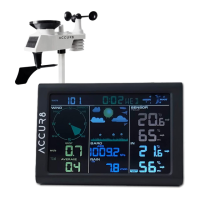
ACCUR8 YD8230A-4UK
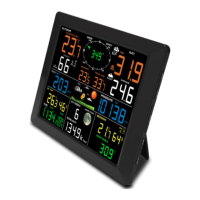
Weather Forecast Station
1. Introduction
Thank you for purchasing this ACCUR8 product. This user manual is to be considered a component of the
device. Read carefully before using the device. Keep in a safe place for future reference. When the device is
sold or given to someone else, the user manual must be provided to the new owner/user of the product.
As part of our ongoing policy to improve the design and specification of our products, we reserve the right to
change any detail given without prior notice. Tempcon Instrumentation Ltd shall not be responsible for any
liability of any nature which may result from the use of any information provided in technical literature.
Errors and technical changes excepted.
© 2022 Tempcon Instrumentation Ltd. All rights reserved.
2. General Safety Instructions
Risk of electric shock
Only use the device as described in the manual; otherwise, you run the risk of an electric shock.
• Children must only use the device under adult supervision.
• Disconnect the device from the power supply before starting any maintenance or cleaning of the device.
• Position your device so that it can be disconnected from the power supply at any time. The power socket
should be installed near the device and should be easily accessible as the mains cable plug is used to
disconnect the device from the power supply.
• Before starting up the device, check the device, the cables and the connections for signs of damage.
• To disconnect the device from the power supply, always pull on the plug. Never pull on the cable.
• Never use a damaged device or a device with damaged live parts. Damaged parts must be replaced by an
authorised service company.
• Only use the display console in completely dry environment and do not touch it with wet or moist parts of
your body.
Risk of suffocation/choking
Improper use of this product can result in suffocation, especially for children. The following safety information
must be observed at all times.
• Keep packaging materials (plastic bags, rubber bands etc.) away from children. They can cause suffocation.
• This product contains small parts that could be swallowed by children. There is a risk of choking.
Risk of fire/explosion
Improper use of this product can cause an explosion. The following safety information must be observed at all
times to prevent an explosion.
• Do not expose the device to high temperatures. Use only the supplied power supply or the recommended
batteries. Do not short-circuit the device or batteries or throw them into a fire. Excessive heat or improper
handling could trigger a short circuit, a fire, or an explosion.
Risk of damage to property
Improper handling can result in damage to the device and/or to the accessories. Always observe the following
safety information when using the device:
• Never disassemble the device. In the event of a fault, please contact your retailer.

 Need help?
 General

 To Next Page