11
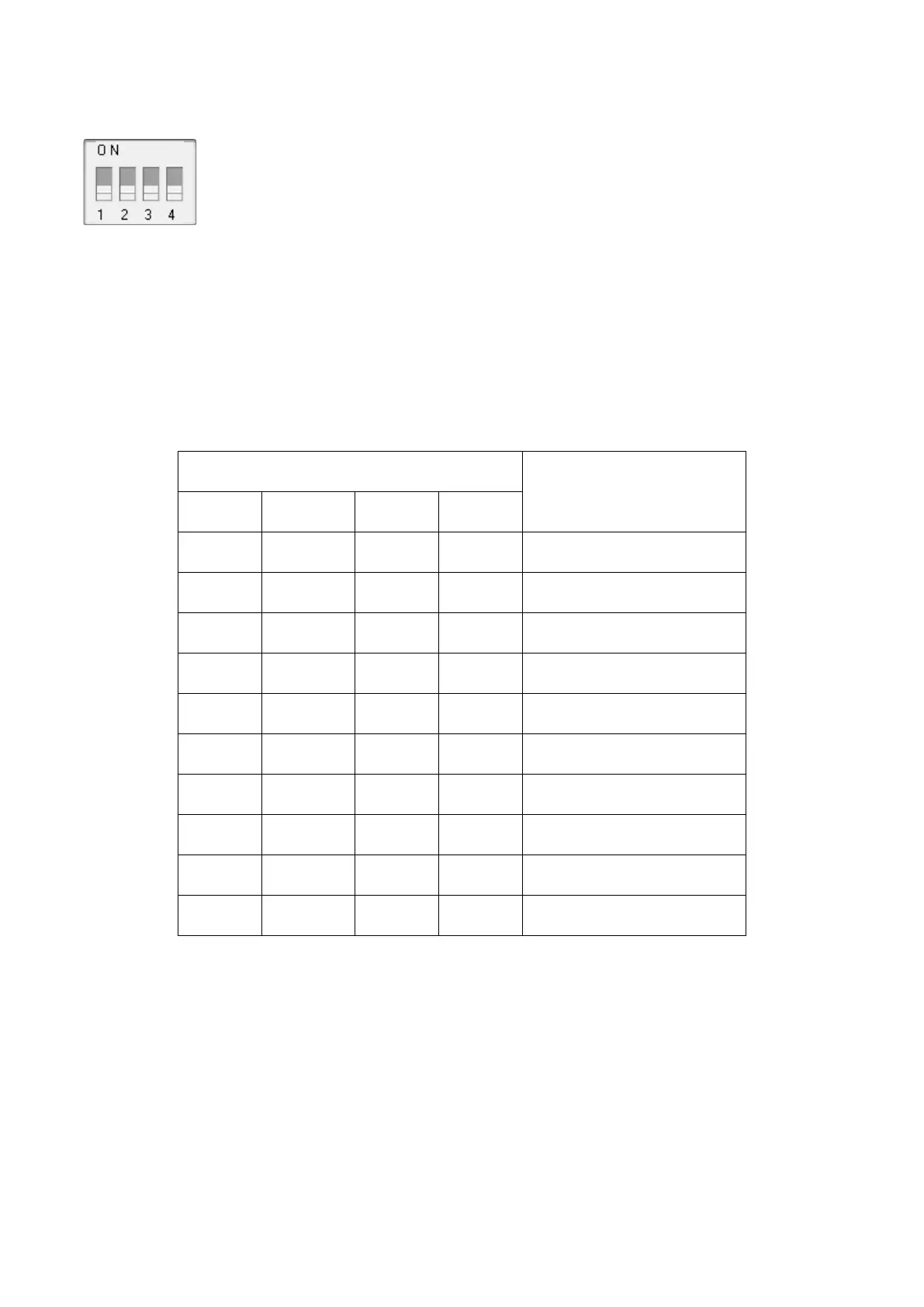
Figure 8
2. Channel Number: The DWS7100 supports up to eight transmitters. To set each channel number (the
default is Channel 1), change Dip Switches 1, 2 and 3, as referenced in Table 1.
3. Temperature Units of Measure: To change the transmitter display units of measure (°F vs. °C),
change Dip Switch 4, as referenced in Table 1.
Table 1
4. Insert two AAA batteries.
5. After inserting the batteries, the remote sensor LED indicator will light for 4 seconds, and then flash
once per 60 seconds thereafter. Each time it flashes, the sensor is transmitting data.
6. Verify the correct channel number (CH) and temperature units of measure (°F or °C) are on the
display, as shown in Figure 9.


 To Next Page