40
Figure 40
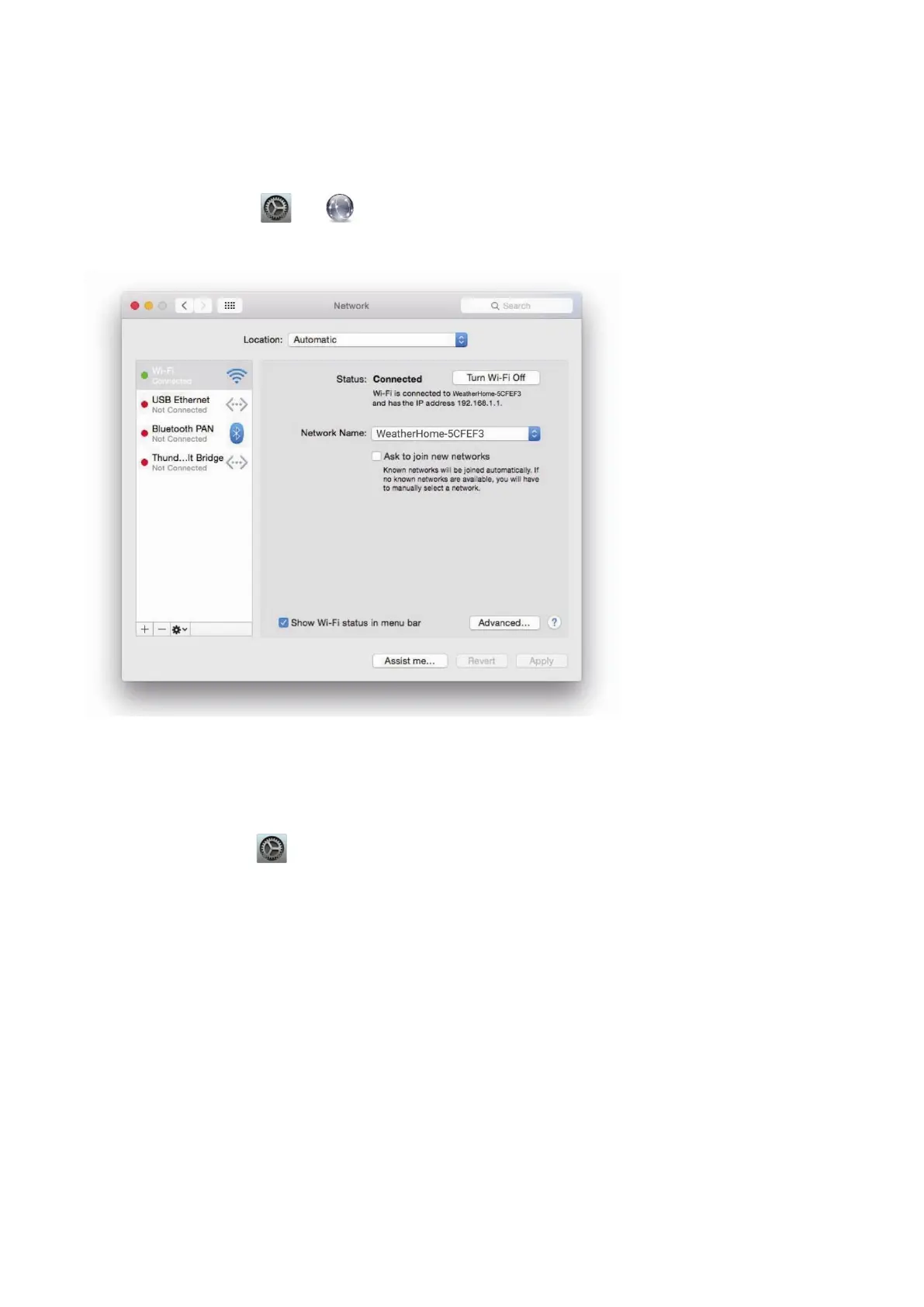
Example 2. Connect to the console Wi-Fi server with a Mac.
Choose the Settings icon and Network. Connect to the WeatherHome------ Wi-Fi network, as shown
in Figure 41 (your Wi-Fi network name may be slightly different, but will always begin with WeatherHome------
).
Figure 41
Example 3. Connect to the console Wi-Fi server with an iPhone or iPad.
Choose the Settings icon and Wi-Fi. Connect to the WeatherHome------ Wi-Fi network, as shown in
Figure 42 (your Wi-Fi network name may be slightly different but will always begin with WeatherHome------).


 To Next Page