42
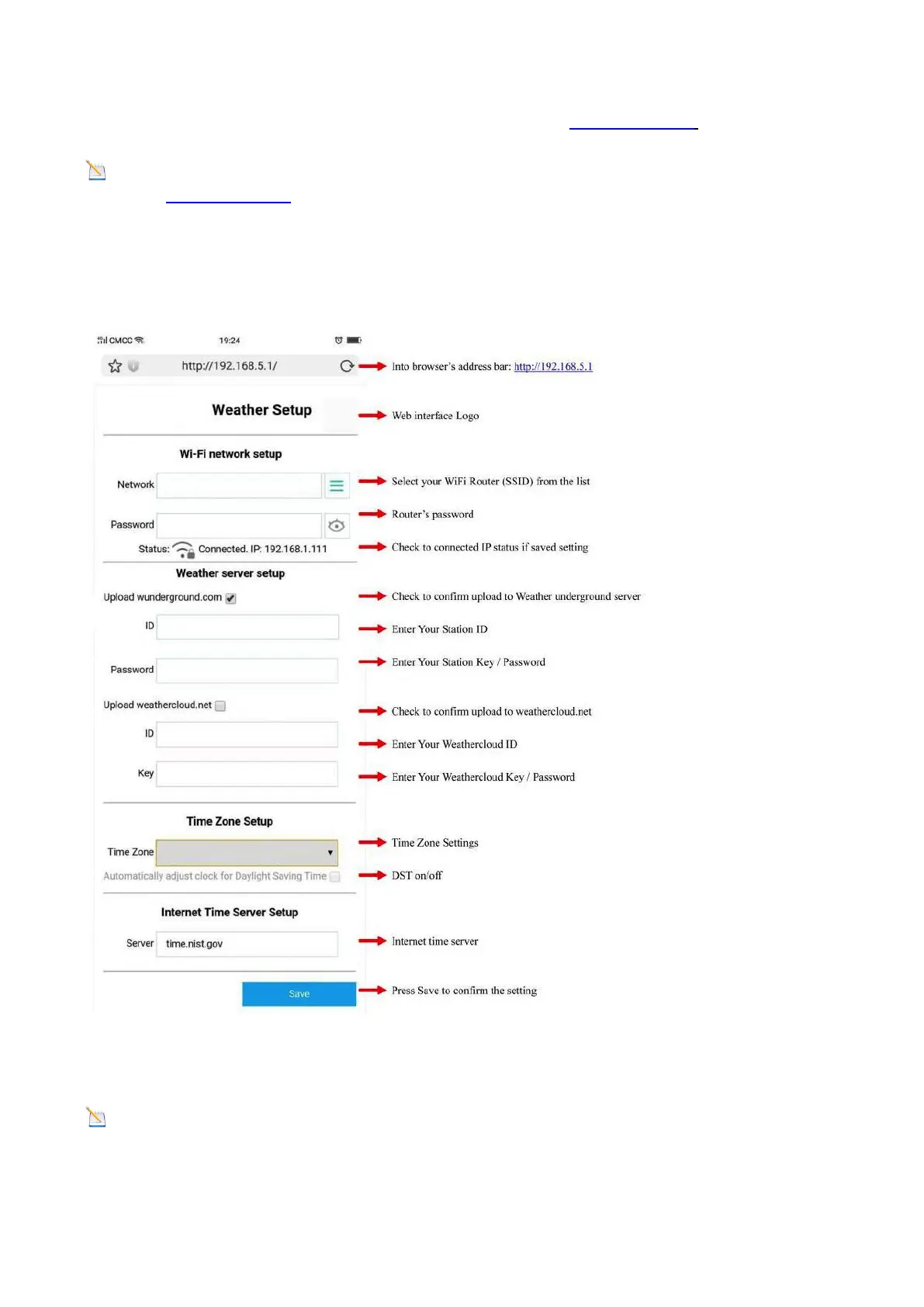
Once connected, enter the following IP address into any web browser: http://192.168.5.1 to access the
console’s web interface.
Note: Some browsers will treat 192.168.5.1 as a search, so make sure you include the header
http://, i.e.: http://192.168.5.1, not 192.168.5.1
Enter the following information into the web interface (Figure 44). Make sure all of the information is entered
prior to selecting Save. If you choose not to upload to Wunderground.com, or upload to weathercloud.net,
leave the check boxes unchecked.
Figure 44
Note: Hidden SSIDs: If you have a hidden SSID, enter the SSID manually.
Time Zone Settings (default: 0h). Based on the number of hours from Coordinated Universal Time, or
Greenwich Mean Time (GMT).


 To Next Page