3-4 The S-TAD User Manual
To add a user code:
1. Enter Programming Mode
2. Press: 2, Enter, 2, Enter
(3 slow green flashes)
3. Press: 4 digit user code to add, then
Enter
(1 slow green flash if correct)
Note: Maximum 121 codes.
4. Press: same 4-digit user code to verify,
then Enter
(5 slow green flashes confirms)
5. Repeat steps 3 & 4 to add another code.
When finished, exit Programming
Mode.
To delete a user code:
1. Enter Programming Mode
2. Press: 3, Enter, 3 Enter
(3 slow green flashes)
3. Press: 4 digit user code to delete, then
Enter
(1 slow green flash if correct)
4. Press: same 4-digit user code to verify,
then Enter
(5 slow green flashes confirms)
5. Repeat steps 3 & 4 to delete another
code. When finished, exit Programming
Mode
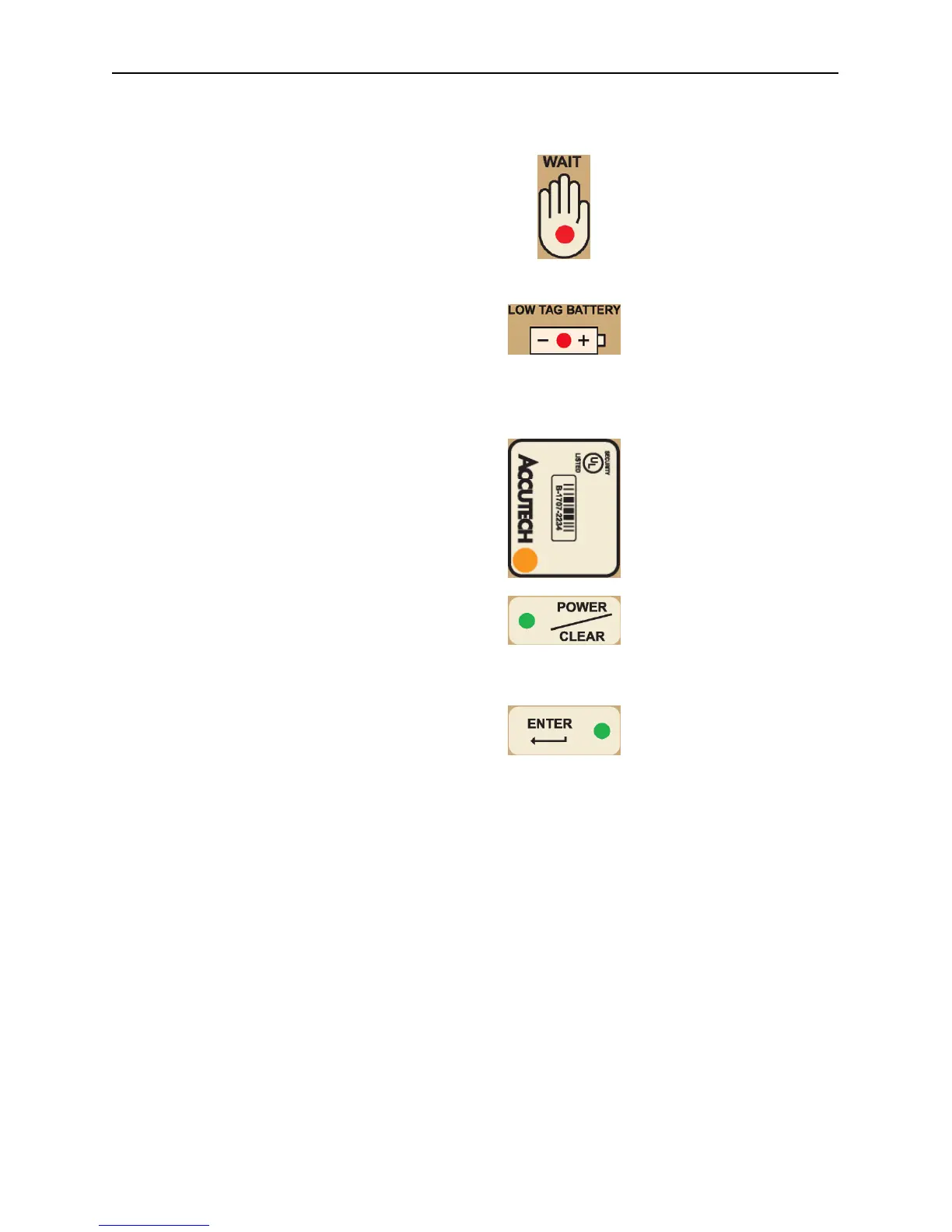
Summary of LEDs
WAIT LED
Tag is in the process of being
turned on or off or during
S-TAD unlocking.
LOW TAG BATTERY LED
A low tag battery is detected.
Replace Tag.
TAG LED
An active Tag is nearby.
POWER/CLEAR LED
S-TAD is powered.
ENTER LED
S-TAD unlocked.



 To Next Page